

The vector store from your RAG pilot handled ten thousand documents on a laptop; production asks it to hold tens of millions of chunks, filter them by department and user rights, and answer within a latency budget while the source documents change every day. A weak choice shows up late and expensively: filters that make queries crawl, memory bills that grow faster than the corpus, or a cloud-only service your risk team will never approve. Most comparison lists rank a vector database for RAG on features without saying how anything was measured or whether it can run inside your own data center. Six criteria, a memory and cost model you can recompute, and a reproducible test plan settle the choice before the contract does.
Key Takeaways
|
The Role of a Vector Database in a RAG Pipeline
A vector database stores the numerical embeddings that represent your documents and finds the entries closest in meaning to a query in milliseconds. In a RAG pipeline it sits between the embedding model and the language model, so it decides which passages the model ever sees.
Approximate nearest neighbor search is the core technique. Instead of comparing a query with every vector, the database walks an index, most often a graph such as HNSW, and returns results very close to exact at a fraction of the cost. The balance between recall and speed is tunable, which is why two deployments of the same engine can behave very differently.
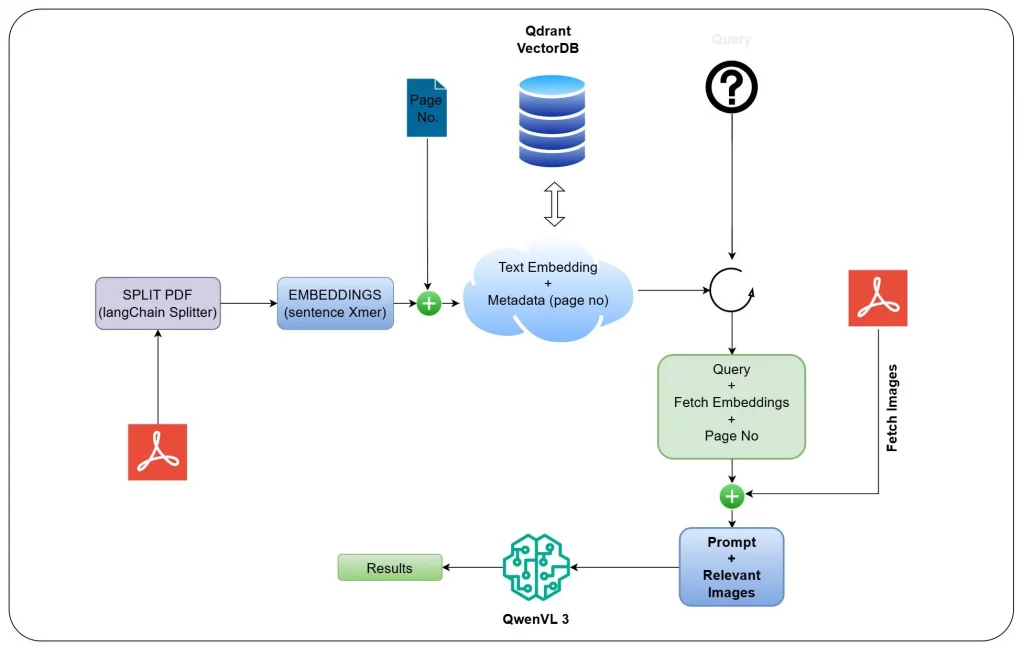
Enterprise use asks more of a vector database for RAG than nearest-neighbor math. It has to filter by metadata such as department, date, and region, honor user permissions, and stay current while documents are added, edited, and deleted every day.
Where the vector layer sits relative to the model and the orchestration layer is covered in our walkthrough of Claude RAG, which follows retrieved chunks into generation and citations.
6 Key Features a Vector Database for RAG Needs in Production
Six capabilities decide whether a vector database for RAG survives production, and each one can rule a candidate out on its own.
| Capability | What good looks like | Common failure |
|---|---|---|
| Scale and recall | Stable recall and p95 latency from one million to one hundred million vectors | Benchmarks run on small, unfiltered datasets |
| Hybrid search | Dense vectors plus keyword or sparse search in one query | A second system bolted on and merged in application code |
| Metadata filtering | Filters applied during the index search | Filtering after retrieval, which drops results and inflates latency |
| Per-user permissions | Access lists stored with each chunk and enforced in the query | Permissions checked only in the application layer |
| Deployment options | Managed cloud, your own cloud account, and on-premise | A cloud-only service that blocks regulated workloads |
| Operations | Backups, replication, upgrades, and re-indexing with clear runbooks | Staff cost that appears only after signature |
Filtering and permissions deserve the heaviest weight for multi-department deployments. A practical scoring approach rates each candidate from 0 to 3 on four questions: whether filters run inside the index search, whether filtered queries keep their recall, whether access lists can be stored per chunk, and whether permission changes apply without re-indexing.
A candidate that scores low here is not a candidate for a shared knowledge base across departments, however fast it runs unfiltered.
Hybrid search earns its place in a vector database for RAG for the same reason. Embeddings match meaning but often miss exact strings such as product codes, case numbers, and regulation references, which keyword search finds instantly. An engine that runs both in one query and merges the scores avoids a second system and the reconciliation code that comes with it.
Top 7 Vector Databases Compared by License and Deployment
The table compares common options for a vector database for RAG on license and deployment, the two columns most comparison lists skip, based on public documentation read on October 2, 2026.
| Option | License | Deployment | Notes |
|---|---|---|---|
| Pinecone | Proprietary | Managed cloud, plus Bring Your Own Cloud on AWS, Google Cloud, and Azure for Enterprise plans since September 2026 | No on-premise option; BYOC keeps the data plane in your cloud account |
| Milvus (managed as Zilliz Cloud) | Apache 2.0 | Self-hosted, Kubernetes, or managed cloud | Built for very large collections, with several index types |
| Qdrant | Apache 2.0 | Self-hosted or managed cloud | Filtering applied during HNSW search, with quantization options |
| Weaviate | BSD 3-Clause | Self-hosted or managed cloud | Built-in hybrid search |
| pgvector for PostgreSQL | PostgreSQL License | Anywhere PostgreSQL runs | HNSW and IVFFlat indexes inside an existing database |
| OpenSearch | Apache 2.0 | Self-hosted or managed | Keyword and vector search in one engine |
| Elasticsearch | Elastic License, SSPL, or AGPL | Self-hosted or Elastic Cloud | Mature keyword search with vector fields |
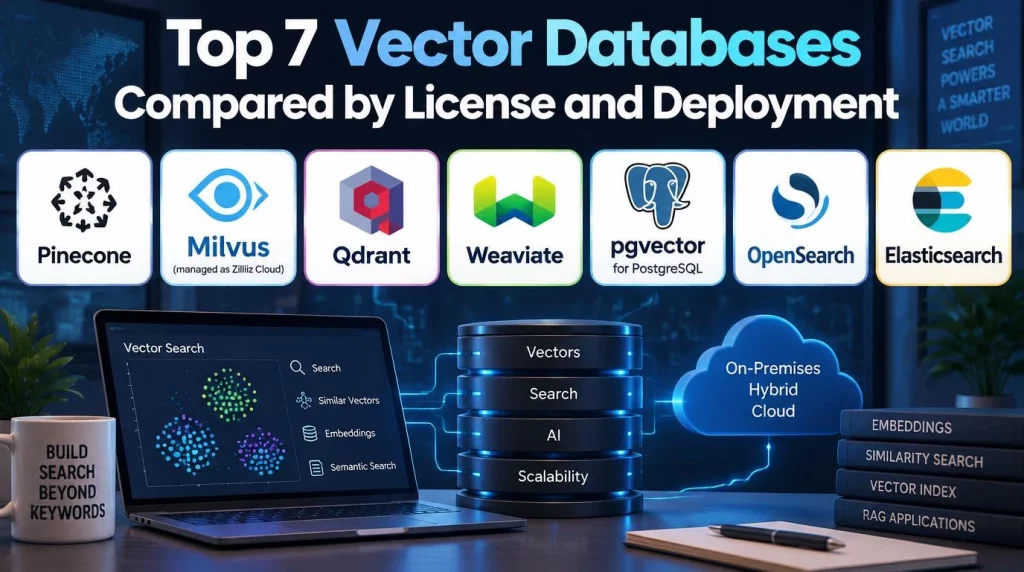
License matters to on-premise buyers in two ways. Permissive licenses such as Apache 2.0, BSD, and the PostgreSQL License carry no fee for self-hosting, while managed tiers and enterprise features carry subscription costs that should be quoted against your actual volume.
For teams whose documents cannot leave their own data center, the shortlist is the self-hostable engines, and the wider design questions are covered in our guide to on-premise AI.
5 Constraints to Choose a Vector Database for RAG, in Order
Choosing a vector database for RAG is easiest as a sequence of constraints applied in order, because the first one usually eliminates half the list.
- Deployment constraint: If data must stay on infrastructure you control, only self-hostable engines remain; if your own cloud account is enough, BYOC services return to the list.
- Existing data platform: If PostgreSQL, OpenSearch, or Elasticsearch already runs in production with backups and on-call support, adding vectors there avoids a new system to operate.
- Scale in two years: As a rule of thumb, most options perform well below about ten million chunks, while toward one hundred million memory, sharding, and quantization become the deciding factors.
- Filtering and permissions: Multi-department use needs in-index filtering and per-chunk access lists, scored as in the previous section.
- Team capacity: A team without database operations staff should weigh a managed or BYOC service against the cost of hiring that skill.
The existing-platform route has analyst support. Gartner predicted in June 2025 that 80 percent of generative AI business applications will be developed on existing data management platforms by 2028, which Gartner expects to cut implementation complexity and delivery time by half.
Two buyer profiles show how the sequence plays out for a vector database for RAG. A bank with residency rules, an existing PostgreSQL estate, and about five million chunks would likely shortlist pgvector and one self-hosted dedicated engine, then decide on filtered latency. A growth-stage software company with no database operations team and a fast-growing corpus would more likely shortlist two managed services and decide on cost at its two-year volume.
Performance and Scaling Considerations
Performance of a vector database for RAG depends on memory, index settings, and filters far more than on an engine’s headline speed.
Memory is the first constraint. A float32 embedding with 1,536 dimensions takes 6,144 bytes, so the vectors and index links alone need the following per replica.
| Vectors | Float32 raw | Int8 scalar quantization | Binary quantization | HNSW links at M = 16, approximate |
|---|---|---|---|---|
| 1 million | About 6.1 GB | About 1.5 GB | About 0.2 GB | About 0.13 GB |
| 100 million | About 614 GB | About 154 GB | About 19 GB | About 13 GB |
The arithmetic is simple but decisive. At 100 million vectors, keeping float vectors in memory means hundreds of gigabytes per replica, which is why quantization, disk-based indexes, or tiered storage become part of the design. Quantization costs some recall, so a rescoring step on the original vectors is common.
Index settings control the trade between recall and latency. The HNSW algorithm (Malkov and Yashunin) exposes parameters for graph connectivity and search breadth, and raising them improves recall at the cost of memory and query time, so they should be tuned on your data rather than left at defaults.
Filters change the picture for any vector database for RAG. A query restricted to one department’s documents can lose recall or slow sharply if the engine filters after the graph search, so p95 latency should always be measured with real filters and real concurrency.
Ingest throughput matters on the day you change embedding models. Re-embedding and re-indexing 100 million chunks is a multi-day job at modest throughput, so the plan needs a parallel index and a cutover, not an in-place rebuild.
Sharding and replicas complete the picture. Sharding spreads a large collection across nodes so memory per node stays manageable, while replicas add query capacity and survive node failures. Both multiply infrastructure cost, so the memory table above should be multiplied by the replica count when budgeting.
5 Integration Best Practices for Production RAG Pipelines
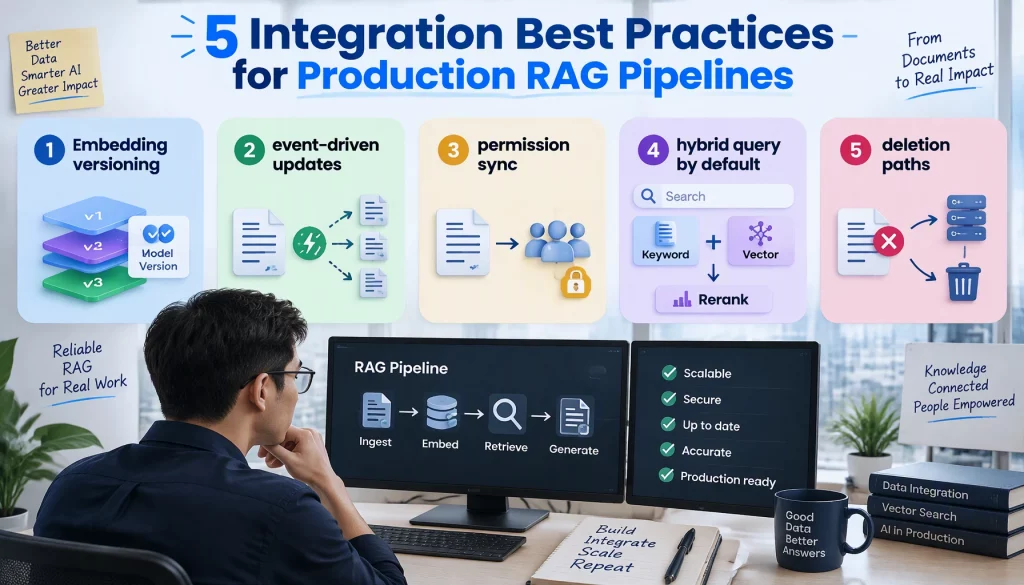
A vector database for RAG never runs alone, and most production incidents come from the seams between it and the rest of the pipeline.
- Embedding versioning: Each vector records the model and version that produced it, so a model upgrade can run as a parallel index with a planned cutover.
- Event-driven updates: A change to a source document triggers re-embedding of the affected chunks within minutes, instead of a nightly full rebuild.
- Permission sync: Access lists flow from the source system to each chunk and update when rights change, without re-embedding.
- Hybrid query by default: Keyword and vector results are combined in one query and reranked before generation.
- Deletion paths: Deleting a document removes its chunks and vectors everywhere, including replicas, and from backups on their retention cycle.
The event-driven parts, such as triggers on document change, re-embedding jobs, and alerts when sync falls behind, are ordinary AI workflow automation and belong in the same monitored pipeline as the rest of your automation.
Cost and Latency Benchmarks You Can Reproduce
We are not publishing benchmark numbers of our own, because results without a disclosed setup are exactly the problem with most comparison lists. Instead, this section gives a test configuration and a cost model for a vector database for RAG that your team can run and recompute.
| Setting | Value |
|---|---|
| Dataset | Your own chunks, or a public set of similar dimension, at 1 million and 100 million vectors |
| Embedding dimension | The dimension of your production model, for example 1,024 or 1,536 |
| Queries | At least 1,000 real or realistic questions, with true neighbors computed by exact search |
| Filters | Your real department and permission filters at realistic selectivity |
| Concurrency | Your expected peak, for example 50 concurrent queries |
| Metrics | p95 and p99 latency, queries per second, recall at 10, ingest rate, and memory per replica |
Two public tools make a vector database for RAG test repeatable. ANN-Benchmarks (Aumüller and colleagues) compares index algorithms, and Zilliz’s open-source VectorDBBench runs filtered and unfiltered tests against several databases, though any vendor-maintained tool should be read with its author in mind.
| Cost line | Managed or BYOC service | Self-hosted on your infrastructure |
|---|---|---|
| License | Subscription by usage or capacity | None for permissive open-source engines |
| Infrastructure | Included, or billed in your cloud account for BYOC | Servers or virtual machines sized for memory, plus replicas and storage |
| Operations staff | Mostly carried by the vendor | A share of a database or platform engineer for upgrades, backups, and on-call |
| Re-indexing events | Usage charges during re-embedding | Temporary extra capacity for a parallel index |
| Compliance work | Vendor attestations plus your own review | Your own controls, audits, and evidence |
Staff cost is the line most comparisons leave out. Even a quarter of one engineer’s time can cost more per month than the infrastructure for a few million vectors, which is why small deployments of a vector database for RAG often favor managed services, while very large or regulated ones favor self-hosting.
If you want help running this test plan against your own data and deployment constraints, you can talk to our team.
Conclusion
A vector database for RAG is an architecture decision that touches security, cost, and every AI project built on the same knowledge base. Deployment constraints, filtering and permissions, and memory at your two-year scale narrow the field before speed matters, and a disclosed test at one million and one hundred million vectors settles what remains. This quarter, your team can run the test plan above on two shortlisted engines with real filters and compare p95 latency, recall, memory, and monthly cost.
The next question is how retrieval, orchestration, and governance run together on infrastructure you control. Our platform features page shows how AI Hive combines them, as SaaS or on-premise.