
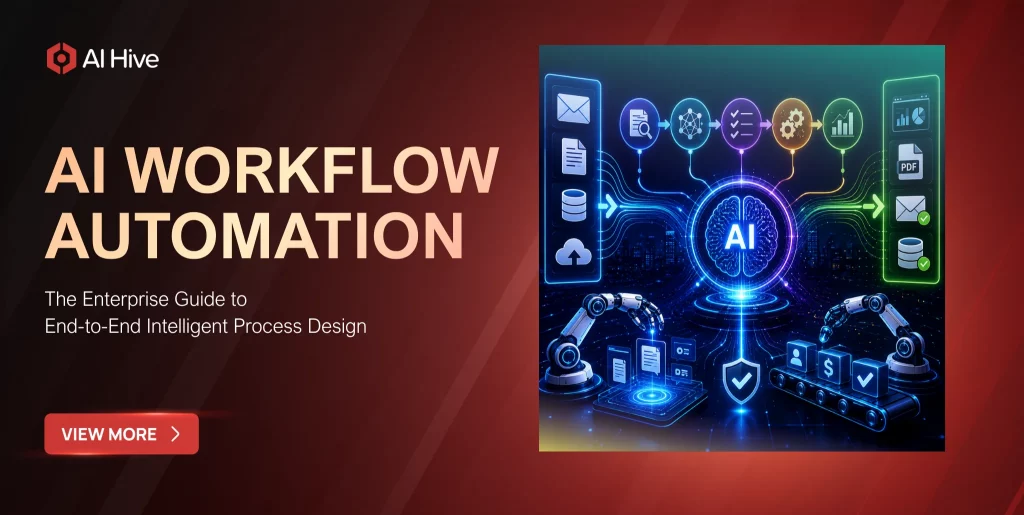

Most enterprise automation initiatives start with a promising pilot and stall before they reach production. McKinsey’s 2026 State of AI report confirms the pattern: nearly two-thirds of enterprises have experimented with AI agents, but fewer than 10% have scaled them to deliver measurable business value. The gap between experimentation and operational impact is not a technology problem. It is a workflow design problem.
AI workflow automation closes that gap by treating automation as an end-to-end system rather than a collection of disconnected bots. Instead of automating individual tasks in isolation, intelligent workflow automation connects decision-making, data retrieval, exception handling, and human oversight into coherent processes that run across departments and systems. This guide walks enterprise leaders through the architecture, tooling, and organizational changes required to design AI-powered workflows that actually reach production in 2026.
What AI Workflow Automation Actually Means in 2026
The term “workflow automation” has been in enterprise vocabulary for decades, but the 2026 definition looks fundamentally different from what it meant even two years ago. Traditional workflow automation followed rigid, predefined paths: if condition A, then action B. The process broke whenever reality deviated from the script.
AI workflow automation introduces three capabilities that change the equation. First, agentic reasoning allows automated workflows to handle exceptions without human intervention-the system evaluates the unexpected input, considers context from previous steps, and selects an appropriate response. Second, natural language interfaces let business users describe workflow requirements in plain English rather than flowchart notation, which dramatically accelerates the design phase. Third, cross-system orchestration enables a single workflow to span CRM, ERP, email, databases, and external APIs without requiring point-to-point integrations for each connection.
According to Gartner, 75% of executives now say automation delivers a decisive competitive edge in their industry. The shift from task automation to workflow automation is the primary driver behind that assessment.
The Five Layers of an Enterprise AI Workflow
Understanding AI workflow automation requires looking at the system as five interdependent layers, each addressing a different challenge in the automation stack.
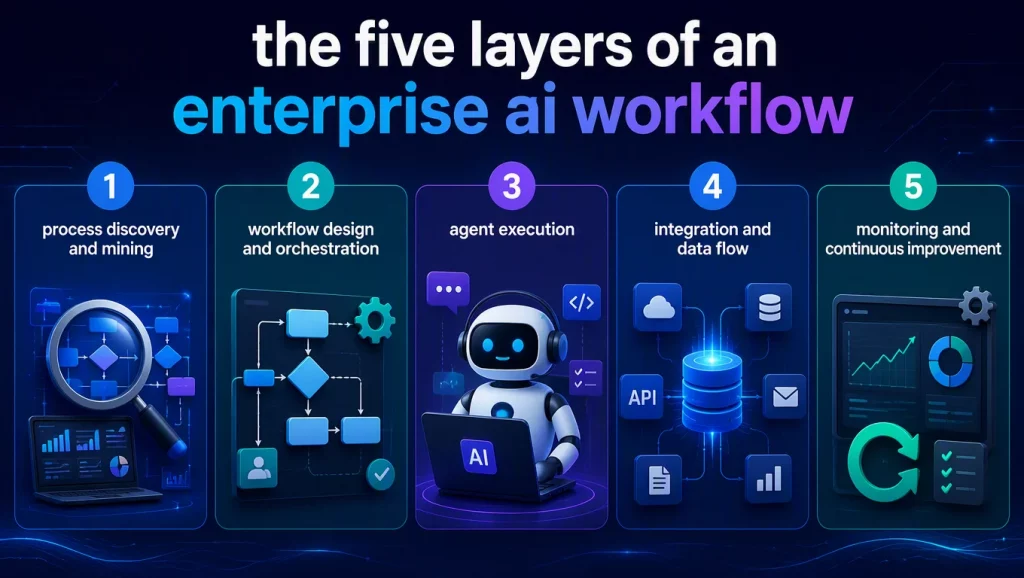
Layer 1: Process Discovery and Mining
Before you can automate a workflow, you need to understand it as it actually operates-not as the process documentation says it should operate. AI-powered process mining tools analyze event logs from your existing systems to reconstruct the real sequence of steps, branching points, and bottlenecks in your current workflows. This discovery phase often reveals that the documented process and the actual process diverge significantly, particularly in departments where employees have developed informal workarounds over time.
Layer 2: Workflow Design and Orchestration
The orchestration layer defines how tasks connect, what triggers each step, and how the workflow handles conditional logic. Modern AI agent orchestration platforms provide visual builders where architects can design multi-step workflows that include both automated actions and human checkpoints. The critical design decision at this layer is determining which steps require autonomous AI execution and which need human approval before proceeding.
Layer 3: Agent Execution
Individual workflow steps are executed by AI agents-specialized units of logic that perform specific tasks like extracting data from documents, making API calls, generating reports, or communicating with customers. Each agent operates within defined guardrails that specify its capabilities, data access permissions, and escalation rules. The quality of your workflow depends heavily on how well these agents are designed, tested, and monitored.
Layer 4: Integration and Data Flow
Enterprise workflows inevitably cross system boundaries. An order processing workflow might start in your CRM, pull inventory data from your ERP, trigger a payment through your billing system, and update your shipping platform. The integration layer manages these connections, handles data transformation between systems, and ensures that failures in one system do not corrupt data in another. For enterprises evaluating AI agent platforms, the breadth and reliability of pre-built integrations often determines which platform can actually support production workflows.
Layer 5: Monitoring and Continuous Improvement
A deployed workflow is not a finished product. The monitoring layer tracks execution metrics-completion rates, error rates, latency per step, cost per execution-and surfaces anomalies that require attention. More advanced implementations use the monitoring data to suggest workflow optimizations automatically, identifying steps that consistently cause delays or generate exceptions.
Three Enterprise AI Workflow Patterns That Work in Production
Theory matters less than patterns that have proven effective in real deployments. These three workflow patterns represent the highest-ROI implementations we have observed across industries.
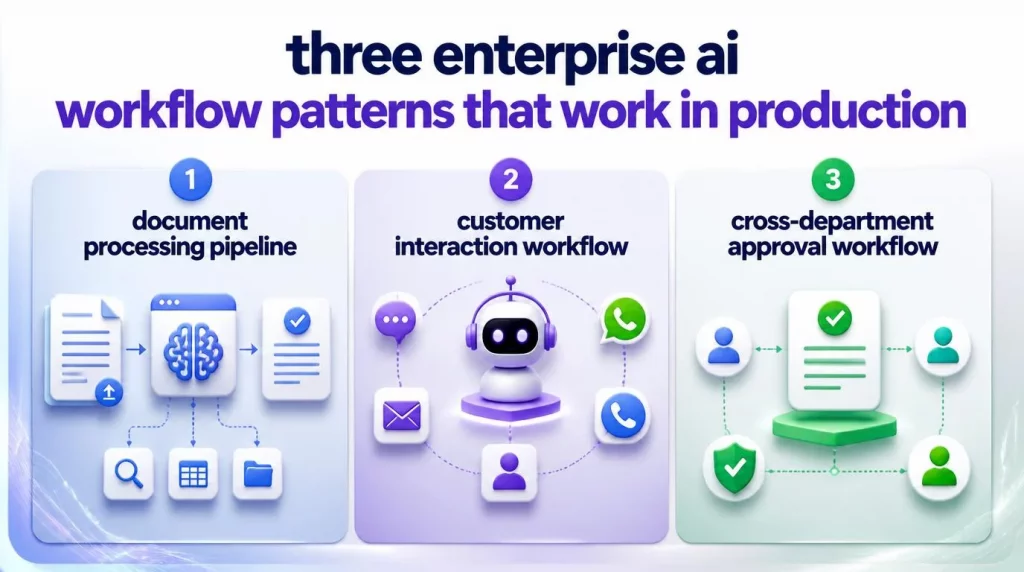
Pattern 1: Document Processing Pipeline
Financial services, insurance, and legal firms process thousands of documents daily-loan applications, claims forms, contracts, compliance filings. An AI workflow automation pipeline ingests documents from multiple channels (email, upload portals, scanned mail), classifies them by type, extracts structured data using vision and language models, validates the extracted data against business rules, routes exceptions to human reviewers, and updates downstream systems with the verified information.
Organizations implementing this pattern report 60-70% reduction in manual processing time, according to Deloitte’s 2026 intelligent automation survey. The key to success is building robust exception handling that routes genuinely ambiguous documents to human experts rather than forcing automated decisions on edge cases.
Pattern 2: Customer Interaction Workflow
Customer-facing AI workflows combine conversational AI with transactional capabilities. A customer asks about their order status, and the workflow retrieves tracking information from the shipping provider, checks for known delivery exceptions, generates a personalized response, and-if the customer requests a return-initiates the return process, generates a shipping label, and updates the order management system. This pattern works because it replaces a sequence of human actions (look up order, check tracker, copy information, send email) with an AI agent for customer service that executes the entire chain in seconds.
Pattern 3: Cross-Department Approval Workflow
Procurement, hiring, and budget approval processes typically involve multiple stakeholders across departments. An AI workflow automation approach replaces email-based approval chains with structured workflows that route requests to the right approver based on the request type and amount, pre-populate approval forms with relevant context and risk analysis, send reminders automatically, escalate stalled approvals, and generate audit trails that satisfy compliance requirements.
Build vs. Buy: Choosing Your AI Workflow Automation Platform
Enterprise teams face a strategic choice between building custom workflow automation on top of agent frameworks and purchasing a platform that provides the orchestration layer out of the box.
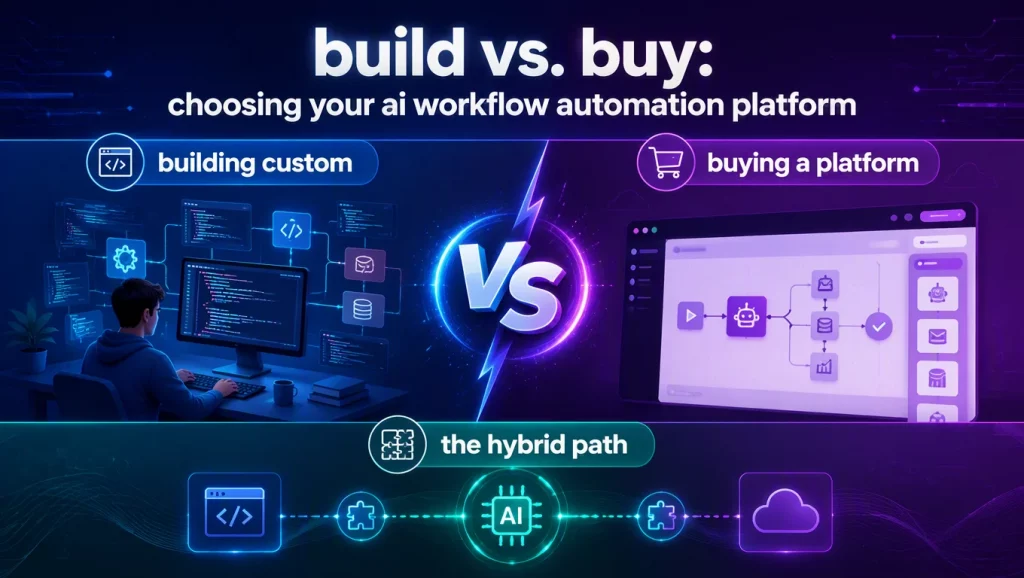
Building Custom
Custom builds using frameworks like LangChain, CrewAI, or AutoGen offer maximum flexibility. Your engineering team controls every aspect of the workflow logic, agent behavior, and integration architecture. The trade-off is significant development time-typically 3-6 months for a production-ready workflow-and ongoing maintenance responsibility. This path makes sense for organizations with strong AI engineering teams and workflows that require deep customization.
Buying a Platform
Enterprise AI agent platforms like AI Hive provide pre-built orchestration, visual workflow builders, marketplace agents, and managed infrastructure. The platform approach reduces time-to-production from months to weeks and shifts infrastructure maintenance to the vendor. For organizations without dedicated AI engineering teams, platforms also offer access to AI engineers for hire who can build and deploy custom workflows on your behalf.
The Hybrid Path
Most enterprises end up on a hybrid path: they adopt a platform for standard workflows (customer support, document processing, approval chains) and build custom solutions for proprietary processes that represent competitive advantages. The critical requirement is choosing a platform that does not lock you into a single LLM vendor-94% of enterprise professionals prefer a unified automation platform over disconnected tools, according to Gartner’s 2026 automation survey.
Implementation Roadmap: From Pilot to Production
Successful AI workflow automation follows a predictable implementation sequence. Rushing past any stage creates risk that compounds in later phases.
- Stage 1: Process Audit (Weeks 1-2). Map your current workflows using process mining tools. Identify the three to five workflows with the highest volume, most manual steps, and clearest success metrics. These become your pilot candidates.
- Stage 2: Pilot Design (Weeks 3-4). Design the target workflow for one pilot process. Define clear entry and exit points, identify which steps will be automated versus human-supervised, and establish measurable success criteria (processing time, error rate, cost per transaction).
- Stage 3: Agent Development (Weeks 5-8). Build and test the individual agents that will execute each workflow step. Focus on exception handling-the happy path is straightforward, but production workflows spend most of their complexity budget on handling edge cases gracefully.
- Stage 4: Integration and Testing (Weeks 9-10). Connect the workflow to production systems. Run parallel processing-the AI workflow and the existing manual process handle the same workload simultaneously-to validate accuracy and identify discrepancies before cutover.
- Stage 5: Production Deployment (Week 11-12). Deploy the workflow with monitoring dashboards that track the KPIs defined in Stage 2. Maintain a human escalation path for the first 30 days as the system encounters real-world edge cases not covered during testing.
- Stage 6: Optimization (Ongoing). Analyze monitoring data monthly. Identify steps with high exception rates or latency, refine agent prompts and business rules, and expand the workflow to cover adjacent processes.
Common Mistakes That Derail Enterprise AI Workflow Projects
88% of companies now use AI in at least one business function, but the majority still struggle to scale beyond isolated use cases. These are the recurring mistakes we see across failed implementations:
- Automating bad processes. If your existing workflow is poorly designed, automating it produces faster bad outcomes. Process redesign must precede automation.
- Ignoring exception handling. Pilot workflows that only handle the happy path look impressive in demos but collapse under production workloads where 15-25% of cases involve some form of exception.
- Skipping human-in-the-loop design. Fully autonomous workflows work for low-risk, high-volume tasks. For decisions with financial, legal, or safety implications, the workflow must include human checkpoints-and the system must make it easy for humans to review, approve, or override agent decisions.
- Underinvesting in monitoring. A workflow that works today may drift as input patterns change, API endpoints update, or business rules evolve. Without monitoring, you discover failures when customers complain rather than when metrics shift.
Conclusion
AI workflow automation represents the maturation of enterprise AI from isolated experiments to operational infrastructure. The organizations that succeed are the ones that treat automation as a systems design challenge-mapping processes end-to-end, designing robust exception handling, investing in monitoring, and choosing platforms that support multi-vendor flexibility rather than locking them into a single technology stack.
If your organization is ready to move from AI pilots to production workflows, connect with AI Hive’s automation architects to design a workflow strategy aligned with your operational priorities and compliance requirements.