
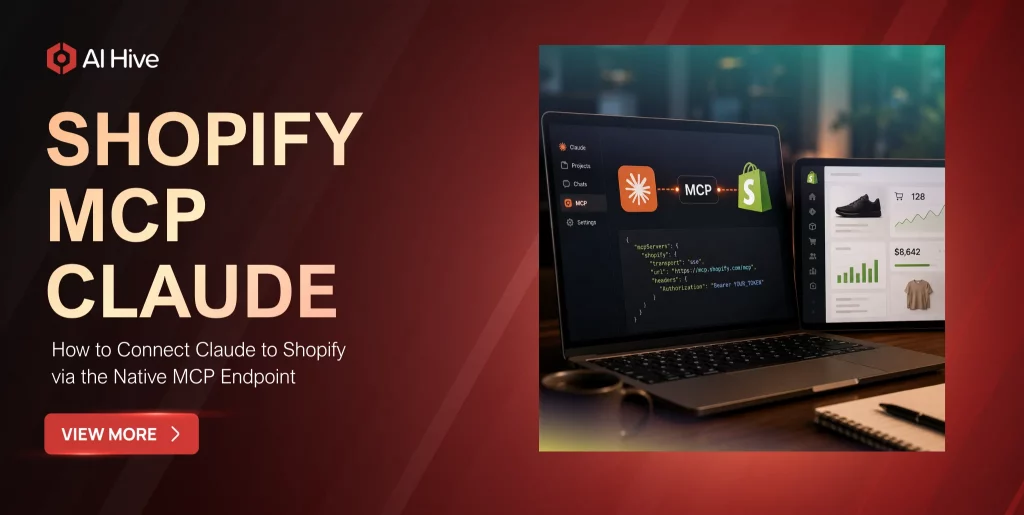

Connecting an AI model to your Shopify store used to require custom middleware, fragile API wrappers, and weeks of engineering work. That changed in early 2026 when Shopify shipped native Model Context Protocol (MCP) support, giving Claude direct, structured access to store operations through standardized endpoints that Shopify maintains and updates.
This guide walks through the complete process of connecting Claude to Shopify via the native MCP endpoint. We cover the four Shopify MCP Claude servers, their specific capabilities, the configuration steps for Claude Desktop and Claude Code, and the security considerations that enterprise teams need to address before production deployment.
What Is the Model Context Protocol and Why It Matters for Shopify
The Model Context Protocol (MCP) is an open standard that provides a structured way for AI models to interact with external systems. Anthropic originally developed MCP as a “USB-C for AI,” a universal connector that lets language models like Claude access databases, APIs, and production systems through a consistent interface rather than requiring custom integration code for every service.
For Shopify merchants and developers, MCP eliminates the brittleness that plagued earlier AI integration approaches. Before MCP, connecting an AI agent to Shopify meant building custom API wrappers that could break with every Shopify API update, managing authentication tokens manually, and writing parsing logic to translate between the model’s output format and Shopify’s expected input format. MCP handles all of this through a standardized protocol layer.
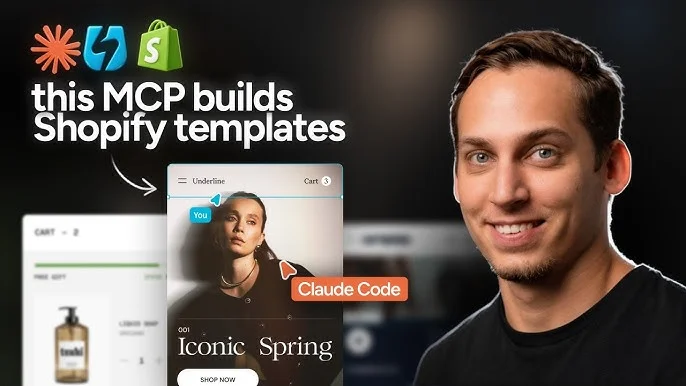
By mid-2026, over 300 public MCP servers exist across various platforms, and Shopify’s native MCP support is among the most comprehensive. The protocol has become the infrastructure layer that Claude, ChatGPT, and Gemini use to interact with ecommerce platforms, with Shopify leading the adoption curve. Our detailed guide on Claude MCP integration covers the protocol architecture in depth.
The Four Native Shopify MCP Claude Servers Explained
Shopify shipped MCP support across four separate servers during Q1 2026. Each server exposes a distinct set of store operations, and understanding which server handles which capability is essential for configuring your Claude integration correctly.
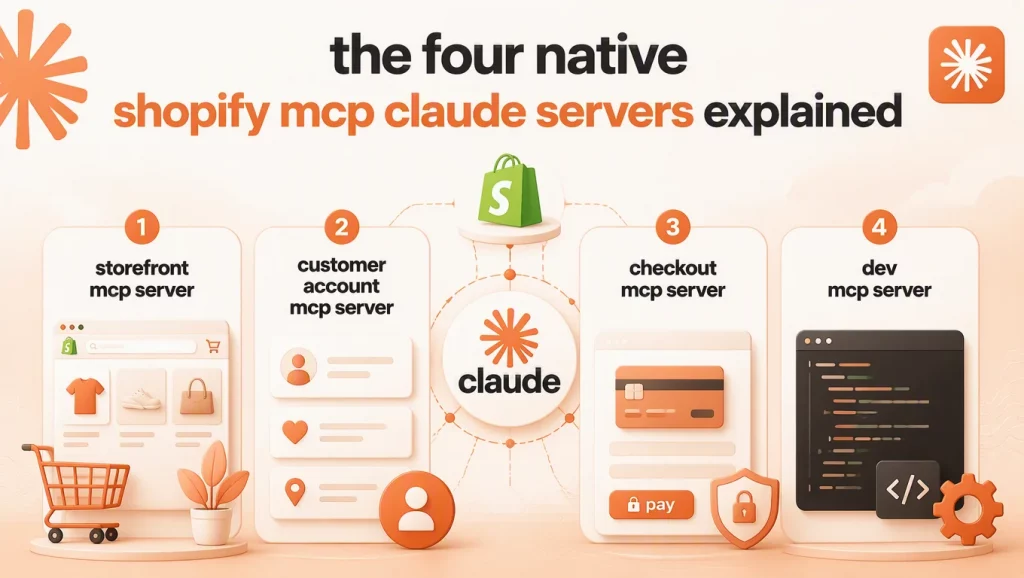
1. Storefront MCP Server
The Storefront server handles all customer-facing product and catalog operations. Claude can query product listings, search inventory, retrieve collection data, and access pricing information through this server. The Storefront server uses Shopify’s Storefront API under the hood, which means it respects your store’s published product visibility settings and does not expose draft or archived products to the AI agent. For example, asking Claude “show every product in the Winter 2026 collection with fewer than five units in stock” returns a live, formatted list without you opening the admin panel.
2. Customer Account MCP Server
The Customer Account server provides access to authenticated customer data including order history, saved addresses, loyalty program status, and account preferences. This server requires customer authentication, which means the AI agent can only access customer data when the customer has explicitly logged in and authorized the interaction. A logged-in customer asking Claude “what did I order last month and has it shipped yet” gets a direct answer pulled from their actual order history rather than a generic FAQ response.
3. Checkout MCP Server
The Checkout server manages cart operations, discount code application, shipping rate calculations, and payment flow initiation. This is the server that enables AI-assisted purchasing workflows where Claude can help a customer build a cart, apply relevant promotions, and guide them through checkout without redirecting to a separate interface. A request like “apply the code WELCOME10 to my cart and show the updated total” runs the discount validation and price recalculation in the same conversation.
4. Dev MCP Server
The Dev server is oriented toward developers rather than end customers. This server provides access to Shopify’s documentation, GraphQL API schemas, and development guidance. For agencies and in-house development teams, the Shopify Dev MCP server is the one that powers day-to-day Claude Code workflows for building and maintaining Shopify stores. Beyond documentation lookups, the Dev server also supports theme-level work: a request such as “update the product template to show a size chart pulled from the size_chart metafield” goes through schema validation before Claude generates the Liquid code, which keeps theme edits aligned with your store’s current data structure.
How to Connect Claude Desktop to Shopify MCP
Claude Desktop users can connect to Shopify MCP servers through the application’s MCP configuration. The process involves creating a Shopify custom app to generate API credentials, then adding the MCP server configuration to Claude Desktop’s settings file.
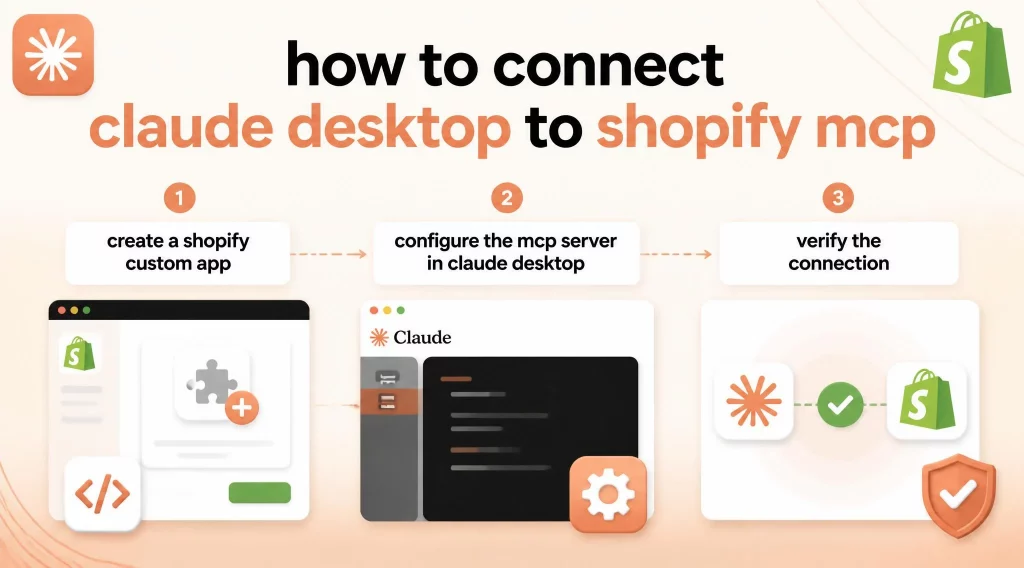
Step 1: Create a Shopify Custom App
Navigate to your Shopify admin panel, go to Settings, then Apps and sales channels, and select Develop apps. Create a new custom app, name it something descriptive like “Claude MCP Integration,” and configure the Admin API access scopes based on what operations you want Claude to perform. For a read-only integration, select product, order, and customer read scopes. For full agent capabilities, include write scopes for the operations Claude will execute.
Once you save the scope configuration, Shopify generates the credentials your MCP configuration needs. Open the API Credentials tab inside your new custom app and note two values: the Client ID, which identifies the app to Shopify, and the Client Secret, which authenticates it. Click Install app to activate these credentials, then copy the Admin API access token that appears immediately after installation. Shopify shows this token only once, so store it in a password manager or secrets vault rather than a plain text file.
Step 2: Configure the MCP Server in Claude Desktop
Open Claude Desktop’s configuration file and add the Shopify MCP server entry with your store domain and access token as environment variables. The configuration specifies which of the four MCP servers to connect and the permission boundaries for each. Claude Desktop reads this configuration on startup and establishes secure connections to the specified Shopify endpoints.
Step 3: Verify the Connection
After configuration, start a new conversation in Claude Desktop and ask Claude to list your store’s products or retrieve a recent order. If the MCP connection is working correctly, Claude will return real store data rather than asking you to provide it manually. Any connection errors will appear in Claude Desktop’s developer console with specific error codes that map to Shopify’s API documentation.
How to Connect Claude Code to Shopify MCP
For developers using Claude Code, the Shopify AI Toolkit provides the recommended connection method. The AI Toolkit wraps the Dev MCP server with additional developer-focused capabilities including documentation access, schema validation, and CLI integration.
The setup involves adding the Shopify Dev MCP configuration to your Claude Code settings, providing your store credentials as environment variables, and optionally installing the Shopify CLI for operations that require it. Once connected, Claude Code can access your store’s API schema, validate GraphQL queries before execution, and perform store operations directly from your terminal session.
Specifically, developers should note that the Dev MCP server provides documentation and development guidance but does not connect to your actual store data by default. For live store operations, you need to configure the Admin API access separately with appropriate scopes. This separation is intentional, as it allows developers to use Claude Code for documentation and code generation without accidentally modifying production store data.
Comparing Your Shopify MCP Claude Connection Options
The Dev MCP server is not the only path to connecting Claude with your store, and the right choice depends on whether you have engineering resources on hand.
| Method | Setup effort | Best for | Requires engineering? |
|---|---|---|---|
| Native Dev MCP server (manual config) | Moderate, manual JSON setup | Developers building custom integrations | Yes |
| Shopify AI Toolkit in Claude Code | Low, one-command install | Dev teams already working in Claude Code | Yes, terminal familiarity |
| Third-party MCP connector apps | Low, guided install from the App Store | Non-technical merchants wanting a quick setup | No |
Merchants without an in-house developer often get faster results from a third-party MCP connector app in the Shopify App Store, since it handles credential setup behind a guided interface. Development teams that need custom logic or plan to extend the integration over time are better served by configuring the native Dev MCP server directly, because it does not add another vendor layer between Claude and the store. If you are still deciding between this MCP-based path and a more general terminal workflow, our complete guide to Claude and Shopify integration compares both approaches side by side.
Security and Compliance Considerations for Enterprise Shopify MCP Claude
Enterprise Shopify merchants need to address several security considerations before deploying Claude MCP integrations in production environments. The MCP protocol provides a structured security model, but proper configuration is the merchant’s responsibility.
Permission scoping is the first priority. Every MCP server connection should use the minimum set of API scopes required for the intended operations. An AI agent that only needs to answer product questions should not have write access to orders or customer data. Before you grant any scope, confirm what it unlocks: write access to orders and customer data can issue refunds or expose personal information, so treat every write-scope request as a security decision, not a formality. Shopify’s custom app system supports granular scope selection, and your MCP configuration should mirror these restrictions.
Furthermore, audit logging should be enabled for all AI-initiated store operations. Every action Claude takes through MCP generates an API call that Shopify logs, but enterprise teams should implement additional logging at the MCP server level to capture the full context of each interaction, including the user query that triggered the action and Claude’s reasoning for the specific API call it made.
For organizations operating under GDPR, HIPAA, or SOC 2 requirements, the AI Hive platform provides the compliance layer that sits between Claude and the Shopify MCP endpoint. Our platform handles PII redaction, data residency controls, and comprehensive audit trails that raw MCP connections do not provide natively.
Common Integration Challenges and How to Solve Them
The most frequent issue teams encounter is rate limiting. Shopify enforces API call limits based on your plan tier, and an AI agent making multiple API calls per customer interaction can hit these limits during peak traffic periods. The solution is to implement caching for frequently accessed data like product catalogs and to batch API calls where possible rather than making individual requests for each data point.
Authentication token expiration is another common challenge. Shopify access tokens for custom apps do not expire by default, but organizations with security policies requiring token rotation need to build a refresh mechanism into their MCP configuration. The AI Hive platform handles token management automatically for enterprise deployments.
In addition, schema changes in Shopify’s API can temporarily break MCP integrations if the server configuration references deprecated fields or endpoints. The Shopify AI Toolkit mitigates this by validating against the current schema, but custom MCP configurations should include error handling for API version mismatches. Our guide to Claude API enterprise usage covers API management best practices for production deployments.
Conclusion
The Shopify MCP Claude integration transforms Claude from a general-purpose language model into a capable store operator with live access to your product catalog, order data, and customer information. The native MCP servers that Shopify maintains ensure the integration stays current as the platform evolves, which eliminates the maintenance burden that custom API integrations impose.
For development teams, the setup is straightforward and the productivity gains are measurable within the first week. For enterprise operations that require governance, compliance, and multi-agent orchestration on top of the raw MCP connection, AI Hive provides the platform layer that bridges the gap between a working integration and a production-grade system.
Get in touch with the AI Hive team at to discuss how our platform can accelerate your Shopify MCP deployment with enterprise-grade security and monitoring built in.