


Most enterprise teams do not fail at AI agents because the technology is weak. They fail because they pick the wrong tool category first and discover the mismatch six weeks into a pilot. A no-code builder that looked perfect in a demo cannot handle the compliance logic your legal team requires, and a developer framework that promised full control ends up consuming three engineers for a year. This guide sorts the current landscape of AI agent tools into categories that actually matter for a buying decision, compares them on the criteria CTOs and CIOs care about, and gives you a framework for choosing the right one for your enterprise.
Key Takeaways
|
What Are AI Agent Tools in 2026?
The term “AI agent tools” gets applied to almost anything with a chat interface, so precision helps. An AI agent tool is software that lets you configure an autonomous or semi-autonomous system to perceive a trigger, reason over context with a large language model (LLM), and act across connected systems without a human approving every click. It is neither a chatbot answering questions in isolation nor a static automation that repeats the same steps regardless of input.
Three capabilities separate an agent tool from ordinary automation. The system chooses which tools or APIs to call at runtime, it holds state across steps, and it escalates to a human when confidence drops below a threshold you define. A platform missing any of the three is a workflow builder wearing agent branding.
The distinction has commercial weight. Gartner predicts that 40% of enterprise applications will feature task-specific AI agents by the end of 2026, up from less than 5% in 2025. Adoption on the ground is more cautious, though. McKinsey’s 2025 survey found 62% of organizations experimenting with agents but only 23% scaling them anywhere, and no more than 10% doing so within any single function.
The Five Categories of AI Agent Tools
Every one of the AI agent tools on the market falls into one of five categories, and confusing them is the most common reason enterprise pilots stall. Deciding which category fits your problem should come before you look at any specific vendor.
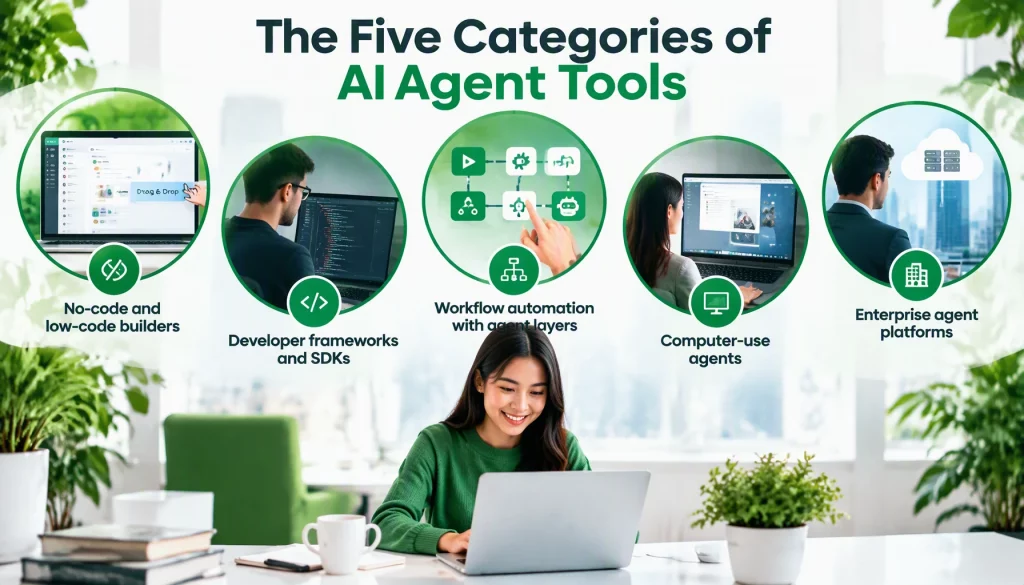
| Category | Who owns it | Time to first agent | Customization ceiling | Example tools |
|---|---|---|---|---|
| No-code and low-code builders | Business or ops team | Days | Moderate, strains on complex logic | Gumloop, Relevance AI |
| Developer frameworks and SDKs | Engineering team | Weeks to months | Highest, but you maintain it | LangGraph, CrewAI, OpenAI Agents SDK, Google ADK, Claude Agent SDK, Microsoft Agent Framework |
| Workflow automation with agent layers | Ops team, sometimes IT | Days to a week | Low to moderate, tied to existing automation logic | n8n, Zapier Agents, Make |
| Computer-use agents | Engineering with security | Weeks | Broad reach, low predictability | Anthropic computer use, OpenAI’s ChatGPT agent |
| Enterprise agent platforms | Platform team with IT and security | Weeks | Moderate to high inside one ecosystem | Microsoft Copilot Studio, Salesforce Agentforce, ServiceNow AI Agents, Amazon Bedrock AgentCore, Google Gemini Enterprise |
In practice, most enterprises end up running tools from at least two categories. Your marketing team might build a content-drafting agent in a no-code tool while platform engineering builds a customer-data agent in a framework. Both choices are valid for their respective jobs.
No-Code and Low-Code AI Agent Builders
Among AI agent tools, no-code builders exist to remove the engineering bottleneck. In our experience advising enterprise teams on agent rollouts, this category is the right starting point when the requesting business unit has no dedicated engineers and needs something running before the next planning cycle. Our guide to the AI agent builder category covers the selection criteria in more depth.
- Gumloop: Gumloop targets content and research workflows, with a visual canvas built around scraping, summarizing, and routing unstructured information. Teams without engineers can chain steps such as document extraction and report generation without writing code.
- Zapier Agents: Zapier added an agent layer on top of its automation platform, which Zapier says connects to more than 9,000 apps. This is the fastest path for a team already living inside Zapier that wants to add judgment to existing Zaps instead of rebuilding them.
- Relevance AI: Relevance AI leans on prebuilt agent templates for functions such as lead qualification and support triage, which shortens the time from account creation to a working pilot.
The tradeoff across this category is consistent: ease of use comes at the cost of a customization ceiling. When a workflow needs custom authentication against a legacy internal system, conditional logic more than three or four branches deep, or fine-grained control over how the model reasons at each step, most no-code tools start to strain. Teams then either accept a weaker agent or migrate to a developer framework later.
Developer Frameworks and SDKs for Building AI Agents
Among AI agent tools, developer frameworks trade speed for control. This is the category to choose when the agent will touch sensitive data, when the logic is genuinely complex, or when your engineers want to own the full lifecycle. Building with a framework is a meaningfully different engineering commitment, and it deserves the same planning rigor as any other production system.
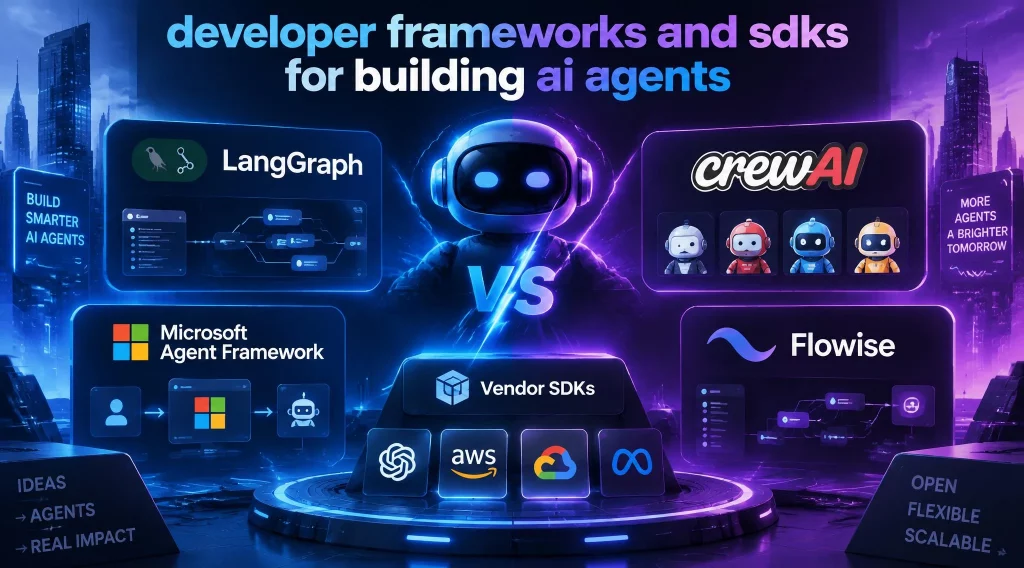
- LangGraph: LangGraph models agent workflows as a graph of nodes and edges rather than a linear chain, and it reached 1.0 in October 2025. That structure suits agents that loop, branch, or hand off between sub-agents based on intermediate results.
- CrewAI: CrewAI organizes agents around defined roles that collaborate on a shared goal. It fits multi-agent systems where a researcher, a writer, and a reviewer work in sequence.
- Vendor SDKs: The OpenAI Agents SDK, Google ADK, and Claude Agent SDK each optimize for their own provider’s models and tooling. They work best when you have already committed to that provider.
- Microsoft Agent Framework: Microsoft describes it as the successor to Semantic Kernel and AutoGen. The AutoGen repository now states that the project is in maintenance mode and that new users should start with Agent Framework, so any AutoGen pilot needs a migration plan.
- Flowise: Flowise offers a visual interface layered on LangChain primitives. Workday acquired it in August 2025 and says the core repository stays open source under Apache 2.0, which keeps self-hosting available to regulated industries.
With framework-based AI agent tools, your organization also takes on observability, error handling, and version upgrades that a managed platform would otherwise absorb. Teams that skip logging and evaluation pipelines tend to discover failures from angry customers rather than from their own dashboards, which is a far more expensive way to learn.
Workflow Automation Platforms With Agent Capabilities
The third category of AI agent tools sits between the other two. Platforms such as n8n began as pure workflow automation tools, similar in spirit to Zapier or Make, and have since added AI reasoning nodes that let a workflow branch on model output instead of a fixed rule.
n8n has become popular with technically capable operations teams because it can be self-hosted, which satisfies data residency requirements that a purely cloud-based tool cannot, while still offering a visual builder. Make follows a similar pattern with AI modules inside its scenario engine and tends to appeal to smaller companies that already run their operations stack there.
The practical distinction from no-code builders is architectural. These platforms were not designed agent-first, so the agent capability often feels like an add-on. As a result, teams asking them to run truly autonomous multi-step reasoning sometimes hit friction that a framework or an agent-native builder would avoid.
Computer-Use Agents
Computer-use agents are the most unusual of the AI agent tools: they operate software the way a person does, reading the screen and driving the mouse and keyboard. That makes them the only option when a system has no API, such as an older desktop application or a supplier portal.
Capability has moved quickly. The OSWorld benchmark puts human performance on its computer tasks at about 72%, and several vendors now report agent scores near or above that mark. Benchmark parity is not production reliability, however, because your own applications, permissions, and edge cases are not in the test set.
Our position is that computer use should be a last-mile tool rather than a first choice. UI-driven agents run slower than API calls, break when a screen layout changes, and act with the full permissions of the account they use, so a single wrong click can do real damage.
- Use when: The target system has no API or MCP server and the task is repetitive, such as copying data between a legacy application and a modern one.
- Avoid when: An API, a connector, or an MCP server already exists, since a direct integration is faster and easier to audit.
- Contain the risk: The agent should run in a sandboxed virtual machine under a dedicated low-privilege account, with human approval required before any irreversible action.
Enterprise Agent Platforms
Enterprise platforms bundle building, identity, governance, and monitoring into one product, which sets them apart from other AI agent tools. Microsoft Copilot Studio suits organizations standardized on Microsoft 365, with tight links to Teams, SharePoint, and Microsoft Entra ID. Salesforce Agentforce centers on CRM data, ServiceNow AI Agents on IT and service workflows, Amazon Bedrock AgentCore on AWS-native runtimes, and Google Gemini Enterprise on Google Workspace and Cloud.
The tradeoff is gravity. Each platform works best inside its own ecosystem, and governance gets harder once agents span several vendors. Enterprises that run more than one of these usually end up needing a neutral AI agent platform that applies the same access control, logging, and routing across all of them.
Top AI Agent Tools Compared by Use Case
The categories answer what a tool is. The table below answers which of the AI agent tools fits which job, along with the failure mode to test for.
| Use case | Category | Example tools | Watch-out |
|---|---|---|---|
| Business team automating research or content work | No-code builder | Gumloop, Relevance AI | Custom authentication and deep branching hit the ceiling |
| Ops team adding judgment to existing automations | Workflow automation | Zapier Agents, n8n, Make | The agent layer is an add-on, so autonomy is limited |
| Engineers building a custom multi-step agent | Developer framework | LangGraph, CrewAI, OpenAI Agents SDK | You own observability, evaluation, and upgrades |
| Regulated data that must stay on your infrastructure | Self-hostable | n8n, Flowise, LangGraph | Operating cost shifts to your team |
| Legacy application with no API | Computer-use agent | Anthropic computer use, ChatGPT agent | Slow, brittle, and high blast radius |
| Company standardized on one vendor stack | Enterprise platform | Copilot Studio, Agentforce, ServiceNow | Strong lock-in outside the ecosystem |
How AI Agent Tools Charge: Pricing Models Overview
Sticker prices for AI agent tools mislead because each one meters something different. The four models below cover most of the market, and LLM usage fees come on top of all of them. Figures reflect vendor pricing pages as of September 2026, and they shift quarterly.
| Model | Example | What drives the bill | Main risk |
|---|---|---|---|
| Per task or activity | Zapier plans start at $19.99 per month billed annually with a monthly task allowance, and Zapier Agents meter separate “activities” | Steps per run times runs per month | Multi-step agents burn allowances quickly |
| Per execution | n8n Cloud starts near 20 euros per month for 2,500 executions, and it counts a full workflow run rather than each step | Number of complete workflow runs | Looping workflows inflate run counts |
| Per credit or consumption | Microsoft Copilot Studio sells 25,000-credit packs at $200 per month, or $0.01 per credit pay-as-you-go | Agent actions and generated answers | Credit use per action is hard to forecast |
| Free or open source plus infrastructure | LangGraph, CrewAI, Flowise, n8n Community Edition | Servers, LLM tokens, and engineering hours | Hidden operating cost |
A simple illustration shows why the meter matters. An agent that runs 5,000 times a month with six steps per run consumes about 30,000 tasks under per-task billing but only 5,000 executions under per-execution billing. Your real numbers will differ, and that is exactly why you should model them before comparing plans.
Choosing the Right AI Agent Tool for Your Use Case
The comparison above answers what each of the AI agent tools can do. It does not answer what your team should use, and that depends on three questions specific to your situation.
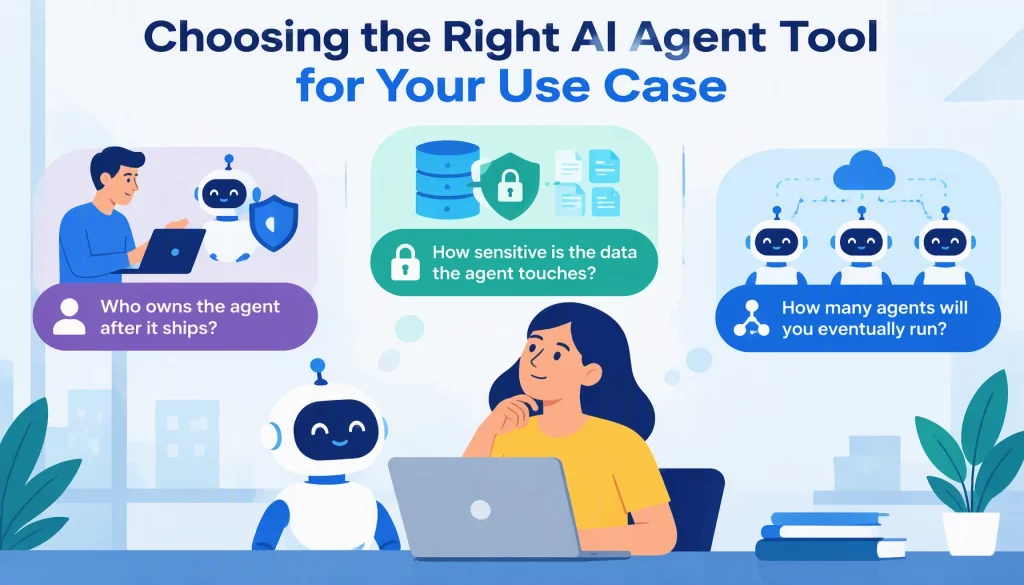
- Who owns the agent after it ships? If the answer is a business team without engineering support, a no-code builder is close to mandatory regardless of how much control a framework offers, because unmaintained code is worse than no agent at all.
- How sensitive is the data the agent touches? Regulated data, financial records, or health information push you toward self-hostable options or a governed platform rather than pure SaaS.
- How many agents will you eventually run? A single pilot barely justifies a framework’s learning curve, but an organization planning dozens of agents benefits from standardizing on an AI agent studio that gives every team one way to build, test, and govern agents.
In our work with enterprise clients, the teams that regret their tool choice almost always chose on the demo rather than on the second question. A slick demo says nothing about how a tool behaves once your data, compliance rules, and existing systems enter the picture.
Integration and Orchestration Considerations
AI agent tools rarely live alone. How they connect to your systems, and how several agents coordinate, decides whether a stack scales past the first pilot.
The connection layer is standardizing. Anthropic donated the Model Context Protocol (MCP) to the Linux Foundation’s Agentic AI Foundation in December 2025, alongside co-founders Block and OpenAI and with backing from Google, Microsoft, and AWS. The practical implication is that an MCP server you build once can serve any tool that speaks the protocol, so tools with MCP support carry less lock-in than those with proprietary connectors only.
Beyond a handful of agents, you also need shared routing, retries, and memory across tools, which is the job of an AI agent orchestration platform. Four checks help during evaluation:
- Connector model: The vendor should state whether integrations run through MCP, native connectors, or both, and who maintains them when a source API changes.
- Authentication: The tool should support scoped, short-lived credentials per agent rather than one shared service account.
- State and memory: You need to know where conversation state lives, how long it is retained, and whether you can export it.
- Agent-to-agent handoff: Your pilot should show whether one tool’s agent can call another’s or whether every handoff needs custom glue code.
Enterprise Considerations: Security, Governance, and Total Cost of Ownership
Feature comparisons of AI agent tools matter less than governance readiness once an agent moves from pilot to production. Deloitte’s 2026 State of AI in the Enterprise report, based on 3,235 leaders surveyed in late 2025, found that only one in five companies has a mature governance model for autonomous agents, even as agentic usage is poised to rise sharply within two years.
Quality is the other gap. In LangChain’s State of Agent Engineering survey of 1,340 practitioners, 57% had agents in production and about one third named quality as the top barrier. Observability was near universal at 89%, yet only 52.4% ran offline evaluations, so many teams can see what an agent did without knowing whether it was right. LangChain sells tooling in this space, so read the survey as a practitioner snapshot rather than a neutral benchmark.
Before signing a contract, your enterprise should confirm that a candidate tool supports role-based access control down to the individual agent action, produces audit logs that meet your retention rules, and has a clear data residency story. Total cost of ownership also reaches well beyond the subscription. It includes LLM usage that scales with agent volume, engineering time to maintain integrations as connected APIs change, and the observability tooling you will need once more than a handful of agents run in production.
Strengths and Weaknesses to Verify in a Pilot
Marketing pages describe the strengths of AI agent tools, and pilots reveal the weaknesses. The table lists what is publicly documented for a representative set of tools, along with the risk your pilot should test.
| Tool | Documented strength | Risk to test in your pilot |
|---|---|---|
| Zapier Agents | Connects to more than 9,000 apps | Separate activity metering can surprise budgets, and custom authentication may need workarounds |
| n8n | Self-hostable, with billing per full workflow run | Source-available “fair-code” license restricts reselling it as a hosted service, and agent features are not agent-native |
| Flowise | Visual builder on LangChain with an Apache 2.0 core | New ownership by Workday, so confirm the roadmap fits your needs |
| LangGraph | Explicit state, persistence, and checkpointing | Your team owns evaluation, observability, and upgrades |
| Microsoft Agent Framework | Named successor to AutoGen and Semantic Kernel | Younger codebase, so validate against your own workloads |
| Copilot Studio | Native Microsoft identity and Microsoft 365 links | Credit-based metering is hard to forecast |
Your team should run the same ten real cases from your backlog through each shortlisted tool and record four numbers: task completion rate, cost per run, human escalations, and how quickly your team could see and diagnose a failure. That single comparison usually settles debates that feature lists cannot.
Conclusion
Choosing among AI agent tools in 2026 comes down to matching the category, whether no-code builder, developer framework, workflow automation, computer-use agent, or enterprise platform, to who will own the agent and how sensitive its data is. Your team should model the meter before comparing prices, test governance before templates, and run a short pilot on its own cases.
If your enterprise is weighing several tools at once and needs to map them against governance and integration requirements, see how an enterprise agent platform handles orchestration and control in one layer. You can also talk to our team at AI Hive for a walkthrough tailored to your existing stack.