
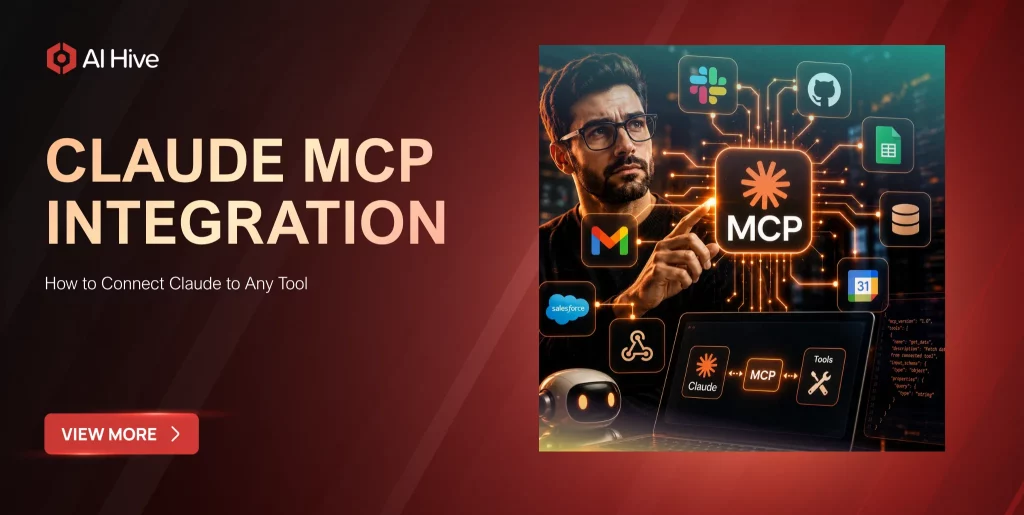

Claude can reason through a complex problem in seconds, yet the moment it needs to check a Jira ticket, pull a record from a database, or update a calendar, it hits a wall. That gap is exactly what the Model Context Protocol was built to close, giving Claude a structured way to actually call the tools your team already relies on instead of describing what it would do if it could reach them. This article covers what Claude MCP integration really is under the hood, how the connection works in practice, and how to set it up cleanly whether you are wiring in a single server or rolling out MCP access across an entire engineering organization.
Key Takeaways
|
What Is Claude MCP (Model Context Protocol)?
The Model Context Protocol (MCP) is an open standard, developed by Anthropic, that lets Claude connect to external tools, data sources, and services in a structured and secure way. It works like a plugin system: instead of Anthropic building a custom integration for every possible tool, any service that speaks MCP can expose its capabilities to Claude through a shared protocol.
In practice, this means Claude can read files, query a database, search a knowledge base, or trigger an action in a CRM, all without a developer writing a bespoke integration for each one. The protocol defines how a client (Claude) discovers what a server can do, how it calls a specific tool, and how it receives the result back in a format the model can use directly in its response.
How MCP Integration Works With Claude
An MCP integration always involves three moving parts: a client, a server, and a tool call. Claude acts as the client. The MCP server exposes one or more tools, each with a name, a description, and an input schema. When a user’s request maps to what a tool can do, Claude calls that tool with the right parameters, receives a result, and folds it into its response.
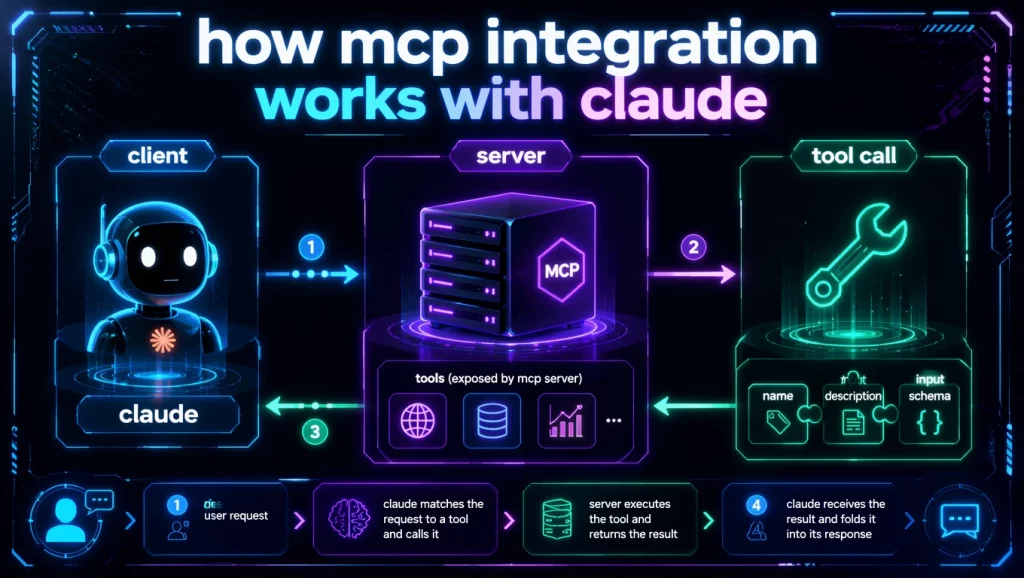
Anthropic’s own documentation describes this trigger condition clearly: Claude calls an MCP tool when the user’s request maps to the tool’s described capability, either explicitly (“search Jira for open bugs”) or implicitly (“what’s blocking the release?” with a Jira server already attached). Claude does not fire a tool for general knowledge questions about a connected service. Asking how Notion databases work gets answered directly from what Claude already knows. Asking what is in your Projects database triggers the actual tool call.
The Two Ways to Connect: Local Server vs Remote Connector
This is where most guides stop short, and it is also where teams make their first architectural mistake. There are two fundamentally different ways to connect Claude to an MCP server, and picking the wrong one for your use case creates real friction later.
| Factor | Local MCP Server (stdio) | Remote MCP Connector (Messages API) |
| Where it runs | On your machine, via Claude Desktop or Claude Code | Hosted publicly, reached over HTTPS |
| Transport | STDIO (local process) | Streamable HTTP or SSE |
| Best for | Filesystem access, local dev tools, private databases behind a firewall | SaaS tools, team-wide access, server-to-server workflows |
| Setup complexity | Install a binary or Docker image, configure a JSON block in your client | Add a server URL and OAuth token to your API request |
| Authentication | Environment variables, PATs stored locally | OAuth Bearer token passed as authorization_token |
| API support | Claude Desktop, Claude Code, other MCP hosts | Claude API, Claude Platform on AWS, Microsoft Foundry (Hosted on Anthropic) |
| Scaling to a team | Each developer configures their own local server | One server definition, reused across every API call |
The remote MCP connector matters most for teams building products on top of Claude, since the connection lives in the API request itself, not on any single developer’s laptop. According to Anthropic’s documentation, the MCP connector currently only supports tool calls from the full Claude MCP integration specification. Prompts and resources are not yet supported through this path, and the server must be publicly exposed over HTTPS. Local stdio servers cannot be connected directly through the Messages API; they only work inside a client like Claude Desktop or Claude Code, or through the client-side SDK helpers.
If your team is building internal developer tooling, a local server is usually the faster starting point. If you are building a product feature or an automated workflow that calls Claude programmatically, the remote connector is the correct architecture from day one.
Which one should you actually pick?: Use this framework instead of defaulting to whichever option you read about first.
- Choose a local server when: a single developer or a small team needs Claude to reach a private, firewalled resource (an internal database, a local codebase, a filesystem), and the integration does not need to be called from a hosted product.
- Choose the remote connector when: the integration needs to run inside an API-driven product, a customer-facing agent, or any workflow that multiple team members or systems call programmatically, not just one developer’s machine.
- Do not choose MCP at all when: the task is a single, static, one-off script that calls one external API once. A direct API call is faster to ship and easier to debug than standing up and maintaining an MCP server for something that will not be reused.
In our engineering work architecting agent deployments for enterprise clients, the mistake we see most often is not choosing the wrong protocol. It is choosing the remote connector by default because it looks more “production-ready” on paper, then discovering the team has no process for rotating the OAuth token or monitoring server uptime. A local server that a team actually maintains beats a remote connector nobody owns. Match the connection type to who is accountable for keeping the server alive, not to which one sounds more scalable in a planning document.
Benefits of Using MCP With Claude (Agentic Capabilities)
MCP changes what Claude can do inside a single conversation or task, not just what it knows. This is a core part of what makes Claude viable for workflows beyond a single chat window, a shift we cover in more depth in our guide to deploying the Claude API for enterprise use cases.
- Real-time data access. Claude can query a live database or ticketing system instead of relying on stale training data.
- Multi-tool workflows in one turn. A single request like “check the failing build and open a ticket” can trigger a CI/CD tool and an issue tracker in sequence.
- No custom integration code per tool. Once a server exposes an MCP-compatible interface, any MCP-aware client, including Claude, can use it without writing service-specific glue code.
- Governable access. Tool configuration supports allowlisting, denylisting, and per-tool settings, so teams can expose read-only tools broadly while gating destructive actions like delete_all_events behind a stricter policy.
- Vendor flexibility. Because MCP is an open protocol, the same server can, in principle, serve any MCP-compatible client, not just Claude.
Step-by-Step Guide to Set Up Claude MCP integration
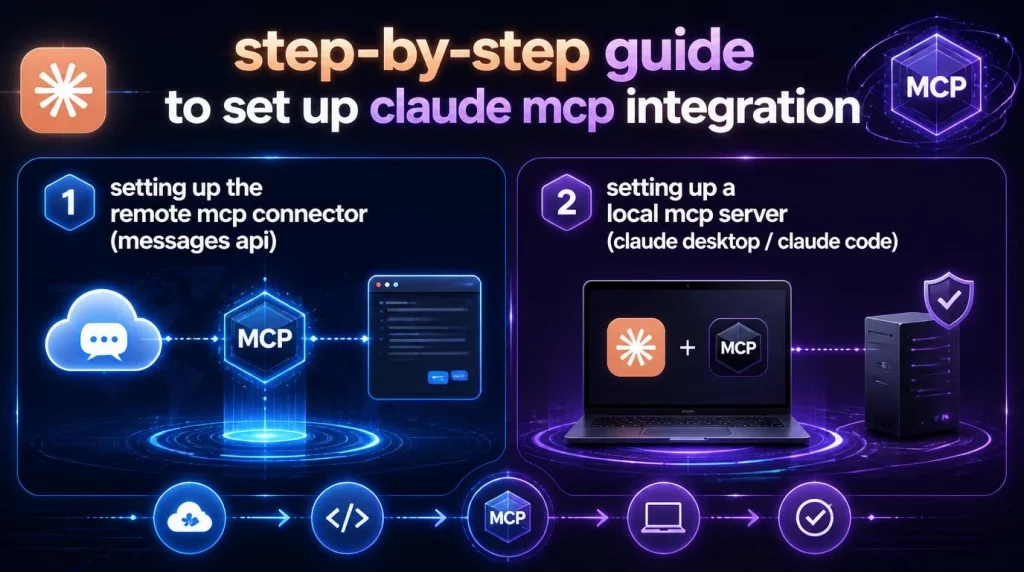
1. Setting Up the Remote MCP Connector (Messages API)
The current remote connector requires the beta header mcp-client-2025-11-20, as specified in Anthropic’s MCP connector documentation. The older header, mcp-client-2025-04-04, is deprecated and should not be used for new integrations.
A minimal working example looks like this:
| client = anthropic.Anthropic() response = client.beta.messages.create( model=“claude-opus-4-8”, max_tokens=1000, messages=[{“role”: “user”, “content”: “What tools do you have available?”}], mcp_servers=[ { “type”: “url”, “url”: “https://example-server.modelcontextprotocol.io/sse”, “name”: “example-mcp”, “authorization_token”: “YOUR_TOKEN”, } ], tools=[{“type”: “mcp_toolset”, “mcp_server_name”: “example-mcp”}], betas=[“mcp-client-2025-11-20”], ) |
Two arrays work together here, and mixing them up is the most common setup mistake. The mcp_servers array defines the connection itself: the server’s URL and its authorization token. The tools array defines an mcp_toolset, which controls which tools from that server are actually enabled and how each one is configured. Every server you define must be referenced by exactly one toolset, and each server can only be referenced once. If you connect two servers but only add one toolset, the API will reject the request.
For OAuth-protected servers, you need an access token before making the call. Anthropic recommends testing this with the Claude MCP integration inspector:
npx @modelcontextprotocol/inspector
From there, select the transport type, enter the server URL, open the auth settings, and run the Quick OAuth Flow until you reach an access_token value. That token goes into the authorization_token field shown above.
2. Setting Up a Local MCP Server (Claude Desktop / Claude Code)
For local servers, the setup lives in a JSON configuration file rather than an API call. Using the official GitHub MCP Server repository as a reference, a Docker-based local setup looks like this:
| { “mcp”: { “servers”: { “github”: { “command”: “docker”, “args”: [ “run”, “-i”, “–rm”, “-e”, “GITHUB_PERSONAL_ACCESS_TOKEN”, “ghcr.io/github/github-mcp-server” ], “env”: { “GITHUB_PERSONAL_ACCESS_TOKEN”: “${input:github_token}” } } } } } |
You will need Docker installed and running, plus a GitHub Personal Access Token scoped to only the permissions you actually need, such as repo for repository operations. Store the token in an environment variable rather than hardcoding it in the config file, and restrict the file’s permissions with chmod 600 once the token is in place.
If you want to control which capabilities are exposed, most local servers support a toolset flag. The GitHub MCP Server, for example, lets you scope access with a single argument:
github-mcp-server –toolsets repos,issues,pull_requests
This keeps the tool list small and focused, which also improves how accurately Claude picks the right tool when several are available.
Best MCP Servers & Examples for Claude
Each of these follows the same underlying MCP specification, but whether you connect them through a local client config or a remote URL depends entirely on how the server is hosted and whether it needs to be shared across a team. Enterprises evaluating this landscape often prefer a platform that manages these connections centrally instead of per developer, which is the model behind AI Hive’s pre-built platform integrations.
| Server | What It Does | Connection Type |
| GitHub MCP Server | Repository browsing, issue and PR management, CI/CD workflow inspection, code security alerts | Remote (OAuth) or local (Docker/binary) |
| Filesystem MCP | Read and write files outside the current working directory | Local (stdio) |
| PostgreSQL MCP | Run SQL queries, inspect schemas, fetch and update data | Local, typically |
| Notion MCP | Read and update documentation, sync knowledge bases | Remote |
| Slack MCP | Send messages, post updates, trigger team notifications | Remote |
Top Claude MCP integration Use Cases: SEO, Analytics, CRM, and Data Connectors
MCP tool calls are most useful when a request genuinely needs current, external data rather than something Claude already knows from training. A few concrete patterns:
- SEO and search visibility: Connecting an MCP server for a keyword or rank-tracking tool lets Claude pull live ranking data, keyword volume, or Search Console metrics directly into a conversation, instead of the user copying numbers in manually.
- Analytics and reporting: An MCP server tied to a web analytics platform can let Claude answer questions like “what were our top traffic sources last week” using live data, then draft the summary in the same turn.
- CRM and sales workflows: With a CRM server connected, Claude can look up a specific account’s status, log a note, or check what stage a deal is in, without a human switching tabs. This kind of tool-calling behavior is what separates a true enterprise AI agent from a simple chatbot wrapper.
- Data connectors for internal systems: For enterprises with data spread across an ERP, a data warehouse, or internal APIs, an Claude MCP integration server acts as the bridge, so Claude can query internal data under the same governance and access controls the organization already enforces.
Claude MCP vs. Traditional API Integrations
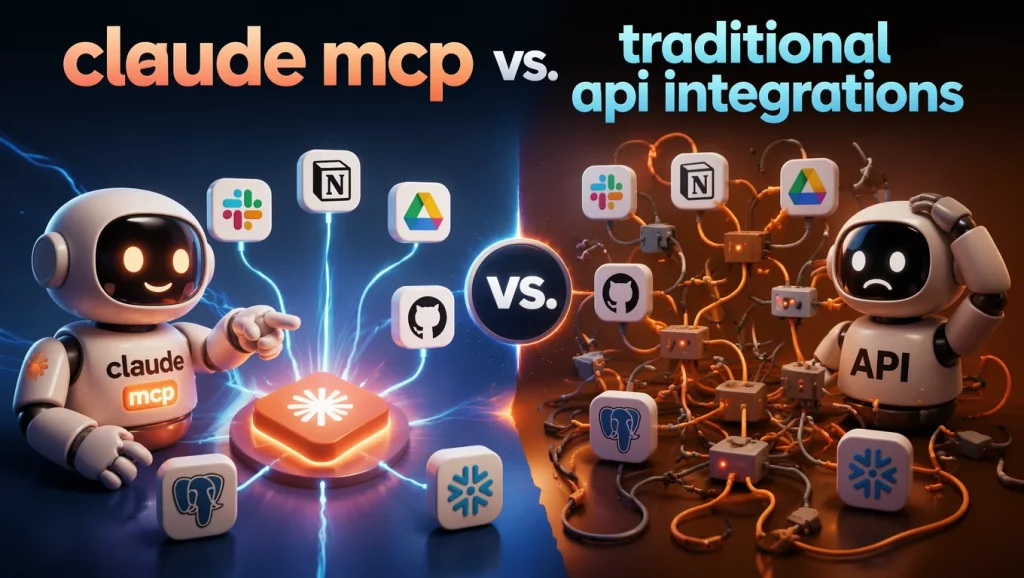
The tradeoff is that MCP adds a layer of infrastructure (a running server, its own auth, its own uptime) that a simple one-off script does not need. For a single internal script, a direct API call may still be faster to build. For anything meant to scale across a team or multiple AI clients, MCP’s reusability tends to win.
| Factor | Traditional Custom Integration | MCP |
| Development effort | Custom code per service, per client | One server, reusable across any MCP-compatible client |
| Maintenance | Each integration maintained separately | Server maintained once, benefits all consumers |
| Tool discovery | Hardcoded into the application logic | Dynamic, the client lists available tools at connection time |
| Access control | Built manually into each integration | Native allowlist/denylist and per-tool configuration |
| Vendor lock-in | Tied to the specific client’s implementation | Open protocol, works with any MCP-aware client |
Claude MCP integration Cost Reality: How to Measure Token Usage and Latency Yourself
Every MCP tool definition Claude sees consumes tokens, even before the model decides whether to use it. This is the part most guides skip, and it is worth measuring directly rather than trusting a generic benchmark, since actual cost depends heavily on how many tools are exposed, how verbose their descriptions are, and how often Claude actually calls them versus just seeing them listed.
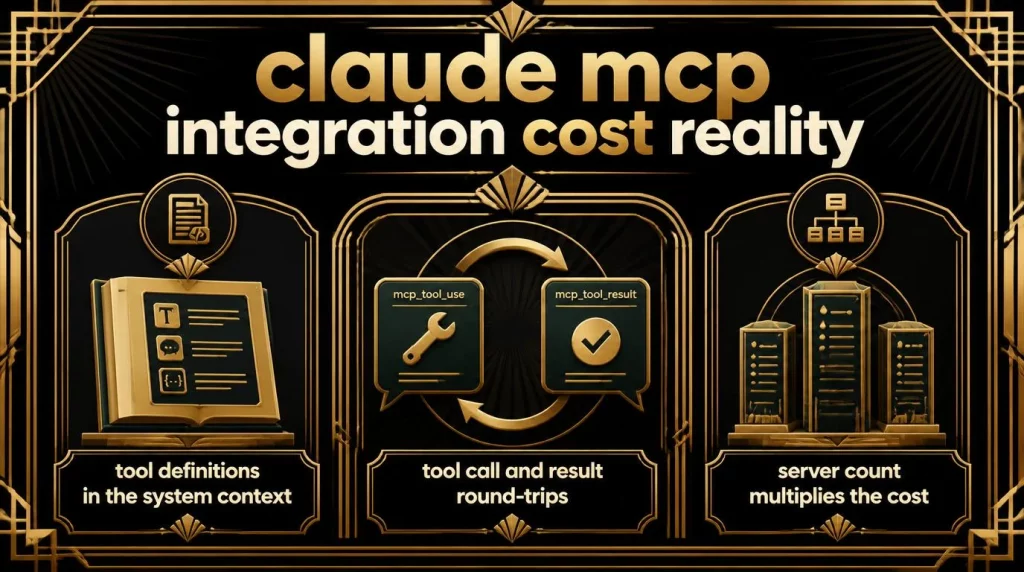
What actually adds token cost:
- Tool definitions in the system context: Every enabled tool’s name, description, and input schema is sent to the model on each turn unless deferred.
- Tool call and result round-trips: Each mcp_tool_use block and its matching mcp_tool_result block adds to the conversation’s token count.
- Server count: Connecting multiple servers with all tools enabled compounds the definitions Claude has to process before it even starts reasoning about the user’s request.
How to measure it in your own setup:
- Log token usage from the API response for a baseline call with no Claude MCP integration servers attached.
- Add one server with default_config.enabled: false and enable only the 2 to 3 tools your workflow actually needs, using the allowlist pattern described in Anthropic’s toolset configuration.
- Compare the token counts. The difference is the real cost of that specific tool surface, not a generic industry number.
- For latency, time the full round trip of a representative multi-step task (a tool call plus the model’s follow-up reasoning), and repeat across a few runs to account for network variance.
For teams with more than a handful of tools across several servers, Anthropic’s documentation recommends defer_loading combined with the tool search tool, so only relevant tools are surfaced per query instead of every tool definition being sent on every turn. This is the single highest-leverage lever for controlling MCP-related token overhead at scale.
Best Practices and Troubleshooting: Auth Errors, Timeouts, Data Consistency
| Issue | Likely Cause | Fix |
| Server rejected at request time | An mcp_server_name in the tools array does not match any server defined in mcp_servers | Confirm names match exactly, and that every server has exactly one toolset referencing it |
| Tool call fails with an authorization error | Expired or missing OAuth token, or wrong scope on a Personal Access Token | Refresh the token through the OAuth flow, or check the token has the required scope (for example repo for GitHub operations) |
| Claude never calls the tool you expect | Tool description is vague, or too many tools are competing for the same intent | Write clearer, more specific tool descriptions; reduce the enabled tool count with an allowlist |
| Unknown tool name in configs | A tool listed no longer exists on the server, or the name changed | Anthropic’s API logs a backend warning but does not error, since server tools can change dynamically; verify against the server’s current tool list |
| Inconsistent results between runs | Server-side data changed between calls, or the server has intermittent latency | Treat MCP calls like any external API call: add retry logic and validate the result before using it downstream |
One data-retention note worth flagging directly: the MCP connector is not covered under Zero Data Retention arrangements. Data exchanged with MCP servers, including tool definitions and execution results, follows Anthropic’s standard retention policy. Any team with strict data residency requirements should account for this before connecting a server that handles sensitive data. Teams under stricter compliance regimes typically close this gap with additional on-premise security controls at the platform level, rather than relying on the connector alone.
Conclusion
Claude MCP integration turns Claude from a model that describes actions into one that can actually take them, whether that means pulling a live record from a CRM or opening a pull request. The real decision point is not whether to use MCP, but whether your use case needs a local server on a developer’s machine or a remote connector wired into your product’s API calls. Getting that architecture right the first time saves a re-platforming effort later. If your team is planning an enterprise-wide MCP rollout across multiple internal systems, AI Hive’s engineers can help you design and implement the server architecture, governance, and toolset configuration that fits your existing stack. Talk to our AI Hive team about a modular rollout scoped to your systems.