
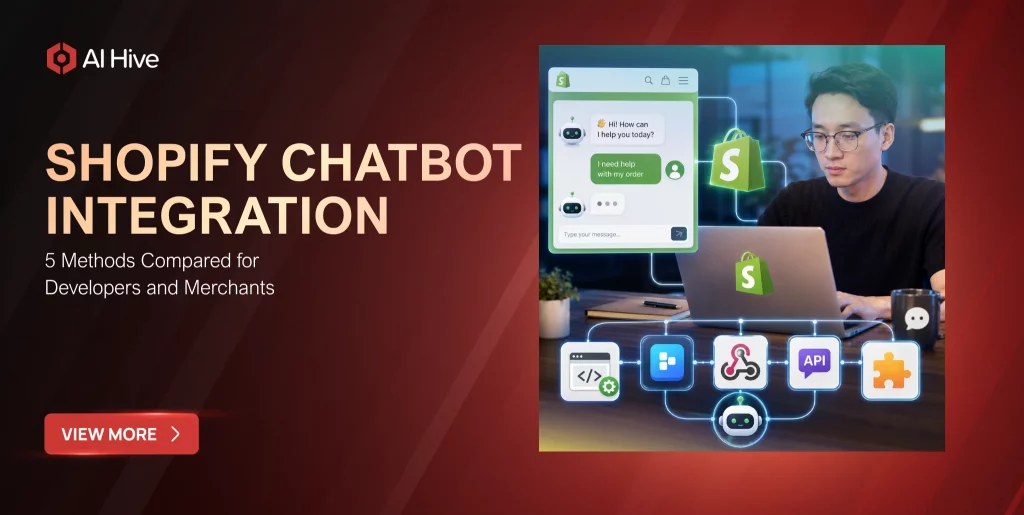

Your Shopify store handles hundreds of customer questions every day, and most of them follow predictable patterns: “Where is my order?”, “Can I return this?”, “Do you have this in blue?” A well-integrated AI chatbot resolves these queries in seconds rather than hours. The challenge is not whether to add a chatbot-92% of e-commerce leaders already plan to deploy conversational AI by the end of 2026, according to Gartner-but how to integrate one without breaking your storefront, slowing page loads, or creating data silos between your chat layer and your Shopify backend.
This guide compares the five primary integration methods available to Shopify merchants and developers in 2026, covering technical trade-offs, cost implications, and the operational realities that determine which approach fits your store’s size and complexity.
Why Shopify Chatbot Integration Method Matters More Than the Chatbot Itself
Most merchants start their chatbot evaluation by comparing chatbot platforms. That comparison misses a critical variable: the integration method determines what the chatbot can actually do inside your store. A chatbot installed through a Shopify App Store listing can access order data natively, while the same chatbot embedded via a JavaScript snippet may require separate API authentication to pull the same information.
Furthermore, the integration method affects page performance, theme compatibility, data security posture, and your ability to customize the chat experience. Choosing the wrong method creates technical debt that compounds as your store scales. We have observed enterprise Shopify merchants spend more time fixing integration issues than training their chatbot’s knowledge base.
Method 1: Shopify App Store Installation
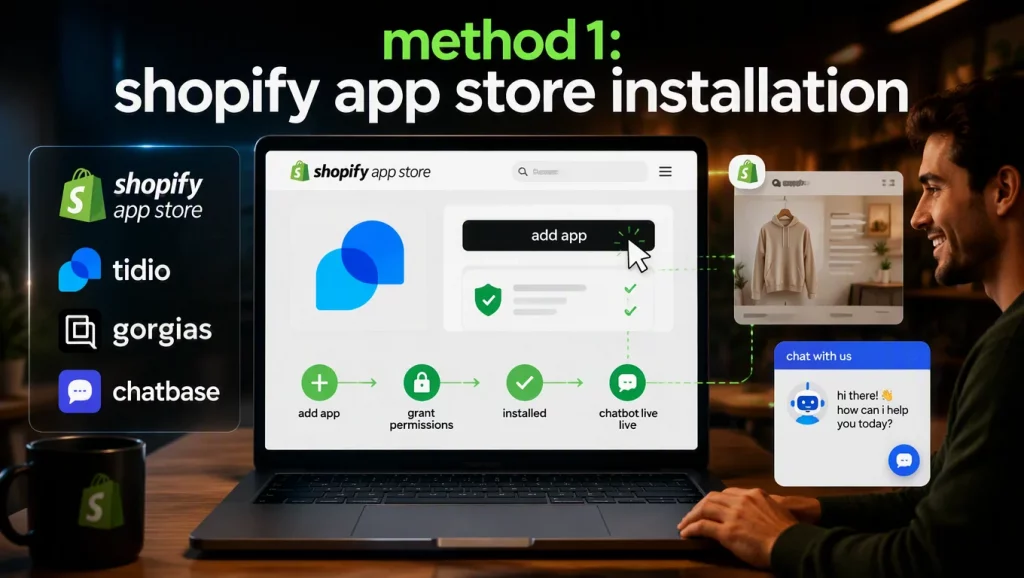
The Shopify App Store remains the most accessible integration path for merchants who want a chatbot running within minutes. Platforms like Tidio, Gorgias, and Chatbase publish their apps directly on the App Store, and installation follows Shopify’s standard OAuth flow-you click “Add app,” grant the requested permissions, and the chatbot widget appears on your storefront automatically.
Advantages of App Store Integration
The App Store method handles authentication, permission scoping, and widget injection without requiring you to touch your theme code. Shopify’s app review process also provides a baseline security check, and updates deploy automatically when the vendor pushes a new version. For merchants running standard Shopify themes, this method delivers the fastest time-to-value.
Limitations Worth Considering
App Store chatbots operate within the permissions the vendor requested during their app submission. If the app only requested read access to orders, it cannot process returns or modify customer records during a conversation. You also inherit the vendor’s widget design, which may not match your brand’s visual identity without a paid customization tier. According to a 2026 Shopify developer survey, 34% of merchants who started with an App Store chatbot eventually migrated to a custom integration because the pre-built app could not support their specific workflow requirements.
Method 2: JavaScript Snippet Injection via Theme Editor
The second method involves pasting a JavaScript snippet into your Shopify theme’s code. You navigate to Online Store, open Themes, click Edit Code, locate your theme.liquid file, and paste the vendor’s snippet before the closing </body> tag. This approach works with virtually any chatbot provider, including platforms that do not maintain a Shopify App Store listing.
When This Method Makes Sense
JavaScript snippet integration is particularly useful when you need a chatbot from a provider outside the Shopify ecosystem-perhaps a conversational AI platform your organization already uses for other channels. The snippet method also gives you direct control over where and when the chatbot loads, enabling techniques like lazy loading the widget after the page’s Largest Contentful Paint to protect your Core Web Vitals scores.
Technical Risks to Manage
Manual snippet injection sits outside Shopify’s managed update cycle. When Shopify releases a theme architecture update or your team switches themes, the snippet may break silently. You should implement monitoring that confirms the chatbot widget renders correctly after every theme change. Additionally, third-party JavaScript has full access to your storefront’s DOM, which introduces a supply-chain security consideration that App Store apps mitigate through Shopify’s sandboxing.
Method 3: Storefront API and Custom Frontend Integration
For headless Shopify stores or merchants running custom storefronts built with frameworks like Hydrogen, Remix, or Next.js, the Storefront API provides the data layer your chatbot needs. Rather than relying on a widget that injects itself into a Liquid theme, you build the chat interface as a native component within your frontend application and connect it to Shopify’s product catalog, cart, and customer data through GraphQL queries.
Architecture Overview
The typical architecture pairs a conversational AI backend (such as an AI agent built on Claude or GPT-4) with Shopify’s Storefront API for read operations and the Admin API for write operations like creating draft orders or updating customer metafields. Your frontend component handles the chat UI, while a middleware layer manages the conversation state and routes API calls between the chatbot’s LLM backend and Shopify’s endpoints.
Performance and Flexibility Benefits
This method eliminates the performance overhead of loading a third-party widget script. Your chatbot component ships as part of your application bundle, benefits from your existing CDN and caching strategy, and renders with the same design system your team uses for the rest of the storefront. For enterprise AI agent deployments, this level of architectural control is essential for meeting compliance requirements around data residency and PII handling.
Method 4: Shopify Theme App Extensions
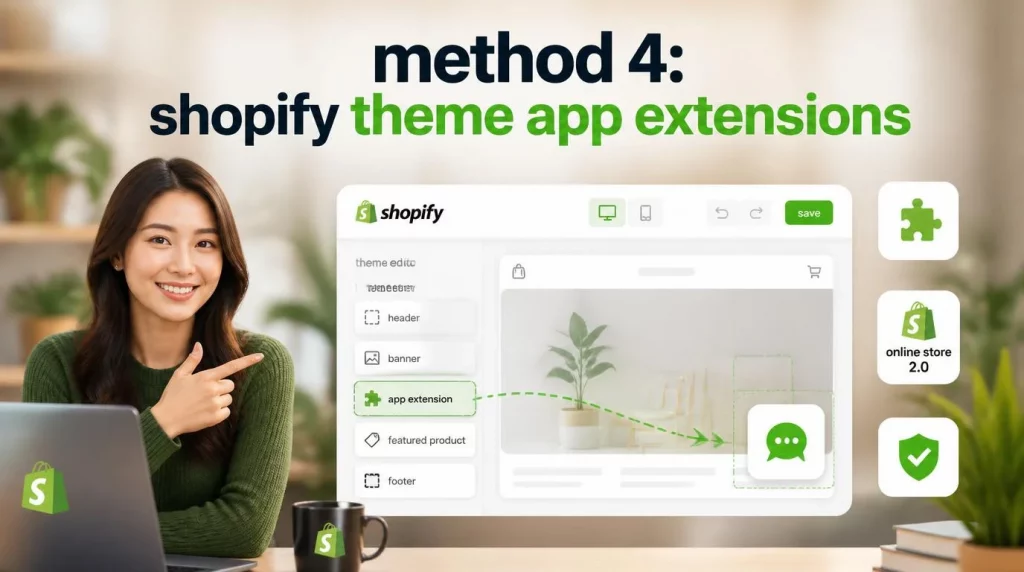
Shopify introduced Theme App Extensions to solve the fragility problems inherent in snippet injection. A Theme App Extension is a block that merchants can add to their theme through the Shopify theme editor’s drag-and-drop interface, without touching code. For chatbot developers, building a Theme App Extension means your widget integrates with Shopify’s Online Store 2.0 architecture natively.
Developer Perspective
Building a Theme App Extension requires more upfront development than publishing a simple App Store listing, but the result is a more robust integration. The extension runs in a sandboxed environment, receives automatic updates when you push changes to your app, and survives theme switches because it exists as a configurable block rather than hardcoded markup. Shopify’s App Bridge library provides secure communication between your extension and the Shopify admin.
Merchant Perspective
For merchants, Theme App Extensions offer the convenience of App Store installation with the customization flexibility of code-level access. You can reposition the chatbot widget, adjust its visibility on specific pages, and configure settings through the theme editor without opening a code file. This method represents the best middle ground for stores that need more control than a basic App Store install provides but lack the engineering resources for a fully custom Shopify AI chatbot integration.
Method 5: MCP (Model Context Protocol) Server Integration
The newest integration method leverages Shopify’s MCP endpoint, which launched alongside the broader adoption of Anthropic’s Model Context Protocol standard. An MCP server acts as a structured bridge between an external AI agent and your Shopify store’s data, enabling the agent to browse products, read orders, manage inventory, and complete purchases programmatically-without the AI needing to navigate your storefront’s UI.
How MCP Integration Works
Your AI agent connects to Shopify’s MCP server using the standardized protocol, authenticates with your store’s credentials, and receives a structured catalog of available actions (tools) it can invoke. The agent can then chain these actions together-checking inventory, applying a discount code, creating a draft order, and notifying the customer-within a single conversational turn. This is fundamentally different from API integration because the MCP layer handles tool discovery and parameter validation automatically.
When to Choose MCP
MCP integration is the right choice when you are building an AI agent that needs to operate across multiple e-commerce platforms or when your chatbot’s conversations require multi-step transactional workflows. The protocol’s standardized tool interface means the same agent logic that works with Shopify’s MCP server can connect to other platforms that adopt the protocol, reducing the per-platform integration effort. For organizations deploying AI agents for e-commerce at scale, MCP integration provides the architectural foundation for cross-platform agent orchestration.
Side-by-Side Comparison: Five Shopify Chatbot Integration Methods
| Criteria | App Store | JS Snippet | Storefront API | Theme Extension | MCP Server |
| Setup Time | Minutes | 15-30 min | Days-weeks | Days | Hours-days |
| Code Required | None | Minimal | Significant | Moderate | Moderate |
| Theme Compatibility | High | Medium | N/A (headless) | High | N/A |
| Data Access Depth | Permission-limited | External API | Full GraphQL | Permission-limited | Full structured |
| Page Performance Impact | Medium | Variable | Minimal | Low | None (server-side) |
| Customization Level | Low | Medium | Full | Medium-High | Full |
| Maintenance Burden | Vendor-managed | Manual | Team-managed | Semi-automatic | Team-managed |
| Best For | Small-mid stores | Cross-platform tools | Headless stores | Mid-market Shopify Plus | Multi-platform AI agents |
How to Choose the Right Integration Method for Your Store
The decision comes down to three variables: your store’s technical architecture, your team’s engineering capacity, and the complexity of the conversations your chatbot needs to handle.
- If you run a standard Shopify theme and want fast deployment, the App Store method or Theme App Extension will serve you well. Start with an App Store chatbot for initial validation, then consider migrating to a Theme App Extension if you need deeper customization.
- If you operate a headless Shopify storefront, the Storefront API integration is your natural path. Your frontend team already works with Shopify’s GraphQL APIs, and adding a chat component to your existing application gives you full design and performance control.
- If you are building an autonomous AI agent that needs to execute multi-step workflows across your store, MCP integration or a direct API custom app provides the transactional depth required. This approach is particularly relevant for enterprises deploying AI agent platforms that need to orchestrate actions across Shopify and other business systems simultaneously.
Conclusion
Shopify chatbot integration is not a one-size-fits-all decision. Each of the five methods discussed in this guide serves a distinct use case, and the right choice depends on your store’s architecture, your team’s technical capabilities, and the depth of automation your customer experience demands. For merchants who want rapid deployment, App Store and Theme Extension methods provide the fastest path. For engineering teams building headless commerce or multi-platform AI agents, Storefront API and MCP integrations deliver the architectural flexibility that production workloads require.
Our team at AI Hive specializes in building production-grade AI agents that integrate with e-commerce platforms through the method best suited to each client’s infrastructure. If you need guidance on choosing the right chatbot integration approach for your Shopify store, reach out to the AI Hive team for a technical consultation.