

Your ServiceNow instance runs incident routing and access requests smoothly, but HR cases, vendor questionnaires, and finance approvals still wait for someone to read a free-text request and decide where it goes. The obvious fix, switching on more native AI, changes the bill from a predictable fulfiller seat to a meter that counts every AI action, and that meter is why many programs stop after the pilot. Most partner content explains Flow Designer and classic ITSM use cases but avoids the cost question entirely. ServiceNow workflow automation that scales keeps ServiceNow as the system of record, decides deliberately where reasoning runs, and proves value with metrics that catch an agent closing tickets it did not solve.
Key Takeaways
|
ServiceNow Workflow Automation Capabilities: Flow Designer to Now Assist
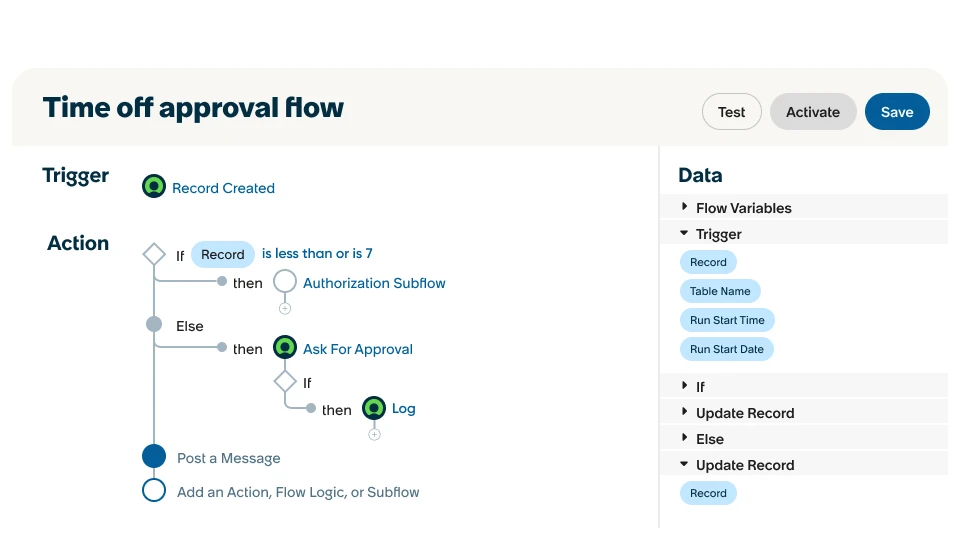
ServiceNow workflow automation rests on three native building blocks. Flow Designer models workflows with triggers, actions, and approvals, IntegrationHub connects those flows to external systems through prebuilt spokes and REST steps, and Now Assist adds generative and agentic AI such as summaries, resolution suggestions, and AI agents.
The platform is strongest where it started. Incident routing, access provisioning, and IT onboarding are mature, well-documented use cases, and most customers automated them years ago.
The newer modules sit on the same platform, but ServiceNow workflow automation in those modules often lags ITSM in depth. HR Service Delivery, Customer Service Management, IT Asset Management, Vendor Risk Management, and finance workflows all run in ServiceNow, yet their hardest steps involve reading unstructured text and making a judgment, which rule-based flows cannot do on their own.
Connecting outside reasoning to those steps is an integration design question first, and our guide to AI agent integration explains the general patterns for agents that read from and write to systems of record.
6 Key ServiceNow Workflow Automation Use Cases Beyond ITSM
The processes that ServiceNow workflow automation reaches beyond ITSM share one trait: a person currently reads a request and decides what happens next. The table maps the main ones to their manual bottleneck.
| Process | Module | Manual bottleneck today |
|---|---|---|
| HR case triage | HR Service Delivery | Free-text complaints, leave exceptions, and benefits disputes need a person to choose the policy and route the case |
| Asset reconciliation | IT Asset Management | Asset records drift from what is deployed, so staff cross-check procurement data against configuration items |
| Finance approval routing | Workflow and approvals | Cases with split funding or multi-entity billing fall outside the approval matrix and bounce between teams |
| Vendor onboarding and governance | Vendor Risk Management | Security questionnaires and attestations wait for someone to read answers and flag risks |
| Customer case handling | Customer Service Management | Customer emails need intent, product, and urgency identified before routing |
| Incident triage for ambiguous requests | ITSM | Vague tickets need classification and missing details before assignment |
Each bottleneck looks like the incident triage problem ServiceNow already solved for structured IT requests. The difference is that the input is unstructured text, which is exactly where an agent adds value in ServiceNow workflow automation.
Prioritizing among these is a volume and risk exercise. Categories with many similar requests and reversible outcomes, such as ambiguous IT tickets or customer emails, usually come first, while HR cases with legal sensitivity and finance exceptions follow once the review pattern is trusted.
Customer service cases show the pattern clearly. An agent can read an inbound email, identify product and intent, draft a reply from the knowledge base, and leave the send decision to the human handler, the same approach our guide to the AI customer service agent describes for service teams in general.
Flow Designer vs AI Agents
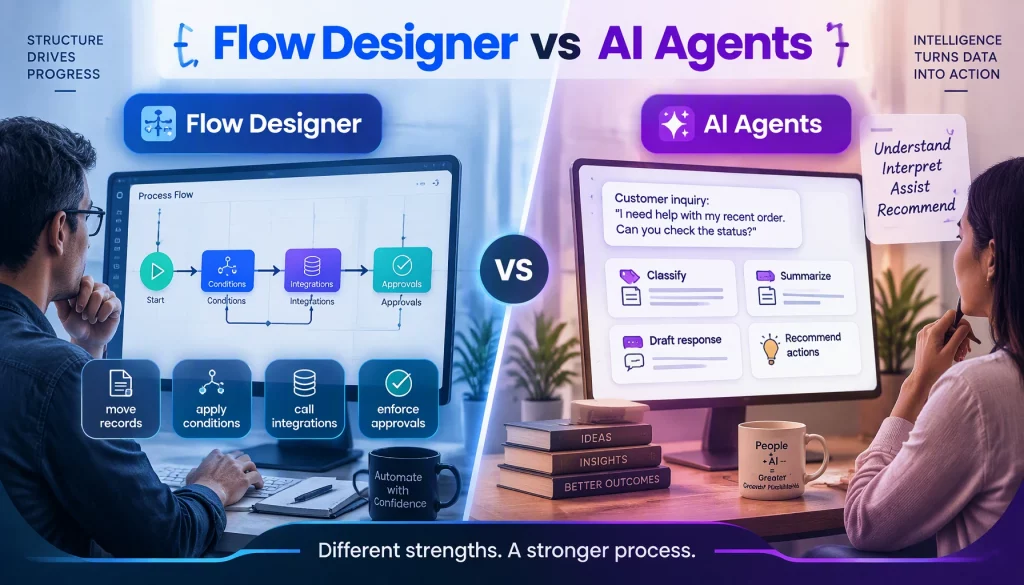
Flow Designer and AI agents solve different halves of the same process. Flow Designer is deterministic: it moves records, applies conditions, calls integrations, and enforces approvals. Agents interpret: they classify free text, summarize history, draft responses, and recommend actions.
The cost structure differs as well. ServiceNow’s core platform is licensed largely by fulfiller seat, while Now Assist is metered in assists; licensing analyses published in 2026 report that a simple generative skill consumes a small number of assists, while an agentic execution consumes more as the number of tools it uses rises, and that dollar rates and overage terms are set in each quote.
That structure explains a common stall in ServiceNow workflow automation programs. A pilot with a few hundred AI actions a month looks affordable, but rolling the same automation out to thousands of employees multiplies metered consumption, and finance questions the expansion before it reaches scale.
The broader market shows the same pressure. Gartner predicted in June 2025 that over 40 percent of agentic AI projects will be canceled by the end of 2027, citing escalating costs, unclear business value, and inadequate risk controls.
None of this argues against Now Assist. It argues for separating two decisions vendors tend to bundle: where workflow state lives, and where reasoning runs. ServiceNow workflow automation can keep both inside the platform, or keep state in ServiceNow and move reasoning to an external, model-agnostic layer.
3 Steps to Add an External Agent Layer to ServiceNow Workflows
An external agent layer for ServiceNow workflow automation follows three steps, and the last one decides whether audit and SLA tracking survive.
- Ingestion: The agent reads new or updated records through ServiceNow’s REST Table API, triggered by a business rule, a flow, or a scheduled job, with batching to manage instance load.
- Reasoning: The agent classifies, drafts, or recommends using whichever model fits the task and your compliance rules, from a hosted model to a smaller model in your own environment.
- Write-back: The agent writes its output to the record through an IntegrationHub spoke or a REST call, as a field value, work note, or proposed action, without bypassing the record’s existing workflow state.
The write-back step is where projects go wrong. If a finance approval needs two sign-offs above a threshold, the agent’s recommendation should land as a proposed value or note, never as an automatic override of the control, so an auditor can later see that a person approved the action the agent suggested.
Testing belongs in a sub-production instance cloned from production, with real ticket text and the same flows, so the team can confirm that write-backs follow expected state transitions, that SLAs behave, and that the integration account cannot touch tables outside its scope.
SLA tracking needs the same care. A write-back that changes state outside the normal workflow can stop or restart SLA timers, so updates should follow the transitions your flows already expect.
The ServiceNow workflow automation pilot should start with one high-volume, low-risk category, such as password resets or standard access requests, where an error is small and recoverable. HR case triage or vendor questionnaire review can follow once write-back and reopen rates are proven.
5 Best Practices for Running Agents Over ServiceNow Workflows
Five practices keep ServiceNow workflow automation with agents safe and maintainable.
- Dedicated integration account: The agent uses its own ServiceNow user with roles scoped to the tables and fields it needs.
- Proposed values for controlled steps: Anything inside an approval or compliance control is written as a recommendation, not a final value.
- Confidence thresholds per category: Low-confidence classifications route to a person instead of being applied.
- Graceful degradation: If the agent layer is down, tickets fall back to normal manual triage, since ServiceNow remains the system of record.
- Change control: Prompts, models, and routing rules go through the same release process as flows.
Residency deserves an early decision. Moving reasoning outside ServiceNow means ticket content leaves the platform boundary, so regulated organizations should confirm where inference runs, ideally in their own cloud region or on-premise, before the first pilot.
Small footprints are the main exception. If an instance has a few hundred fulfillers handling straightforward IT tickets, native AI may be cheaper and simpler than building and maintaining an external integration layer.
3 Metrics That Show Whether ServiceNow Automation Is Working
A resolution rate on its own is a vanity metric. Three numbers tracked together show whether ServiceNow workflow automation is working.
| Metric | Definition | Warning sign |
|---|---|---|
| Unattended resolution rate | Share of tickets in agent-handled categories closed with no human action after the agent | Rising fast while reopens also rise |
| Average handle time | Time from creation to closure, split by agent-resolved and human-resolved tickets | No gap between the two groups |
| Reopen rate | Share of agent-closed tickets reopened within a set window, such as 72 hours | Above the ceiling your team sets for each category |
A baseline comes first. Before the agent goes live, the team should record four weeks of resolution time, reassignment counts, and reopen rates for the target category, otherwise improvements cannot be separated from seasonal swings in ticket volume.
A rising resolution rate alongside a rising reopen rate is the clearest warning sign. It usually means the agent is optimizing for closure rather than solving problems, and the gap shows up in satisfaction scores a few weeks after it appears in reopen data.
Monitoring should run continuously, not only at quarterly reviews. Dashboards that track these metrics per category, along with error rates and model latency, are the core of AI agent monitoring and let teams pause a category before users notice a problem.
5 ServiceNow and Agent Integration Examples With Safe Write-Back
We are not publishing client results here. The examples below describe ServiceNow workflow automation patterns that teams commonly build, with the trigger, the agent’s job, and how write-back preserves control.
| Example | Trigger | Agent’s job | Control-preserving write-back |
|---|---|---|---|
| Ambiguous IT tickets | New incident with low categorization confidence | Classify, ask for missing details, suggest assignment group | Category and assignment as proposed values |
| HR case triage | New HR case from email or portal | Detection of policy area, sensitivity, and urgency | Work note plus routing recommendation |
| Vendor questionnaire review | Questionnaire submitted | Flag risky or incomplete answers against policy | Risk flags for the reviewer, approval untouched |
| Finance exceptions | Request outside the approval matrix | Summarize the exception and propose the approver path | Proposed path for the finance owner to confirm |
| Customer email intake | New inbound email in CSM | Extract product, intent, and urgency, draft a reply | Draft reply for the handler to send |
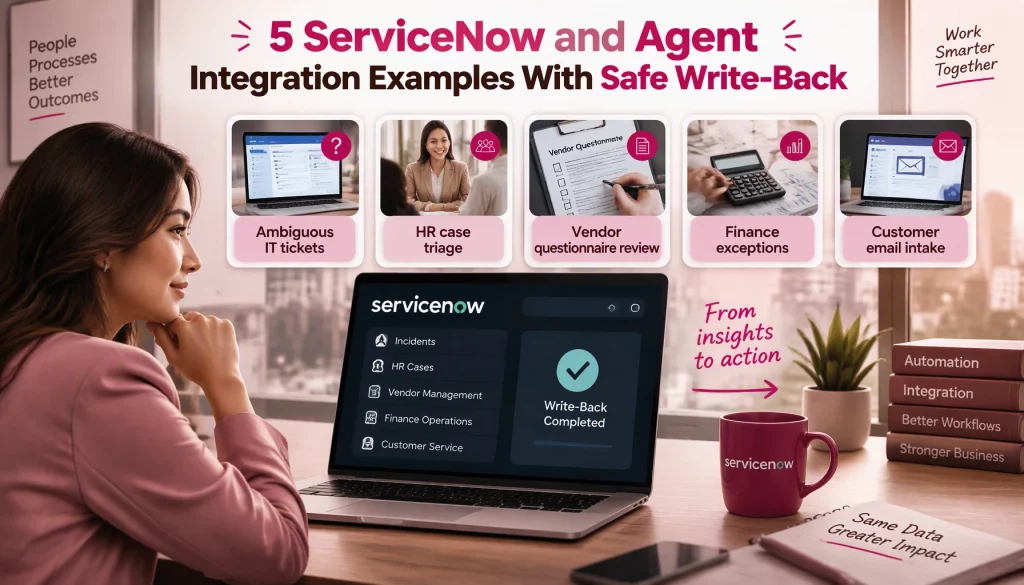
Every example leaves the decision with a person where a control already existed. That design keeps audit trails intact and makes expansion easier to approve, because compliance teams review a recommendation pattern once instead of every new automation.
If you want help mapping an agent layer onto your ServiceNow modules and licensing, you can talk to our team.
Conclusion
ServiceNow workflow automation handles ITSM basics reliably, but HR cases, vendor governance, finance exceptions, and customer emails need reasoning over unstructured text, and metered AI pricing makes scale a budget question. Keeping ServiceNow as the system of record while deciding deliberately where reasoning runs, writing back as proposals where controls exist, and tracking resolution, handle time, and reopens together keeps automation both safe and affordable. This quarter, your team can pick one low-risk category, model assist consumption against an external layer at full volume, and pilot the cheaper route with reopen tracking.
The next question is how agents connect to ServiceNow and the other systems around it under one set of permissions and logs. Our platform integrations page shows how AI Hive does that, including private inference for regulated data.