

Your HR team has probably already tried a chatbot. It answered “What is my PTO balance?” reasonably well, and then it stopped, because the moment the question turned into a task, the chatbot handed the work back to a human. That gap between answering and doing is exactly what an AI agent for HR is built to close. Unlike a scripted assistant, an AI agent can read a resume, score it against a job requisition, book the interview, update the applicant tracking system, and notify the hiring manager, all without a person clicking through five separate screens. For a CTO or CIO evaluating where enterprise AI actually pays for itself, HR operations are one of the clearest cases, because the work is repetitive, rule-bound, and spread across systems that rarely talk to each other well.
Key Takeaways
|
What Makes an AI Agent for HR Different From a Traditional HR Chatbot
Most enterprises already own an HR chatbot buried inside their intranet or their HRIS vendor’s suite. Consequently, the first question a skeptical CTO usually asks is a fair one: what does an “agent” actually add? The answer sits in three capabilities that a scripted chatbot does not have.
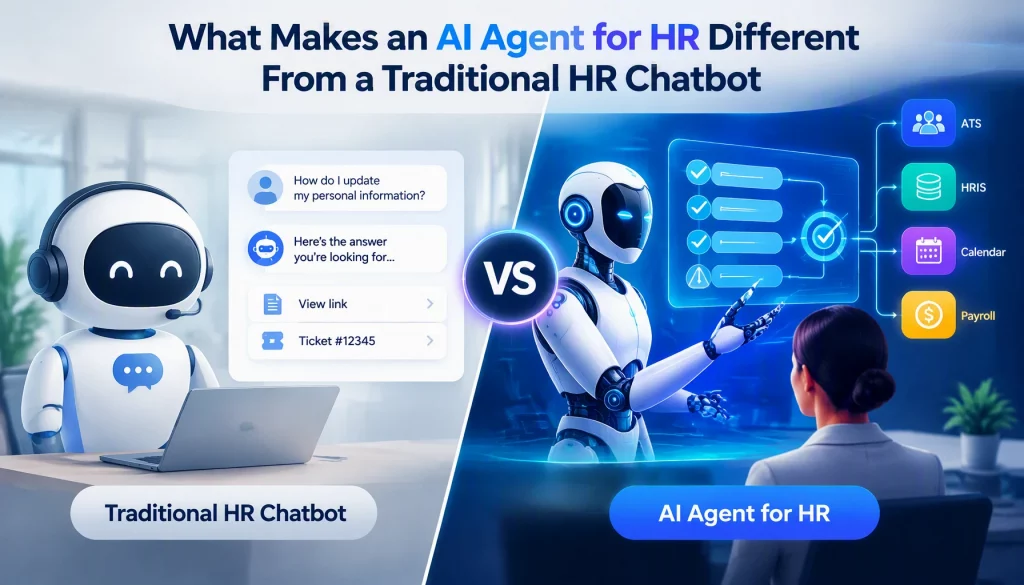
A traditional HR chatbot works from a fixed decision tree or a retrieval index. It matches your question to the closest pre-written answer, and if the request needs an action inside another system, it hands you a link or a ticket number. An AI agent, by contrast, plans a sequence of steps toward a goal, calls the systems it needs (the ATS, the HRIS, the calendar, the payroll engine), and adjusts its plan when a step fails. Specifically, this is the difference between looking up an answer and carrying out a job.
| Dimension | Traditional HR Chatbot | AI Agent for HR |
|---|---|---|
| Primary function | Answers policy and FAQ questions from a knowledge base. | Plans and executes a multi-step task toward a defined outcome. |
| System integration | Usually reads from one knowledge source and rarely writes back to core systems. | Connects to the ATS, HRIS, payroll, and calendar systems, and writes updates directly into them. |
| Decision scope | Provides information only, with no independent action. | Takes bounded actions such as scheduling, routing, and status updates, within rules your team defines. |
| Escalation behavior | Hands off to a human whenever the question falls outside its script. | Escalates only when it hits a defined risk threshold, such as a compliance flag or an ambiguous case. |
| Value delivered | Reduces inbound tickets to the HR service desk. | Reduces the manual labor hours behind recruitment, onboarding, and service desk resolution. |
In addition, an AI agent maintains context across an entire workflow rather than resetting after each message. Furthermore, it operates against your actual system of record, which means the update it makes to a candidate’s status is the same one your recruiter sees in the ATS a minute later, not a separate log that someone has to reconcile by hand.
4 Core Use Cases: Where AI Agents Deliver Value in HR Today
Enterprises rarely deploy an AI agent across every HR function on day one. Instead, they start with the workflows that carry the highest repetitive load, and four use cases consistently top that list.
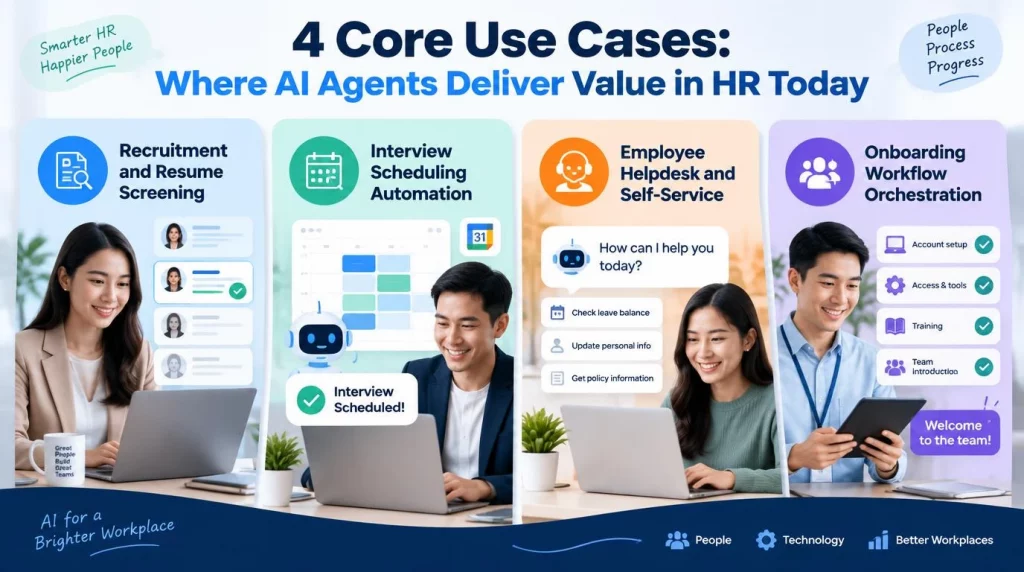
Recruitment and Resume Screening
Recruiters at large enterprises routinely face hundreds of applications for a single open role, and manually screening every resume against a requisition pulls skilled recruiters away from higher-value interviewing. An AI agent for recruitment reads each resume, extracts structured data such as years of experience, certifications, and skill keywords, and scores the candidate against the requisition’s criteria. According to Gartner’s research on 2026 talent acquisition trends, recruiter AI agents are already reshaping how high-volume hiring gets done, and AI-first screening is becoming standard for roles that draw large applicant pools rather than a niche experiment. Importantly, the agent does not make the hiring decision. It ranks and routes candidates, and a human recruiter still reviews the shortlist before anyone is contacted.
Interview Scheduling Automation
Coordinating interview panels across time zones, calendars, and interviewer availability is one of the most mechanically repetitive tasks in the hiring funnel. An AI agent can check every panelist’s calendar, propose slots that work for the candidate, book the meeting room or video link, and send the confirmations, work a recruiting coordinator would otherwise spend fifteen to thirty minutes on per interview loop. Moreover, when a panelist cancels, the agent can rebook automatically instead of waiting for a human to notice the conflict.
These are not marginal gains. Research published by The Josh Bersin Company in September 2025 found that companies using AI-enabled talent acquisition technology report hiring two to three times faster than peers still relying on manual processes, and one global automotive company saved two million dollars in its first year after deploying AI-powered interview scheduling alone. Numbers like these are why interview scheduling keeps showing up as a first-pilot candidate rather than an afterthought.
Employee Helpdesk and Self-Service
Employees ask the same handful of questions on a loop: how much PTO do I have left, how do I update my direct deposit, and why hasn’t my expense reimbursement processed. A well-built AI agent does not just answer these questions, it takes the action behind them. It can submit a PTO request into the HRIS on the employee’s behalf, trigger a benefits enrollment change, or open a ticket with the right routing tag when the issue needs a specialist. This is the use case with the fastest payback, because service desk volume is high, the tasks are low-risk, and the agent removes tickets from the queue rather than just answering them faster.
Onboarding Workflow Orchestration
A new hire’s first two weeks typically involve a dozen disconnected steps: provisioning IT accounts, assigning compliance training, scheduling manager check-ins, and collecting signed policy acknowledgments. An onboarding agent orchestrates this sequence end to end, triggering each downstream system at the right moment and flagging any step that stalls, such as an IT ticket sitting unclaimed past a set window. Enterprises that automate this workflow typically report that new hires reach full productivity faster, because the administrative friction that used to eat into the first week disappears.
Comparing Leading Enterprise AI Agent Platforms for HR
CTOs and CIOs evaluating this space almost always ask the same question next: which platform should we actually buy? Three vendors currently dominate enterprise conversations, and each one takes a different approach shaped by the ecosystem it grew out of.
| Platform | Core Strength | Integration Depth | Typical Cost Position |
|---|---|---|---|
| Workday Illuminate | Native agents built on Workday’s HCM data model, strong for organizations standardized on Workday for core HR and payroll. | Deepest where your enterprise already runs Workday end to end; weaker when core HR data lives elsewhere. | Bundled into Workday’s enterprise licensing, positioned for large enterprise budgets. |
| SAP Joule | Agents embedded across SAP SuccessFactors and the broader SAP Business Suite, useful for enterprises running SAP as the system of record for finance and HR together. | Strongest for organizations running SAP across multiple business functions, not just HR. | Tied to SAP’s enterprise agreement structure, scaling with the existing SAP footprint. |
| Salesforce Agentforce | Configurable agent-building platform extending beyond HR into service and sales, appealing to enterprises wanting one agent framework across departments. | Flexible for connecting non-Salesforce systems through its integration layer, though HR-specific depth depends on configuration. | Priced per conversation or per agent action, suiting growth-stage companies testing one HR use case first. |
None of these three platforms is universally the best choice. Consequently, the right choice depends less on feature comparison charts and more on which system already anchors your enterprise’s HR and finance data. An organization running Workday for core HR gains the least friction from Illuminate, because the agent already sits on clean, structured data it was designed for. A SAP-standardized enterprise gets the same advantage from Joule.
Meanwhile, a company that wants one agent architecture spanning HR, sales, and customer service tends to find Agentforce’s flexibility worth the extra setup work. We generally advise clients to start this decision from their existing systems map rather than from a vendor demo, because an agent bridging three disconnected data sources will underperform one that sits natively on a single system of record.
Risks and Limitations You Must Manage Before Deploying AI Agents in HR
No enterprise AI deployment is risk-free, and HR carries a particular weight because the data involved is personal and the decisions touch people’s livelihoods. Four risks deserve direct attention before you sign a contract.
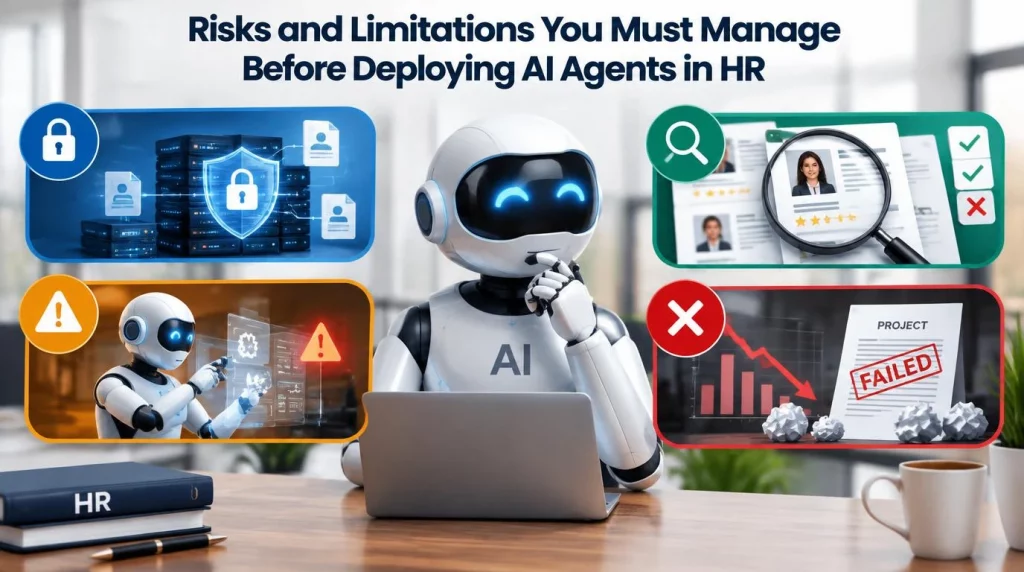
- Data privacy exposure grows with every system an agent touches: An agent reading resumes, compensation data, and performance reviews across multiple systems creates a wider attack surface than a single-purpose tool, so your enterprise needs a clear data governance policy before granting agent access.
- Screening accuracy is not guaranteed and requires ongoing audit: An AI agent trained on historical hiring data can inherit and amplify the biases present in that data, which means your enterprise must audit screening outcomes regularly rather than assuming the agent is neutral.
- Autonomous action carries operational risk when guardrails are weak: An agent writing directly into your HRIS or payroll system can make an incorrect update at scale faster than a human ever could, which is why every write action needs a defined approval threshold and a rollback path.
- Project failure risk is real and well documented: Gartner predicts that more than 40 percent of agentic AI projects will be canceled by the end of 2027, citing escalating costs, unclear business value, and inadequate risk controls as the leading causes, which is a direct warning against treating an HR agent rollout as a quick proof of concept rather than a governed program.
In our experience supporting enterprise AI agent deployments, the projects that stall are rarely the ones with weak technology. They are the ones where nobody defined, in writing, which decisions the agent may make on its own and which require a human sign-off before the system ever touched production data. This is why our platform builds the approval workflow and the audit log in as a default layer rather than an optional add-on, so a compliance officer can see exactly which action an agent took, when, and under whose sign-off, without your team having to bolt that visibility on after the fact.
A Practical Implementation Roadmap for Mid-Size and Large Enterprises
Enterprises that succeed with HR agents tend to follow a similar sequence, and skipping steps is the most common reason a deployment stalls. Below is the roadmap we walk clients through when they are ready to move past the proof-of-concept stage.
- Audit your HR data readiness before selecting a workflow. Your team should map which systems hold the data an agent would need, resumes, HRIS records, and calendars, and confirm the data is structured well enough for an agent to act on reliably.
- Pick one contained workflow for the pilot, not the entire HR function. Interview scheduling or first-line helpdesk queries make strong starting points, because the actions are low-risk and the volume is high enough to show a measurable time saving within weeks.
- Define the approval boundary before the agent goes live. Your enterprise needs a written policy specifying exactly which actions the agent can take autonomously and which require human approval, reviewed by legal and HR leadership together, not just engineering.
- Connect the agent to your core systems through governed integrations. This is where our HR solutions team at AI Hive typically gets involved, building the integration layer between the agent and your existing HRIS, ATS, and payroll systems so every action is logged, auditable, and reversible.
- Run the pilot for a fixed measurement window and report the results honestly. Track time saved, error rate, and employee satisfaction, and be willing to report a disappointing result rather than quietly extending the pilot.
- Expand workflow by workflow once the first pilot proves out. Add onboarding orchestration or recruitment screening only after the first workflow has run cleanly for a full quarter, because each new workflow adds risk surface that your governance framework needs to absorb.
Enterprises that follow this sequence typically reach a stable, scaled deployment within two to three quarters. Enterprises that skip governance in favor of a fast launch usually end up back at step one after a costly restart.
How to Choose the Right AI Agent Approach for Your HR Function
Your enterprise generally faces three paths: adopt the native agent inside your existing HRIS, buy a specialized HR agent platform, or build a custom agent layer on top of your current systems. Each path fits a different situation.
If your HR data already lives cleanly inside Workday or SAP, the native agent path, Illuminate or Joule, usually offers the fastest time to value, because the integration work is largely done for you. If your enterprise runs a patchwork of HR systems that no single vendor’s native agent covers well, a platform like Agentforce or a custom-built agent layer becomes more attractive, because the flexibility to connect disparate systems matters more than out-of-the-box depth. Startups and growth-stage companies without a large HRIS footprint often get more value from a narrower, purpose-built agent focused on one workflow, such as screening or scheduling, rather than a full suite they are not yet large enough to need.
AI Hive was built specifically for this second and third category: a vendor-agnostic orchestration layer that connects HR agents into whatever mix of systems your organization already runs, whether that is a Workday tenant that needs extra reach, a SAP environment, or a stack with no single system of record at all, with the approval workflows and audit controls a regulated or compliance-conscious enterprise requires from day one.
Conclusion
The gap between a chatbot that answers and an agent that finishes the task is where the real return on enterprise AI investment in HR actually lives. Recruitment screening, interview scheduling, employee self-service, and onboarding orchestration are the four workflows delivering measurable results today, and the strongest outcomes go to enterprises that paired a capable platform with real governance from the first pilot onward.
Whether your enterprise is already standardized on Workday or SAP, or you are building a custom agent layer for a more fragmented mix of systems, the sequence stays the same: assess data readiness, pilot one workflow, define the approval boundary, and expand only once the first deployment has proven itself. If your team is ready to move past evaluation and start scoping a pilot, our team at AI Hive can walk through your current HR systems and help you identify the strongest starting point.