

A lot of enterprise AI agent pilots die in the same place: not in the model, but in the wiring that connects the agent to the systems it needs to touch. Your data science team can get an agent to reason well in a demo within days, yet getting that same agent to read a Salesforce record, write back to NetSuite, and respect the permission boundaries your compliance team set can take months. AI agent integration is the discipline that closes that gap, and getting it wrong is a leading reason enterprise AI projects stall before they ever reach production.
Key Takeaways
|
Why Is AI Agent Integration the Hardest Part of an Agent Deployment?
AI agent integration is the set of methods, protocols, and infrastructure that let an autonomous agent read from and write to your enterprise systems, such as your CRM, ERP, ticketing platform, or internal databases, while preserving the access controls and audit trails those systems already require. It is not the same as connecting a chatbot to a knowledge base.
The difference changes the whole integration surface. A traditional enterprise chatbot answers questions from a read-only search index. An agent qualifies a lead, updates a shipment status, or closes a ticket, which means it needs authenticated, permissioned, auditable read and write access to production systems, plus a way to pick the right tool at each step of a multi-step task.
Your enterprise almost certainly runs integration software already, whether point-to-point APIs, iPaaS tools such as Workato or MuleSoft, or custom middleware. Agent integration borrows from that world but adds something those tools were not built for: the agent decides at runtime which tool to call and with what parameters, based on natural language instead of a fixed workflow diagram. Gartner’s analysis of agentic AI cancellations points to escalating costs, unclear business value, and inadequate risk controls, and integration work drives all three.
Three Integration Models Enterprises Actually Use
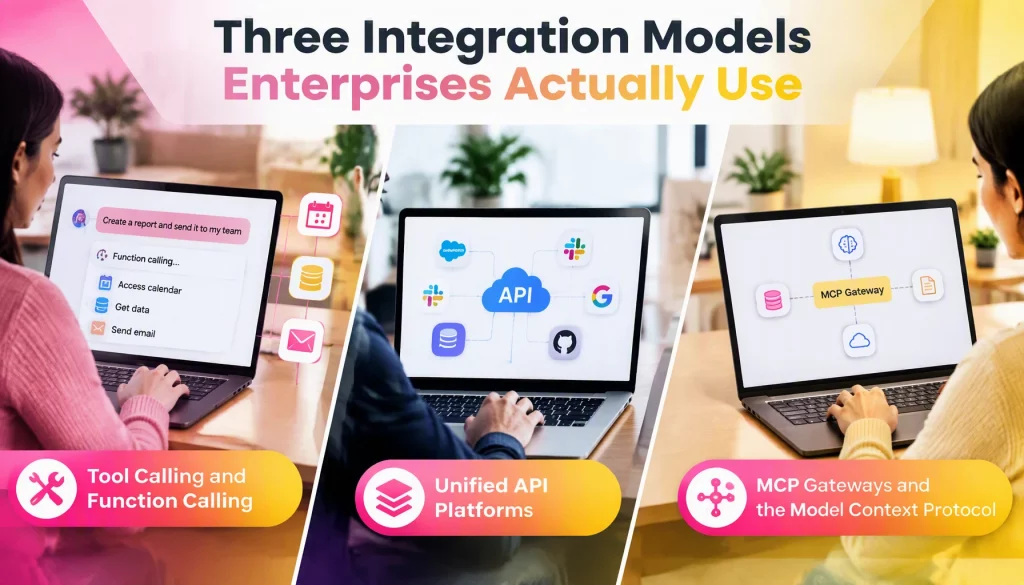
Three architectural patterns cover most production AI agent integration today. Each trades off differently on setup speed, maintenance burden, and how many systems it scales to before it breaks down.
Tool Calling and Function Calling
Tool calling is the most direct pattern for AI agent integration. You define a discrete set of functions such as get_customer_record, create_support_ticket, and update_order_status, describe each one to the model in a schema, and the LLM decides which function to call and with what arguments. Your application layer then executes the real API call and returns the result.
This pattern suits an agent that reaches a handful of well-defined systems, and it gives you tight control because your engineers write and review every callable function. The tradeoff appears at scale. Every new system needs its own hand-written functions, authentication handling, and error handling, and that work does not get cheaper at the twentieth integration.
Unified API Platforms
Unified API platforms, the category occupied by vendors such as Merge and Knit, abstract dozens of SaaS APIs behind one normalized schema. Instead of writing separate integrations for Salesforce, HubSpot, and Pipedrive, you integrate once against a unified CRM API and the platform translates to whichever tool your customer runs.
This model suits AI agent integration when your product must support customer-facing integrations across many CRM, HRIS, or ATS platforms you do not control. However, unified APIs trade breadth for depth. They normalize common fields well but often fall short on vendor-specific features, so you will still need direct API access where the last 10% of functionality matters most.
MCP Gateways and the Model Context Protocol
Model Context Protocol (MCP) is an open standard, introduced by Anthropic, that defines one way for an agent to discover and call tools regardless of which model or application makes the request. In December 2025 Anthropic donated it to the Linux Foundation’s Agentic AI Foundation, co-founded with Block and OpenAI and backed by Google, Microsoft, and AWS. You build an MCP server for each system once, and every MCP-compatible agent can use it.
The protocol decouples the agent from the integration. If you later swap Claude for another model or add a second agent framework, your MCP servers keep working. Scale also matters for cost: Anthropic’s engineers reported that loading every tool definition up front can bloat the context window, and that having agents load tools on demand through code execution cut one workflow from 150,000 to 2,000 tokens. We cover permission scoping at the server level in our guide to Claude MCP integration.
Our rule of thumb for AI agent integration is to default to an MCP gateway once you connect five or more systems. The N times M connector problem that makes tool calling expensive at scale largely disappears, and the threshold is a judgment call rather than a benchmark.
Which Key Systems Do AI Agents Need to Connect To?
Most AI agent integration projects start with four system types. The integration route and the main risk differ for each, so the table below is a useful planning aid.
| System type | What the agent does | Integration route today | Main risk |
|---|---|---|---|
| CRM | Scores leads, updates status, drafts follow-ups | Salesforce hosted MCP servers, generally available since April 2026, or a unified CRM API | Broad write access to customer records |
| ERP | Looks up orders, invoices, and inventory; drafts transactions | NetSuite AI Connector Service, which exposes an MCP interface governed by NetSuite roles | Financial postings made without approval |
| Support and ticketing | Triages, routes, and resolves tickets | Vendor REST APIs or an MCP gateway | Wrong customer-facing replies |
| Data and warehouse | Answers questions and builds reports | Read-only SQL through a governed connector or replica | Exposure of sensitive columns |
The ERP row deserves extra caution. Because NetSuite applies role-based security to what an AI client can see and do, the agent’s role should be a purpose-built, least-privilege role, not a clone of an administrator’s. In our view, agents should draft financial transactions and humans should approve them.
Comparing Five Enterprise Integration Platforms
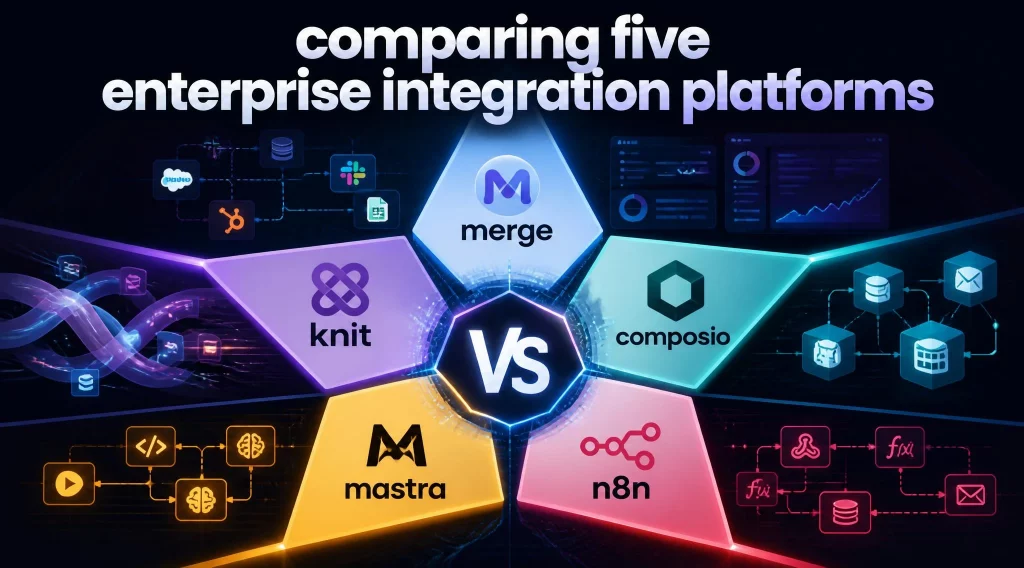
The right AI agent integration platform depends less on the number of logos on its website and more on how it handles authentication, governance, and the systems in your stack. The table lists what each vendor states publicly, along with what your evaluation should confirm.
| Platform | Integration model | What the vendor states | What to confirm |
|---|---|---|---|
| Merge | Unified API for normalized data, plus Agent Handler for MCP-based tool calling | SOC 2, HIPAA support, role-based access control, DLP scanning on tool calls, audit logs on all plans | Depth on vendor-specific fields and per-agent scoping |
| Knit | Unified API across HR, payroll, CRM, accounting, and ticketing categories | Category-level normalization for SaaS integrations | Agent tool-calling support and a current SOC 2 report |
| Composio | Tool-calling and MCP layer with managed authentication | 1,500+ apps, managed OAuth and token refresh, SOC 2 Type II, ISO 27001:2022 | Per-tool permission scoping and data residency |
| Mastra | Open-source TypeScript agent framework with MCP support | Framework-level connection to any MCP server you deploy | You supply the credential vault and governance |
| n8n | Workflow automation with MCP trigger and client nodes | Self-hosting for full data control | Fair-code license terms, and agent features that are not agent-native |
Merge and Knit suit teams that need breadth across many third-party SaaS tools with little engineering overhead. Composio and Mastra suit teams building agent-native workflows that want first-class MCP support without dependence on one unified API. n8n fits organizations that already run workflow automation and want to expose existing nodes as agent-callable tools.
How a CRM Integration Deployment Actually Runs
Theory aside, the pattern our team follows for AI agent integration with a CRM in a B2B SaaS environment looks similar across engagements. It is an illustrative technical pattern rather than a named client case study, and walking through it makes the models above concrete.
The first phase is always read-only. We connect the agent to the CRM through an MCP server scoped to GET operations, let it run lead-scoring and enrichment against real data for one to two weeks, and compare its output with what the sales team would have done manually. This catches schema mismatches, rate-limit ceilings, and messy-data edge cases before the agent can change a record.
Write access comes next, and it comes narrow. Instead of broad update permissions across the CRM object model, we scope the MCP server to a few explicitly whitelisted fields, typically lead status, next-action notes, and task creation, and route anything else through a human approval step. Narrow scoping takes more upfront configuration than handing over a broad API key, which is why many vendors cut this corner. It is also the biggest single predictor of whether an enterprise avoids a rollback incident in the first quarter after go-live.
Latency budgets matter more than most teams expect in AI agent integration. A lead-qualification agent that takes eight seconds to answer inside a live sales call is functionally broken, even when its output is accurate. Our design target is a sub-two-second p95 for read operations, with write operations running asynchronously behind a confirmation step, so the rep never waits on the integration layer. Caching frequently read CRM fields at the gateway usually gets you there.
Security and Governance During Integration
Permission governance is the highest-stakes part of AI agent integration, and it belongs in the design, not in a later review. OWASP’s LLM Top 10 names excessive agency as a distinct risk, and it splits the problem into excessive functionality, excessive permissions, and excessive autonomy. Each maps to a control you can build.
- Least functionality: An agent should see only the tools its task needs, so one that qualifies leads cannot also delete accounts.
- Least privilege: Each agent should hold its own scoped credentials instead of a shared service account with administrator rights.
- Human approval for high-impact actions: Irreversible or financial actions should route through a person, and the approval step should sit outside the model’s control.
- Token discipline: The November 2025 MCP authorization specification treats MCP servers as OAuth 2.1 resource servers and requires resource indicators so a credential issued for one server cannot be replayed against another.
- Audit at the integration layer: Every tool call and every write should be logged with the original and new values, because application-level logs rarely capture enough to reverse a bad write.
Teams should review these permissions on the same cadence as human employee access.
Common Pitfalls That Block Enterprise Rollouts
Beyond permissions, three pitfalls appear in almost every AI agent integration project, whichever platform or model you chose. Naming them early is cheaper than discovering them in production.
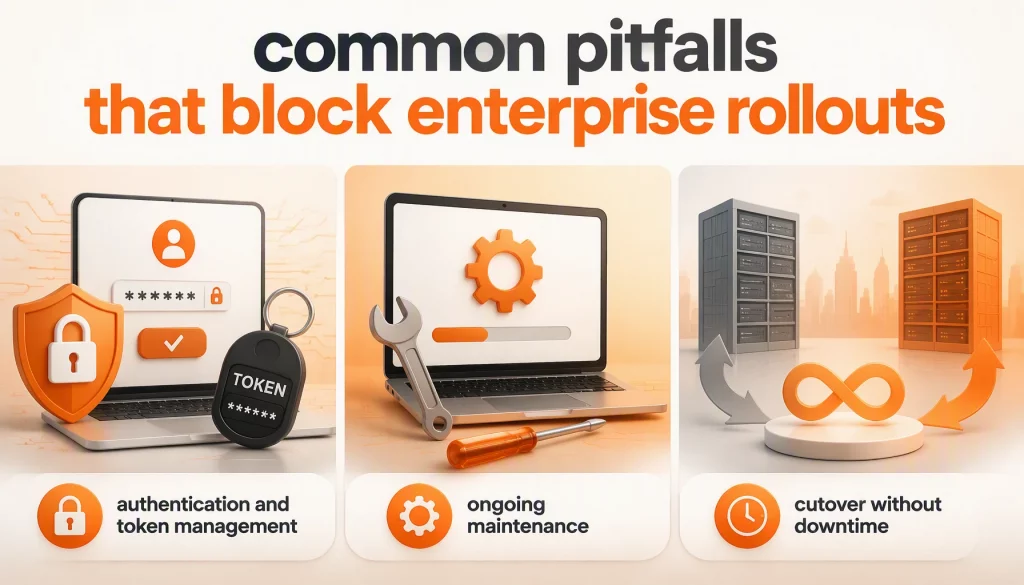
- Authentication and token management: Enterprise systems increasingly require OAuth 2.0 with short-lived tokens, so an agent working across a multi-step task must refresh tokens without human help, without leaking credentials into logs, and without silently failing mid-task. Teams that treat authentication as an afterthought consistently underestimate how much of the timeline it consumes.
- Ongoing maintenance: Source APIs change field names, deprecate endpoints, and add required parameters on their own schedule. Each change can quietly break a tool call and return wrong or incomplete data without any obvious error, so reviewing tool-calling code with the rigor applied to production code, including AI-assisted code review, catches many breakages before a live agent hits them.
- Cutover without downtime: Zero-downtime rollout means running the agent in shadow mode beside the manual process, comparing outputs before switching traffic, and keeping a documented rollback path that does not depend on an engineer being awake at 2 a.m.
Integration Checklist and Reference Architecture
A reference architecture for AI agent integration keeps these decisions visible. Requests flow from the agent to an MCP gateway that holds credentials and policy, then to per-system MCP servers or connectors, and finally to the systems of record. Every hop writes to a central audit log.
| Checkpoint | Pass condition | Evidence to collect |
|---|---|---|
| Access staging | Read-only phase completed on real data before any write scope is granted | Shadow-mode comparison report |
| Write scope | Only whitelisted fields are writable, and out-of-scope writes need approval | Permission manifest per MCP server |
| Agent identity | Each agent has its own credentials with no administrator roles | Credential inventory |
| Token handling | Refresh works unattended, and no token appears in logs | Log scan and failure-injection test |
| Audit trail | Every write records actor, tool, old value, and new value | Sample log export and a rollback drill |
| Latency | Read p95 and async write behavior meet the target for your use case | Load-test results |
| Change control | Source API changes trigger a test run of affected tools | Contract-test suite |
| Kill switch | You can disable an agent or a tool without a vendor ticket | Documented runbook |
The reference pattern scales across departments because the gateway, not each agent, owns credentials and policy. That shared layer is also what makes it possible to swap a model or add a new system without rebuilding the integration.
Choosing the Right Integration Model for Your Enterprise
The choice of AI agent integration model rarely comes down to which platform has the best marketing. It comes down to three questions your team should answer before signing a contract or writing integration code.
- How many systems does the agent need to touch, and how fast will that number grow? Below three or four systems, tool calling is often the fastest path to a pilot, and an early abstraction layer adds complexity you do not yet need. Past five systems, or when the surface keeps expanding, an MCP gateway pays for itself.
- How strict is the compliance posture of the underlying systems? Regulated environments under SOC 2, HIPAA, or similar frameworks need field-level permission scoping and full audit logging as a baseline. Unified API platforms and MCP gateways with built-in credential vaults tend to beat hand-rolled tool calling here, because governance features are already built and audited.
- What happens when your model provider changes? Enterprises expecting to evaluate several LLM providers for AI agent integration over two to three years benefit from decoupling integration logic from any single model’s function-calling format, which is what MCP was designed to do. A company confident in one long-term vendor may reasonably accept tighter coupling in exchange for a simpler start.
Conclusion
AI agent integration succeeds or fails on the same factors that decide any enterprise system rollout: disciplined access control, a realistic maintenance plan, and an architecture that does not need a rebuild each time your systems or your model provider change. Your team should start read-only, scope write permissions narrowly, and choose tool calling, a unified API, or an MCP gateway based on how many systems you actually need to connect.
Readers who want a deeper look at how a decoupled integration layer handles model and vendor changes can explore our platform for enterprise agent integrations. If you are weighing how to connect agents to CRM, ERP, or other systems of record without risking downtime, talk to our team at AI Hive about the architecture that fits your stack.