
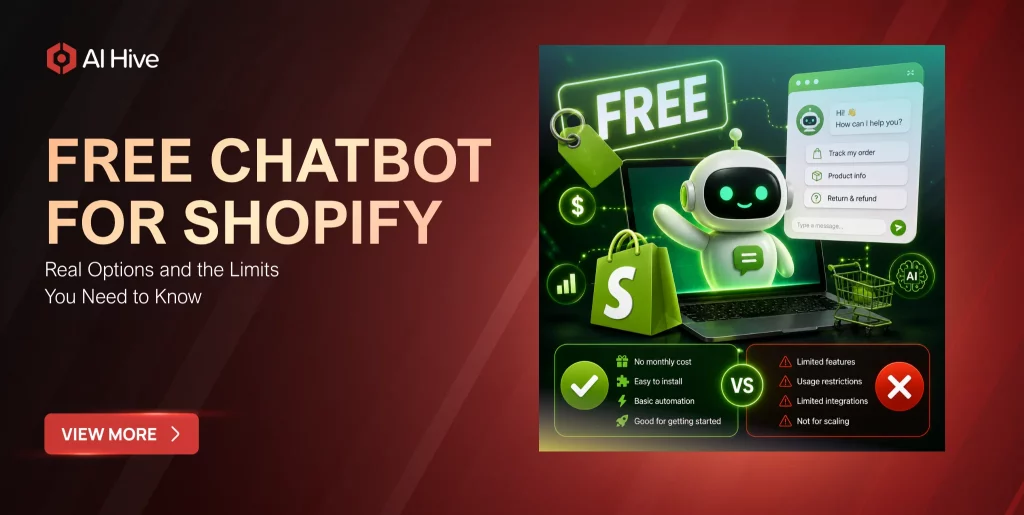

The majority of Shopify store owners spend more time answering the same five questions over and over than they do growing their business. The real cost isn’t the hours lost – it’s the sale that slipped away at 11 PM when no one was online to answer “Does this come in size L?” This guide covers every legitimate free chatbot for Shopify available in 2026, with the exact limits of each free plan verified from official sources, so you can pick the right tool before you install anything.
Key Takeaways
|
What Does “Free” Actually Mean for a Shopify Chatbot?
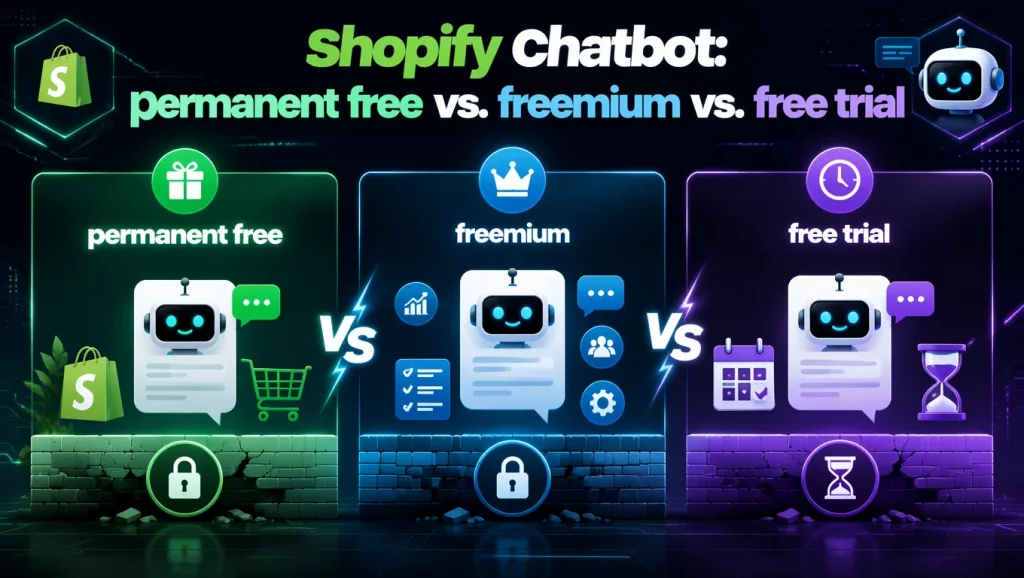
Not every tool that calls itself a free chatbot for Shopify works the same way. Three distinct models exist in the market, and merchants who confuse them tend to discover the difference at the worst possible time – usually mid-campaign, when traffic is high and support capacity is already stretched.
- Permanent free plans give you a fixed set of features with no expiry date and no monthly usage ceiling. Shopify Inbox and Tawk.to both fall into this category, which means you’ll never receive a bill unless you actively choose to upgrade.
- Freemium plans are free up to a hard cap on conversations, messages, or contacts per month. Once you cross that ceiling, the chatbot either stops responding automatically or goes fully silent. Chatbase operates this way, with a limit of 30 AI messages per day.
- Free trials give you full access for a set period – typically 7 to 30 days – then switch you to a paid plan or lock you out entirely. A number of apps on the Shopify App Store market themselves as “free to install” while actually running a trial model underneath. Reading the pricing tab before you install saves a lot of frustration later.
Permanent Free vs. Freemium vs. Free Trial
| Plan type | What it means | Risk for new stores |
| Permanent free | No expiry, capped features | You outgrow features as you grow, not the plan itself |
| Freemium | Free up to a monthly or one-time usage cap | Chatbot goes silent mid-month if you hit the ceiling |
| Free trial | Full access for 7-30 days, then billing starts | Surprise invoice after your first busy weekend |
Understanding which model you’re on before you install is the single most practical thing you can do before adding any chat tool to your store.
Top 6 Free Chatbots for Shopify in 2026 – With Verified Limits
Choosing a free chatbot for Shopify means comparing tools that handle very different use cases – from basic reactive support to AI-powered product discovery. The table below shows the verified limits for each tool as of July 2026, sourced from official pricing pages and app documentation rather than vendor marketing copy.
For a broader look at how AI chat works across different Shopify use cases, see our guide to AI chatbot options for Shopify stores.
| Tool | Plan type | Free limit | AI on free plan? | Best for |
| Shopify Inbox | Permanent free | No hard cap | AI reply suggestions only | Every new store |
| Tidio | Freemium | 50 live chats/month + 50 Lyro AI (one-time, non-renewable) | Yes, one-time trial | Basic FAQ automation |
| Chatbase | Freemium | 30 AI messages/day, 1 chatbot | Yes | Knowledge-base bots |
| Tawk.to | Permanent free | Unlimited chats | No AI | Human-only live chat |
| Gobot | Freemium | 5,000 engagements | Yes (quiz-based) | Guided product discovery |
| VendAI | Permanent free* | No message cap | Yes | Sales-first stores |
*VendAI’s free plan has no message cap but charges a 6.9% commission on sales the AI directly influences.
1. Shopify Inbox – Permanently Free, No Catches
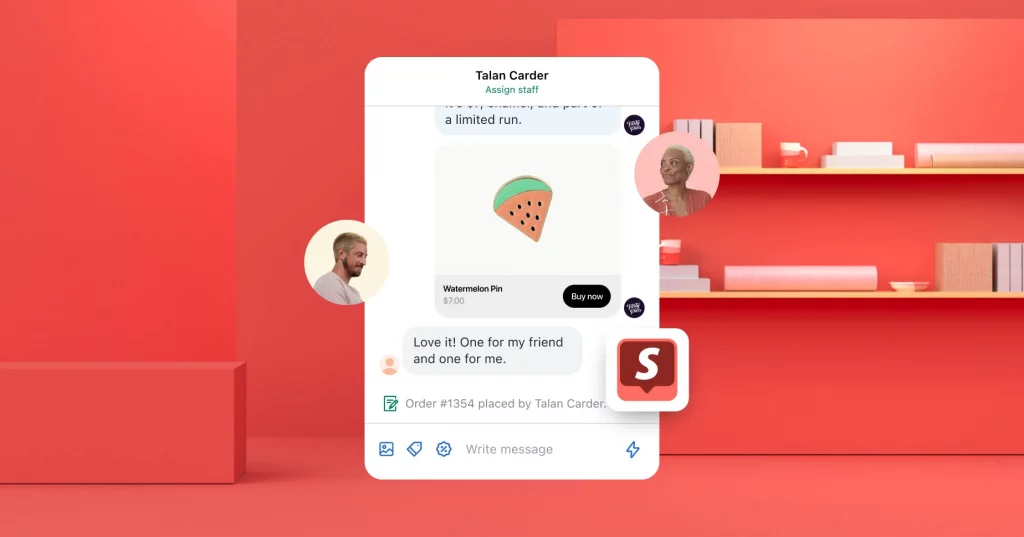
Shopify Inbox is Shopify’s own native chat tool, built directly into every merchant’s admin panel and connected automatically to your product catalog, order history, and customer records. You can review the full feature set on the Shopify Inbox official page. Because it runs inside Shopify itself, merchants avoid the API setup, third-party authentication, and theme conflicts that third-party chat widgets often introduce. The tool is permanently free with no conversation cap – the only cost is the Shopify subscription you’re already paying.
Key features
- Live chat from your Shopify admin: Every conversation is managed from within Shopify, with no external dashboard or separate login required.
- Automated responses for common questions: Shopify Inbox handles shipping timelines, return policies, and order status without manual input once configured.
- AI-suggested reply drafts: The AI component generates reply suggestions for human agents to review and approve, which speeds up response time without removing agent control.
- Product sharing inside chat: Agents can send product links and discount codes directly into a conversation to guide a buyer toward checkout.
- Cart and order context: Every live chat session shows the customer’s current cart contents and recent order history, giving agents immediate context.
Pros
- Shopify Inbox is permanently free with no conversation caps, no message limits, and no hidden fees at any usage level.
- Setup takes under five minutes because the tool activates directly inside your admin with no installation required.
- Native order data connection means order-status questions are answered accurately from day one, with no training content needed.
- Shopify’s own published data confirms that chat-assisted sessions convert at a meaningfully higher rate than unaided browsing sessions.
Cons
- Shopify Inbox is reactive by design – it only responds when a visitor initiates a conversation and will not proactively engage someone who has been browsing a product page for several minutes.
- AI suggestions require a human agent to approve and send, which means the tool cannot resolve any tickets autonomously.
- No quiz-style product recommendation flows or proactive cart-abandonment triggers are available on any tier of Shopify Inbox.
- Analytics are limited compared to most paid third-party tools, with no conversion reporting at the chat level.
Verdict: Install Shopify Inbox on every new store before evaluating anything else. It costs nothing, requires no configuration, and gives you a real picture of what your customers actually ask before you commit any budget to additional tools.
2. Tidio – Read the Fine Print on Lyro AI
Tidio is one of the most widely used chat platforms on the Shopify App Store, with more than 1,285 verified reviews as of July 2026. It combines live chat, rule-based automation flows, and an AI assistant called Lyro into a single interface – making it the most feature-complete option among free-tier chatbots for stores that want to test AI automation before committing to a paid plan. The critical detail that most comparison articles get wrong: Tidio’s own help documentation confirms that the Lyro AI quota on the free plan is a one-time, non-renewable allocation of 50 conversations, not a recurring monthly allowance.
Key features
- Live chat with real-time visitor tracking: Tidio shows who is on your store and what they are browsing, giving agents conversation context before a chat even opens.
- Visual flow builder for rule-based automations: The drag-and-drop builder lets you create triggered responses, FAQ routing, and escalation flows without any code.
- Lyro AI assistant: Lyro handles natural-language questions using your store’s help content and product information, operating more like a trained assistant than a rule-based script.
- Shopify integration for cart and order data: Agents can see what a customer has in their cart and their recent order history during a live conversation.
- Multi-channel connections on paid tiers: Tidio connects to WhatsApp, Mailchimp, and Zendesk, though these integrations are not part of the free plan.
Pros
- The free plan includes both live chat (50 conversations per month, recurring) and a Lyro AI trial (50 conversations, one-time), giving new stores meaningful access to both channels.
- The visual flow builder works on the free plan without a cap, so rule-based automation remains available even after the Lyro quota is exhausted.
- Tidio’s pre-built template library covers most standard e-commerce FAQ scenarios, which reduces setup time significantly.
- The App Store track record is strong, with consistently high review scores across a large review base.
Cons
- The Lyro AI free allocation is a one-time, non-renewable quota of 50 conversations – most stores with moderate traffic exhaust this within two to three weeks.
- Once the Lyro quota is used, AI automation stops entirely until you upgrade to a paid Lyro plan, which starts at $39/month for 200 AI conversations.
- Tidio’s pricing structure separates live chat, automation flows, and AI into distinct plans, which makes the true monthly cost harder to forecast as your store scales.
- Advanced analytics and conversion reporting are not included on the free plan.
Verdict: Tidio is the right tool if you want to observe how your customers respond to AI chat before committing to a subscription. Go in knowing that the Lyro quota is a one-time trial, not a recurring monthly allowance, and you’ll avoid the most common frustration merchants report after installation.
3. Chatbase – Powerful AI, Strict Daily Cap
Chatbase lets you build a custom AI chatbot trained on your own store content – product pages, FAQs, return policies, and size guides – and deploy it on your Shopify store as a knowledge-base assistant. The free plan provides one chatbot and 30 AI-powered messages per day. This model suits stores with complex or detailed product lines where generic FAQ flows produce inaccurate or incomplete answers, but it requires meaningful upfront content setup before the chatbot can respond accurately.
Key features
- Content-trained AI: The chatbot learns from custom sources you upload, including product descriptions, policy documents, FAQs, and external URLs, enabling detailed and product-specific answers.
- 30 AI messages per day on the free plan: The daily cap resets at midnight UTC, which creates a predictable constraint that store owners can plan around.
- One chatbot included on the free tier: A single bot can cover an entire store’s catalog if the training content is organized clearly.
- Embeddable via code snippet: Chatbase deploys on Shopify through a script embed rather than an App Store installation, which gives more placement flexibility.
- Multi-channel deployment on paid plans: Higher tiers allow the same chatbot to deploy across WhatsApp, Messenger, and Slack from one dashboard.
Pros
- AI quality on the free plan is genuinely strong for stores where visitors ask detailed, product-specific questions that a rule-based FAQ flow would handle poorly.
- The daily cap is predictable – unlike monthly freemium caps that empty unpredictably, the 30-message limit resets every day.
- Self-serve setup requires no developer, and basic deployments can be completed in under an hour.
- A single well-trained chatbot can replace several separate FAQ pages for stores with organized documentation.
Cons
- A single busy afternoon or newsletter spike can exhaust the 30-message daily cap before evening, leaving later visitors with no automated response until the next day.
- The cap resets at midnight UTC rather than at local time, which catches merchants in non-UTC time zones off guard when planning coverage.
- Chatbase does not pull live Shopify order data natively – it can explain your returns policy but cannot retrieve the real-time status of a specific customer order.
- Meaningful content preparation is required before the chatbot performs well, which makes it a poor choice for merchants who need a fast zero-configuration setup.
Verdict: Chatbase is the right choice for stores with complex product lines where visitors need content-specific answers that a generic FAQ flow can’t provide. It’s the wrong choice for any store that expects unpredictable traffic spikes or needs real-time order data in conversation.
4. Tawk.to – Unlimited Chats, Zero Automation
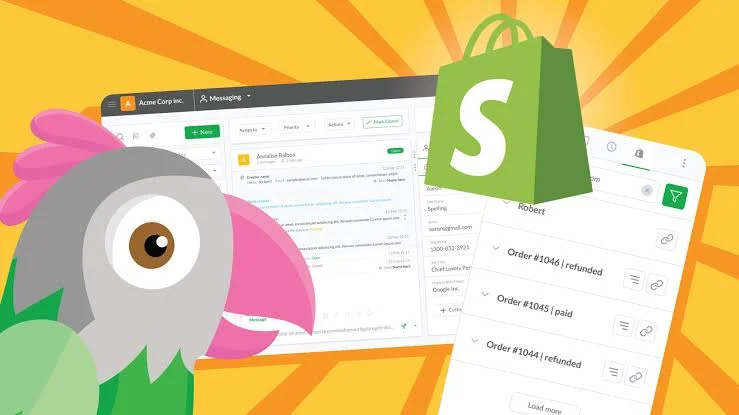
Tawk.to is permanently free with no usage caps, no trial period, and no credit card required at any stage. It provides a live chat widget that connects visitors to a human agent in real time, with support for multiple simultaneous conversations, visitor page tracking, and a canned reply library for frequent questions. The fundamental trade-off is straightforward: Tawk.to includes no AI automation of any kind, which means every response requires a live person on the other end.
Key features
- Unlimited live chats with no monthly ceiling: Tawk.to places no restriction on the number of conversations handled per month, making it the most generous free option for raw chat volume.
- Real-time visitor monitoring: The dashboard shows which pages visitors are browsing, how long they’ve been on the site, and where they came from.
- Canned reply library: Agents can store responses to frequent questions and retrieve them in seconds, which reduces response time for predictable queries.
- Multi-agent support: More than one team member can handle chats simultaneously from a shared dashboard, useful for stores with part-time support staff.
- Mobile app for off-desk responses: Agents can respond to chats from a smartphone, which extends coverage beyond desk hours without requiring dedicated hardware.
Pros
- Tawk.to is permanently and unconditionally free – no badge removal fees, no per-conversation costs, and no transition to a paid plan after a trial period.
- The lightweight widget has minimal impact on store page loading speed, unlike some heavier third-party chat embeds.
- The multi-agent dashboard is practical for small teams managing chat in rotation throughout the day.
- An optional paid add-on allows merchants to hire Tawk.to’s own live agents at $1 per hour for coverage during off-hours, without switching platforms.
Cons
- Tawk.to includes no AI automation – the chat goes completely silent the moment no human agent is available, which is a significant gap for stores with global customers or nighttime traffic.
- Visitors who send a message outside active hours receive no response at all, which often creates a worse impression than having no chat widget visible in the first place.
- No analytics on chat-to-purchase conversion rates are available on the free plan.
- The “Powered by Tawk.to” badge remains visible on the chat widget unless you pay to remove it.
Verdict: Tawk.to is a legitimate option for stores where a team member can actively monitor chat during business hours. For a solo operator managing fulfillment, inventory, and customer service simultaneously, however, a chatbot that only works when you’re watching it isn’t a support tool – it’s an additional responsibility.
5. Gobot – 5,000 Engagements, Then Contact Them
Gobot builds guided shopping quizzes into your store’s chat interface, transforming product discovery into a conversational experience rather than a search-and-scroll process. The free plan covers 5,000 engagements – any visitor interaction with a quiz or chat flow counts toward that total. For low-traffic stores, 5,000 engagements can stretch across several months before the limit is reached. Gobot’s quiz-style flows consistently outperform generic FAQ chat for product discovery, particularly in stores where buyers need help matching a product to their specific situation.
Key features
- Guided shopping quizzes: Gobot routes visitors through branching product recommendation flows based on their answers, producing a matched product suggestion rather than a generic catalog page.
- If/then logic for category routing: Store owners can build quiz paths that direct customers to different product sets based on use case, size, budget, or preference.
- Klaviyo integration for quiz data capture: Quiz responses flow directly into Klaviyo as segmentation data, enabling targeted follow-up campaigns based on what visitors selected.
- Live Shopify catalog connection: Product recommendations reflect current inventory, so out-of-stock items don’t appear in suggestions.
- AI-powered support bot on higher tiers: Paid plans add an autonomous support assistant alongside the quiz functionality.
Pros
- Quiz-style product discovery converts more effectively than FAQ chat for stores with complex or varied product lines, including apparel, supplements, and technical equipment.
- The 5,000-engagement free allowance is sufficient for most new stores to run for multiple months before approaching the ceiling.
- Deep Shopify catalog integration means recommendations reflect live inventory without manual syncing. For merchants running broader AI-powered retail automation across multiple channels, this kind of catalog-connected tooling is a useful proof-of-concept before scaling.
- Klaviyo sync turns quiz data into a segmented email marketing asset, which adds value beyond the chat interaction itself.
Cons
- Post-free pricing is not publicly listed – App Store reviews from 2025 and 2026 indicate upgrade proposals typically range from $200 to $500/month depending on store profile and traffic volume.
- Setup complexity is higher than most free tools: quiz logic requires meaningful configuration before the chatbot is useful to visitors.
- The 5,000-engagement cap counts all interactions, not only completed conversations, so high-bounce quiz traffic depletes the allowance faster than merchants typically expect.
- Support response times are inconsistent, according to recent App Store reviews, with some merchants reporting slow resolution during upgrade negotiations.
Verdict: Gobot is the strongest free option for product-discovery-heavy stores where visitors benefit from guided recommendations rather than a FAQ script. Set a firm budget ceiling before you engage with their sales team on an upgrade, since the post-free pricing is not transparent.
6. VendAI – Free Install, 6.9% Commission on AI Sales
VendAI installs free with no monthly subscription and no cap on AI conversations, positioning itself as a sales-focused assistant rather than a support deflection tool. The chatbot answers product questions accurately within minutes of setup and operates autonomously around the clock. The pricing model is a 6.9% commission on sales that the AI directly influences – meaning the install carries zero upfront cost, but the true monthly expense scales with revenue. For a store generating $0 in AI-attributed sales, the plan is genuinely free. For a store generating $5,000 per month in AI-attributed revenue, the commission reaches $345/month.
Key features
- AI sales assistant with no conversation cap: VendAI handles an unlimited number of customer conversations without a monthly ceiling or daily limit.
- Zero upfront cost and zero configuration: The chatbot is functional within minutes of installation, with no training content or product catalog upload required before it starts responding.
- Commission-based pricing with an attribution dashboard: VendAI tracks which sales the AI influenced and charges 6.9% on those transactions, with a built-in dashboard showing the attribution.
- Natural conversational tone: The AI is designed to answer product questions in a tone that reads closer to a human sales associate than a scripted FAQ bot.
- Sales conversion focus: VendAI is built to increase purchase intent rather than to deflect support tickets, which makes it a different category from most chatbots in this guide.
Pros
- The plan carries genuinely zero upfront cost – no credit card, no trial expiry, and no monthly fee before the store generates AI-attributed revenue.
- No conversation cap means traffic spikes from promotions or newsletters don’t break the chatbot the way freemium caps do on competing free plans.
- Setup speed is the fastest of any tool in this guide, with the AI responding accurately within minutes of installation.
- New stores with no monthly revenue can access AI sales automation before they have the budget to commit to a subscription.
Cons
- The 6.9% commission scales directly with revenue: at $1,000/month in AI-attributed sales, VendAI costs $69/month; at $5,000/month, the commission reaches $345/month – more than the entry-level paid plans from Tidio or Chatbase.
- The attribution methodology (how VendAI determines which sales the AI influenced) is not publicly documented, which makes cost forecasting difficult and creates a structural incentive for broad attribution claims.
- Customization options and analytics depth are limited compared to subscription-based alternatives at equivalent monthly cost.
- The commission model rewards the chatbot for claiming attribution on sales that may have occurred regardless of the AI interaction.
Verdict: VendAI is the right starting point for brand-new stores with no monthly revenue who want AI sales automation before they can commit a monthly budget. Set a specific monthly revenue threshold in advance – when your AI-attributed sales reach the point where VendAI’s commission exceeds a flat-rate alternative, make the switch.
How to Set Up a Free Chatbot on Shopify in 5 Steps
Installing a free chatbot for Shopify takes under 30 minutes for most tools, and the process is consistent enough across options that the same five steps apply whether you’re setting up Shopify Inbox or a third-party app. The single most important decision happens before you touch the App Store: picking the right tool for your primary use case.
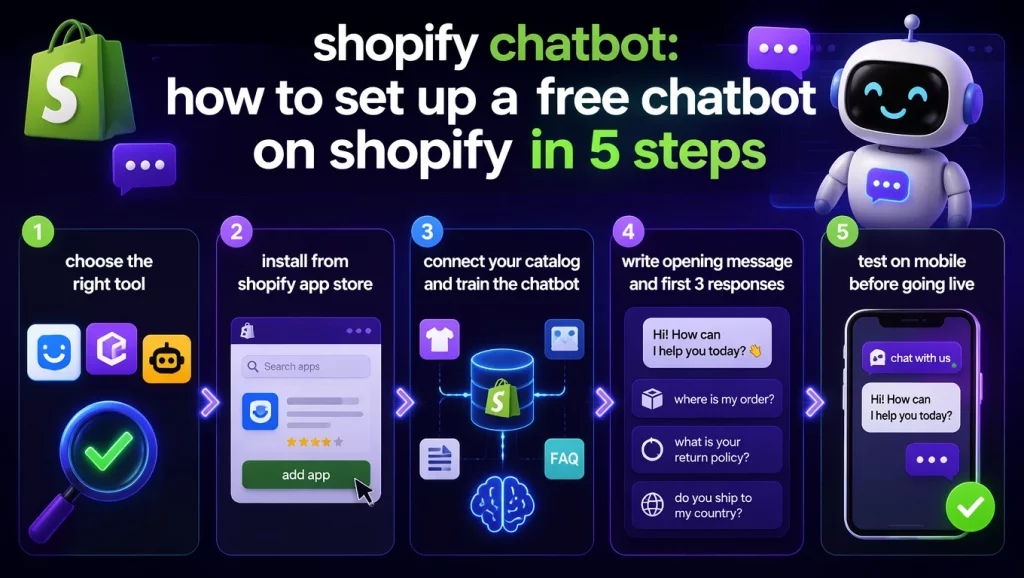
- Step 1 – Choose one tool based on your actual primary need. If order tracking and basic FAQ handling are the priority, start with Shopify Inbox. If you need AI answers trained on your specific product catalog, start with Chatbase. If guided product discovery matters more than reactive support, start with Gobot. Installing two chatbots simultaneously creates a confusing visitor experience and makes it impossible to attribute any results to either tool.
- Step 2 – Install from the Shopify App Store. Search for your chosen tool in the App Store, click “Add app,” and follow the permissions prompt. Shopify Inbox is the exception to this process – it lives directly inside your Shopify admin under the Inbox section and requires no external App Store installation at all.
- Step 3 – Connect your catalog and train the chatbot on your store content. Most tools pull product data automatically once connected to your store. For knowledge-based tools like Chatbase, you’ll need to manually upload your return policy, shipping FAQ, and key product pages as training content. This step is what separates a chatbot that gives accurate, store-specific answers from one that produces generic responses that frustrate visitors.
- Step 4 – Write your opening message and your first three automated responses. Keep the welcome message short and specific: “Hi – ask me about our products, shipping times, or returns and I’ll get back to you straight away.” Then build responses for the three questions your customers ask most often. For most Shopify stores, those three are: Where is my order? What is your return policy? Do you ship to my country?
- Step 5 – Test on mobile before going live. Shopify’s own published merchant data shows that more than 60% of Shopify traffic comes from mobile devices. Preview your chatbot on both iOS and Android before enabling it publicly. Confirm the widget doesn’t overlap your Add to Cart button, the response text is readable at standard mobile font sizes, and the chat window opens without noticeable delay.
Where Free Plans Break Down: The 4 Walls You’ll Hit
Every free chatbot for Shopify eventually runs into the same four structural limits. None of them announce themselves in advance, and merchants typically discover each one during a busy period when the disruption is most damaging.
- Wall 1: Volume caps arrive at the worst possible time. Freemium tools set monthly or daily limits that look generous during a slow week. Traffic is not evenly distributed across a month, however. The weekend you run a promotion, or the day a newsletter features your store, is often the exact moment you exhaust a cap that seemed comfortable during an average period. The chatbot goes silent precisely when visitor volume – and the value of each interaction – is highest.
- Wall 2: Automation sits behind the paywall. Several tools, including Tawk.to and basic Chatra, include a live chat widget on the free plan but restrict all automated response logic to paid tiers. This structure means the tool requires a human on the other end at all times. For a solo store owner managing fulfillment, inventory, and marketing simultaneously, a chatbot that only functions when you’re actively watching it isn’t a support tool – it’s an additional responsibility.
- Wall 3: Third-party branding ships with the free plan. Most free chatbots display a “Powered by [Tool Name]” badge on the chat widget. For some store owners this is irrelevant; for others, surfacing a third-party brand name inside the shopping experience undermines the professionalism they’re trying to project. Removing the badge almost always requires moving to a paid tier.
- Wall 4: Analytics are the first feature cut. Understanding which questions visitors ask most often, which chat sessions lead to purchases, and where conversations drop off requires reporting. On most free plans, this data is either absent or delayed by 24 to 48 hours. Merchants who need conversation intelligence built in from day one – the kind you find in platforms with full enterprise AI agent capabilities – will outgrow free chat analytics quickly. As a result, merchants who stay on free plans for several months end up optimizing their chat flows on instinct rather than evidence.
Free vs. Paid Shopify Chatbot: When the Numbers Say It’s Time to Upgrade
The decision to move from a free chatbot to a paid plan is rarely about features a store owner wants. It’s almost always about a specific operational threshold where staying on the free plan costs more – in lost sales, in support hours, or in missed automation – than upgrading would.
| Trigger | What’s happening | What you need |
| More than 150 chat sessions per month | Freemium caps are being hit regularly | Entry-level paid tier ($15-$39/month) |
| More than 10 support queries per day | Manual response load is consuming selling and ops time | Automation with ticket routing |
| Cart abandonment rate above 15% | Visitors are leaving without sufficient engagement | Proactive chat triggers and abandonment recovery |
| AI-attributed revenue above $4,000/month on VendAI | Commission cost now exceeds flat-rate alternatives | Switch to a subscription model |
| Customers reaching out via email, chat, and social DMs | Free tools don’t unify channels | Omnichannel paid plan |
At 150 monthly chat sessions, a modest improvement in conversion from better automation typically covers a $30 to $39/month paid plan several times over. The calculation isn’t about the plan cost itself – it’s about what an unresponsive or capped chatbot costs you in abandoned purchases and unresolved questions.
What Real Shopify Merchants Say About Free Plans
Reviewing verified Shopify App Store reviews across the six tools in this guide reveals three themes that appear consistently, regardless of which platform the merchant is using.
- Shopify Inbox earns the strongest marks for setup simplicity. Merchants with no technical background describe it as the only tool that worked immediately without any configuration issues. The most common complaint focuses on its reactive design – Shopify Inbox waits for a visitor to initiate contact rather than reaching out proactively. For stores where proactive engagement matters, this limitation becomes apparent within the first few weeks.
- Tidio users most often discover the Lyro AI limit during their first month. Multiple App Store reviews from 2025 and 2026 describe running AI automation for two weeks and then finding the quota exhausted. In response, several reviewers switched to a paid Lyro plan within the first month after realizing the one-time allocation wasn’t sufficient for their actual traffic. The gap between what the free plan appears to offer and what it delivers at even moderate traffic levels is the most consistent friction point in Tidio’s recent review history.
- Tawk.to reviews divide clearly between stores that work in teams and stores that don’t. Merchants with a part-time team member available to monitor chat during business hours rate it consistently well. Solo operators working at full capacity, by contrast, rate it poorly – not because the tool fails, but because it demands continuous human attention to deliver any value. Several reviews note that offline visitors who send a message and receive no response feel a worse experience than if no chat widget had been visible at all.
Conclusion
Choosing the right free chatbot for Shopify comes down to one honest question: how much of your support can actually run without a human involved right now? Shopify Inbox is the correct starting point for almost every new store because it’s permanent, native, and answers that question with real data before you spend anything. Third-party free plans – Tidio, Chatbase, Gobot – make sense when you have a specific automation need that Shopify Inbox doesn’t cover and your monthly traffic stays within their free-tier limits.
The four walls described in this guide will appear as your store grows. When they do, they’re not a sign that free chatbots failed you – they’re a signal that your store is ready for automation tools built to scale with it. If that next stage involves AI agents handling post-purchase workflows, CRM integration, or multi-channel coordination across your entire operation, talk to the AI Hive team to see what production-grade AI deployment looks like at that level.