


Enterprise AI budgets are growing, yet a striking share of organizations remain stuck at the pilot stage – spending on tools that never reach production workflows. The gap rarely comes from the technology itself; it comes from picking the wrong plan tier, skipping the integration step, or failing to separate seat-based productivity from API-driven automation. This guide cuts through that ambiguity by walking IT leaders through every dimension of claude for business in 2026 – from plan tiers and pricing to department-level use cases, integration options, and the clear signal that tells you a standalone subscription has reached its limits.
Key Takeaways
|
What Is Claude for Business, and How Does It Differ from the Consumer Version?
Teams that evaluate Claude for business for the first time often conflate the personal Pro plan with the organizational tiers. The distinction is not just usage limits – it is the entire governance architecture underneath.
Claude for Business is Anthropic’s organizational tier of the Claude AI assistant, designed for teams that need shared access, administrative control, and data boundaries that individual consumer accounts do not provide. At the Team Standard level ($25/seat/month), your organization receives a shared workspace, SSO, centralized billing, and a clear guarantee that Anthropic will not train its models on your business data by default. That last point carries the most weight for legal, finance, and compliance teams, who cannot afford to expose client information to standard consumer AI products.

The practical difference from a personal Pro subscription comes down to three things. First, governance controls who can access Claude and what data it can see. Second, shared context means every team member works from the same organizational knowledge base, rather than starting every session from scratch. Third, native integrations connect Claude to the tools where your actual work lives, not just a standalone chat interface.
Claude itself earns its place in enterprise workflows through three capabilities that generic AI assistants rarely replicate with the same consistency. It holds an unusually large amount of text in context simultaneously, which allows it to reason across a 50-page contract, a full compliance manual, or a year of meeting notes without losing the thread. It also writes in a measured, low-hype register and follows detailed formatting instructions precisely, which cuts revision cycles on client-facing content. Finally, it connects to internal systems through the Model Context Protocol (MCP), so it answers from your company’s actual data rather than generating plausible-sounding but unverified responses.
For a deeper look at how these capabilities translate to specific business functions, see our guide to enterprise AI agent use cases across industries.
Claude Team vs. Claude Enterprise: Which Plan Fits Your Organization?
The three tiers of Claude for Business serve meaningfully different needs. The gap between them is not simply seat count – it is the depth of governance each tier provides.
| Plan | Monthly Billing | Annual Billing | Min Seats | Key Governance Features |
|---|---|---|---|---|
| Team Standard | $25/seat/month | $20/seat/month | 5 | SSO, domain capture, centralized billing, Microsoft 365 and Slack integrations, admin controls, org-wide search, enterprise desktop deployment |
| Team Premium | $125/seat/month | $100/seat/month | 5 | All Standard features plus Claude Code access, 5x higher usage allowance, early access to new collaboration features. Mix and match with Standard seats within the same workspace. |
| Enterprise | Custom pricing | Custom pricing | Custom | All Team features plus expanded context window, RBAC, SCIM provisioning, audit logging, Compliance API, custom data retention, Google Docs catalog, HIPAA-ready option for healthcare |
Note: Pricing verified from multiple independent sources as of July 2026. Confirm current rates at claude.com/pricing before finalizing your budget.
Team Standard covers the majority of knowledge worker workflows without over-engineering the setup. Team Premium makes sense specifically when developers need Claude Code for building or debugging inside large codebases. Enterprise applies when regulated industries or large organizations need documented, auditable data governance that satisfies legal, security, and compliance requirements simultaneously.

One practical point that most buying guides skip: you can mix seat types within the same Team workspace. A 20-person team might assign four Premium seats to engineers who need Claude Code and 16 Standard seats to everyone else.
For a full breakdown of how Anthropic structures pricing across tiers and API usage, see our dedicated Claude Enterprise pricing guide.
Claude for Business Pricing: What IT Leaders Actually Pay
Budget forecasts for Claude for Business consistently go wrong in the same place: treating seats and API as interchangeable billing models when they serve entirely different functions.
Per-seat subscriptions are predictable. They apply to human users doing interactive work – drafting, research, document review, and day-to-day analysis. Your cost is fixed per person per month regardless of how frequently each person uses Claude.
API billing works differently. It is metered per token, so you pay for what Claude actually processes rather than for a headcount. This model works well for automated workflows – nightly document ingestion, support ticket triage pipelines, lead routing automation – because cost scales with computational work rather than user count.
The decision rule for IT leaders is fairly direct. If your primary goal is giving 50 people a shared AI workspace for daily productivity tasks, start with Team Standard seats at $20 to $25 per seat. If your goal is building an AI-powered workflow that runs autonomously, that workload belongs on the API, ideally managed through an orchestration layer that handles agent logic, error handling, and system integrations at scale. According to a 2026 cost analysis by Finout, enterprises that route non-real-time workloads through the Batch API and implement prompt caching can reduce effective API spend by up to 95% on eligible workflows compared to standard on-demand pricing.
That cost efficiency is real, but capturing it requires deliberate pipeline architecture. It does not happen automatically from a seat subscription alone.
5 Common Claude Use Cases in Business: By Department and Function
The departments that extract the most consistent value from Claude for Business share one common characteristic. Their highest-cost work involves reading, synthesizing, or writing – tasks where the quality of context directly determines the quality of output.
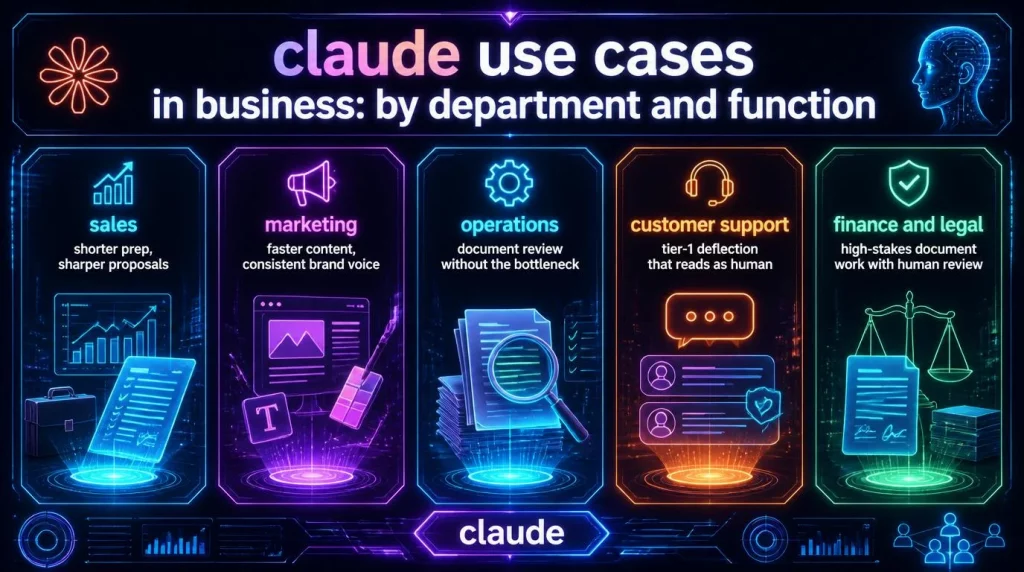
1. Sales: Shorter Prep, Sharper Proposals
Sales teams at organizations running Claude Enterprise use it primarily for meeting preparation and proposal drafting. When Claude connects to your CRM, calendar, and email through MCP, it searches actual prospect records and past correspondence rather than asking the rep to recreate context manually. GitLab’s sales team specifically reports using Claude to customize RFP responses, compressing what was previously repetitive, manual proposal work into a fraction of the original time.
A practical workflow looks like this: load a Sales Project with your pricing structure, objection-handling scripts, and recent win/loss notes. Each rep opens the Project, pastes the prospect context, and receives a proposal draft that reflects your actual playbook rather than a generic AI output.
2. Marketing: Faster Content, Consistent Brand Voice
Marketing teams use Claude Projects to maintain brand consistency across regions and channels without building separate review queues for each market. North Highland’s team reported completing content creation and analysis tasks up to five times faster after deploying Claude with Projects preloaded with their brand voice guidelines and audience personas. The gain is not simply speed. It is the elimination of the back-and-forth between writers and brand reviewers that occurs when tone drifts across markets or contributors.
3. Operations: Document Review Without the Bottleneck
Operations and legal teams gain the most from Claude’s long-document reasoning capability. Unlike models that lose coherence after a certain context length, Claude maintains consistent reasoning across extended documents. Anthropic’s own legal team reduced contract review cycles from days to hours by deploying Claude for first-pass clause comparison against standard templates – a task that previously required a paralegal to work through documents manually. For organizations in regulated sectors such as banking or insurance, our BFSI AI agent solutions page outlines how AI Hive extends this capability into fully automated compliance monitoring workflows.
4. Customer Support: Tier-1 Deflection That Reads as Human
Support teams use Claude to handle tier-1 inquiries in a way that reads as carefully considered rather than automated. When Claude connects to a knowledge base through MCP, it responds from your actual documentation rather than generating plausible-sounding guesses. The Slack integration lets support agents mention Claude inside an existing thread, receive a drafted response grounded in the support playbook, and then review and send – without switching between tools or breaking their workflow.
5. Finance and Legal: High-Stakes Document Work with Human Review
Finance teams use Claude directly in Excel through Claude for Microsoft 365, running data analysis, forecasting, and report generation without switching applications. Legal teams rely on it for first-pass contract review: flagging unusual clauses, summarizing key obligations, and comparing vendor agreements against standard terms. Anthropic’s February 2026 partnership with PwC specifically targets regulated finance workflows, including investment banking, equity research, and wealth management, with PwC providing the compliance governance framework on top of Claude’s analytical capabilities. According to Anthropic’s published deployment guidance for financial services, organizations in this sector most commonly deploy Claude for document review, regulatory reporting, and client communication workflows.
One important note for both functions: Claude handles the analytical and drafting work, but qualified professionals must review financial models and legal outputs before those outputs become decisions or commitments.
Claude for Business Integrations: Microsoft 365, Slack, Google Docs, and More
Claude for Business connects to 50 or more tools through native integrations and the Model Context Protocol. Those connections are where the majority of measurable productivity gains actually originate.
Native integrations available on Team Standard and above include the following platforms, each addressing a different layer of how enterprise teams work.
- Microsoft 365 – Claude works inside Word, Excel, PowerPoint, and Outlook through a built-in chat sidebar, removing the need to copy-paste between applications
- Slack – Two-way integration lets you use Claude inside Slack channels and DMs, or have Claude search your Slack workspace for context when drafting responses
- Google Workspace – Drive, Calendar, and Gmail connectivity at the Team level; Google Docs catalog search becomes available on the Enterprise plan
- Project management tools – Asana, Jira, Linear, and Monday.com are all supported as native connectors
- Design and code tools – Figma, Canva, and GitHub integrations serve technical and creative teams
- MCP custom connectors – Any system with an MCP-compatible endpoint can connect, including internal CRMs, ERP platforms, ticketing queues, and proprietary knowledge bases
The MCP layer is the most consequential integration decision for IT leaders evaluating Claude for Business. LOKAL’s Claude Certified Architects, who ran a Claude Enterprise rollout across a 4,000-person organization, observed that the dividing line between teams reaching 72% weekly adoption and teams abandoning Claude after two weeks was almost always whether Claude had been connected to real company data. Connecting a knowledge base or CRM transforms Claude from a capable chat tool into a system that can answer “what is the status of this account” from actual company records. For organizations that need to go further – integrating Claude into multi-system automated workflows – see how AI Hive approaches enterprise platform integrations across 100+ enterprise connectors.
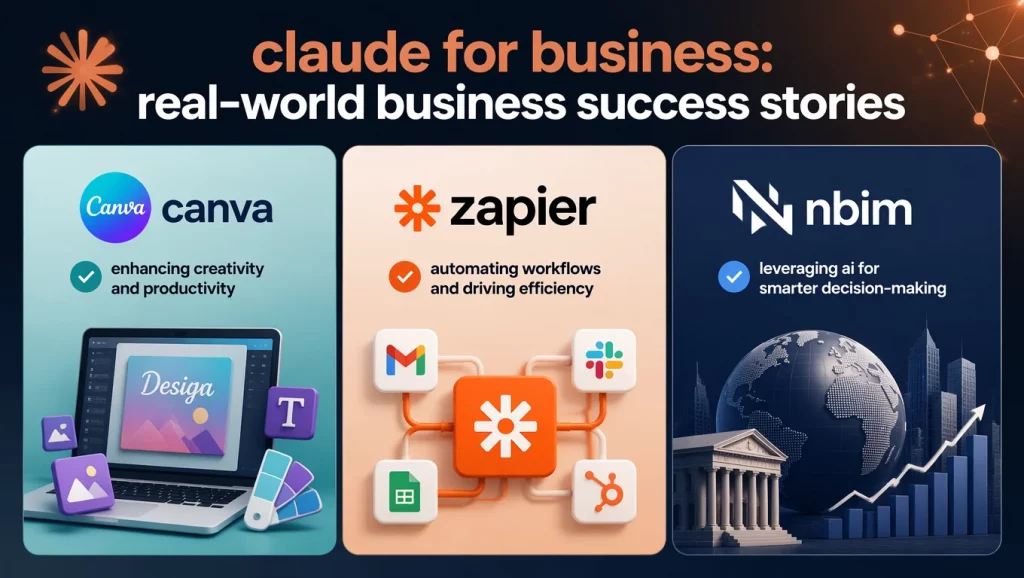
3 Real-World Business Success Stories: Measurable Results from Enterprise Deployments
The following results come from Anthropic’s published customer case studies and named enterprise deployments. Each example reflects a real organization’s reported outcomes.
- Canva deployed Claude Enterprise across its teams and saw adoption patterns that surprised even its own leadership. Samantha Garrett, Head of the AI and Automation Platform team at Canva, noted that new AI tools had never previously been adopted as quickly or integrated as meaningfully into daily workflows at that scale – a claim that carries weight coming from a company that builds creative software used by hundreds of millions of people.
- Zapier integrated Claude Enterprise across its product and engineering organization. Anna Marie Clifton, Director of Product, AI and Agents at Zapier, reported that Claude earned its place in daily workflows through two specific capabilities: Claude Code for the engineering team and Skills for spreading team-specific knowledge across the broader organization. She described Skills as spreading “like lightning” through the company, with individual experts building systems that converted their personal productivity into leverage for the whole team.
- NBIM (Norway’s Sovereign Wealth Fund, $1.7T AUM) selected Claude over competing enterprise AI models specifically for analytical work involving multiple long documents. Stian Kirkeberg, Head of ML and AI at NBIM, cited reliable context maintenance across extended multi-document sessions as the deciding factor – not just benchmark performance. For an organization managing assets at that scale, the ability to hold complex financial context consistently across a session is not a preference. It is a baseline requirement that ruled out competing models.
How to Deploy Claude for Business from Zero: A Practical SMB Playbook
Most buying guides end at “choose a plan and invite your team.” That stopping point is where most deployments stall. This section covers the four decisions that actually determine whether your organization extracts consistent value from Claude for Business within 90 days, based on patterns documented across real enterprise rollouts.
Step 1 – Define specific workflows before the pilot, not after.
Pick two or three high-frequency, low-risk tasks your team performs every week where the output is verifiable: first-draft client emails, meeting summaries, policy Q&A, proposal sections. Specific workflows are easier to measure and easier to train against than a general directive to “use AI more.” Vague rollouts reliably produce vague adoption numbers.
Step 2 – Run a 10-to-20-person pilot for four to six weeks.
Keep the pilot group small enough to support properly, but large enough to surface real usage patterns. Give participants Team Standard seats, a one-page usage guideline covering which data is and isn’t appropriate for Claude, and a shared Slack channel where people can post examples of what worked. Track weekly usage rate, not login rate. Adoption – defined as who uses Claude at least once per week for a real work task – is the only signal that tells you a workflow is actually sticking.
Step 3 – Connect Claude to one real internal data source.
After the pilot validates value on at least two workflows, connect Claude to a knowledge base, shared document library, or CRM through MCP. This single setup decision has more impact on long-term adoption than any other configuration choice. Claude responding from your company’s actual documentation converts occasional curiosity into daily workflow dependency.
Step 4 – Separate seats from API in your architecture and budget.
After the pilot, categorize your validated workflows into two buckets: human-driven tasks where a person interacts with Claude directly (seats) and automated pipelines where Claude processes data without human initiation (API). Most SMBs find that 60 to 70% of value comes from seat-based productivity, and the remaining 30 to 40% comes from automating specific repetitive processes through the API – document ingestion, lead routing, support deflection. These two tracks require separate architectural decisions and separate budget lines.
When Claude for Business Alone Is Not Enough: Understanding the Gap
Claude for Business at the Team and Enterprise subscription level is built for interactive human productivity and single-system MCP connections. It is not, by default, a multi-agent orchestration platform. That distinction becomes operationally significant when your AI requirements expand into the following territory.
The five scenarios that signal you have outgrown a standalone Claude subscription are listed below.
- Multiple AI agents coordinating sequentially across tasks – for example, a triage agent routing a query to a document analysis agent, which then triggers a CRM update agent
- Autonomous workflows running on a schedule without any human initiation
- On-premise or air-gapped deployment required for data sovereignty, including compliance with Vietnam’s AI Law 134/2025, GDPR data residency mandates, or HIPAA
- Ten or more enterprise system integrations managed simultaneously within the same architecture
- Multi-model flexibility, where different tasks route to GPT-4o, Gemini, Llama, or Mistral based on cost and quality tradeoffs within the same workflow
At that stage, a Claude subscription covers the intelligence layer but leaves the orchestration, governance, and integration architecture for the customer to build independently. For most mid-market organizations, building that infrastructure from scratch adds 12 to 18 months and requires a specialized AI engineering team that most companies do not yet have internally.
AI Hive deploys Claude as one of 11 or more LLM options within a unified agent orchestration layer, routing each task to the model best suited for it by cost and complexity. This multi-model approach reduces LLM infrastructure costs by 35 to 60% compared to running all tasks through a single model at scale. Our enterprise AI agent platform handles the coordination, governance, and integration layers that a seat subscription leaves to the customer to construct. If your organization is evaluating whether to extend Claude’s value through a managed orchestration architecture, our AI Engineers for Hire can design and deploy that layer within four weeks.
Conclusion
Claude for Business offers IT leaders a well-structured path into organizational AI adoption in 2026, with Team Standard at $25/seat/month covering the majority of knowledge worker needs and Enterprise adding the governance depth that regulated industries require. Consequently, the teams that see lasting ROI are those that define specific workflows before rollout, connect Claude to real internal data through MCP, and clearly separate seat-based productivity from API-based automation in their architecture from the start.
When your requirements grow beyond a seat subscription – into multi-agent orchestration, on-premise deployment, or multi-LLM cost optimization across business functions – AI Hive provides the orchestration layer that makes Claude production-ready at enterprise scale. To see how our engineering team has deployed Claude alongside other enterprise-grade models for BFSI, Healthcare, and Logistics clients, book a discovery call with AI Hive.