

Your cloud AI bill is predictable until it isn’t. One enterprise running large-scale customer service automation on a stable traffic baseline found that cloud API costs scaled linearly with volume, turning a manageable pilot expense into a six-figure annual line item. On premise AI solved that problem. But another healthcare company spent $2.1 million on on-premise AI infrastructure that ran at 30% utilization, tied up two engineers in hardware maintenance, and eventually required a costly pivot to hybrid. Both stories are true. This blog gives you the math, the failure patterns, and a clear framework for deciding which path fits your organization.
Key Takeaways
|
What Is On-Premise AI, and How Does It Differ from Cloud?
On-premise AI is the deployment of AI models, inference infrastructure, and data pipelines entirely within an organization’s own physical or virtual infrastructure, with no data transiting to a third-party cloud provider.
That definition is straightforward, but it covers a wide range of architectures. A financial institution running a 70B-parameter Llama model on a private Kubernetes cluster in its own data center is doing on premise AI. So is a manufacturing plant running a predictive maintenance model on local servers with no internet connection whatsoever. What connects these two cases is simple: the organization controls where the data lives and who can access it.
The practical differences from cloud AI show up across five dimensions:
|
Dimension |
Cloud AI |
On-Premise AI |
|
Data residency |
Data leaves your infrastructure |
Data never leaves your environment |
|
Cost structure |
OpEx – pay per token or hour, scales with use |
CapEx – upfront hardware, lower unit cost at volume |
|
Compliance control |
Shared responsibility model |
Full ownership of audit trail and controls |
|
Inference latency |
Network-dependent, typically 50-200ms |
Sub-100ms, no external dependencies |
|
Model flexibility |
Limited to provider’s available models |
Run any open-source model; fine-tune on proprietary data |
There is also a fourth deployment mode worth naming: air-gapped on-premise, where the AI system has zero network connectivity. This is the standard for defense, certain government workloads, and manufacturing environments where industrial control systems cannot risk external access. It is the most secure option and also the most operationally demanding.
When On-Premise AI Beats Cloud: The 2026 Cost Math
The economics of on-premise AI shifted significantly in 2026. Lenovo’s 2026 TCO Whitepaper found that for high-utilization workloads, on-premise infrastructure reaches breakeven in under four months compared to equivalent cloud instances. Over a five-year lifecycle, on-premise delivers an 8x cost advantage per million tokens compared to cloud IaaS GPU rentals, and up to 18x compared to frontier model APIs like GPT-4o, depending on the comparison benchmark.
Dell’s Enterprise Strategy Group put concrete numbers on this relationship in a commissioned analysis: an enterprise investing roughly $1.96 million upfront in on-premise GPU infrastructure realized four-year total benefits of $25.9 million, yielding a net benefit of $23.9 million and a four-year ROI of 1,225%. That figure holds for sustained, high-volume inference workloads, not for experimental or low-utilization environments.
Deloitte’s 2026 research established what has since become the standard decision trigger in the field: when monthly cloud AI costs reach 60-70% of what equivalent on-premise hardware would cost amortized over a comparable period, on premise begins to compete economically, even after accounting for CapEx and operational overhead. Critically, this is a ratio rather than an absolute dollar figure, which means a 200-person company and a 5,000-person company can both hit that threshold at very different spend levels.
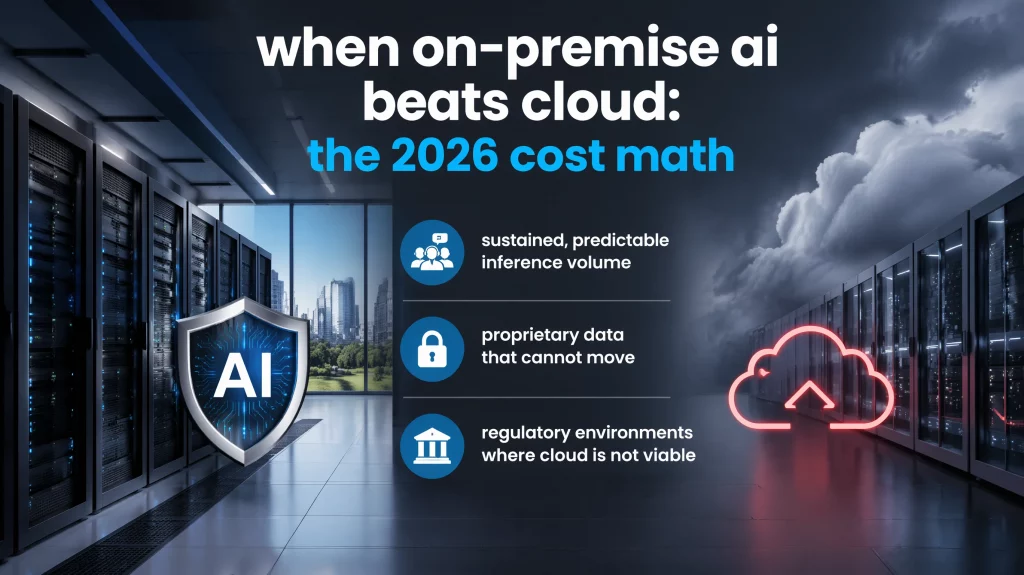
Three scenarios where on-premise consistently wins on economics:
- Sustained, predictable inference volume: Customer service agents handling thousands of interactions per day at consistent traffic levels benefit most. There is no burst-and-idle cycle, GPU utilization stays high, and the CapEx amortizes efficiently.
- Proprietary data that cannot move: A fine-tuned model trained on your own contracts, clinical notes, or manufacturing process data stays entirely local. Enterprise deployments regularly report that domain-specific fine-tuned models outperform generic cloud models by 20-40% on the tasks they were built for, according to multiple independent practitioners.
- Regulatory environments where cloud is not viable: When data residency requirements, air-gap mandates, or client contracts prohibit third-party cloud processing, the cost comparison becomes irrelevant. On-premise is the only viable path.
One less obvious factor also deserves mention: egress costs. Cloud billing dashboards make egress fees easy to overlook. VMware’s Private Cloud Outlook 2026 found that 97% of IT leaders believe some portion of their public cloud spend is wasted, with more than half estimating that waste exceeds 25% of their total cloud budget. On premise has zero egress cost by definition.
When NOT to Choose On-Premise AI
Most vendor-written guides skip this section entirely, and that is exactly why you should read it. On-premise fails in specific, predictable scenarios, and understanding those scenarios is more valuable than any feature comparison.
The clearest cautionary case comes from a documented deployment: a mid-size healthcare company committed $2.1 million in GPU infrastructure to satisfy HIPAA requirements. Their compliance team had overestimated internal workload volume and underestimated the engineering overhead of maintaining GPU clusters in-house. The infrastructure ran at 30% utilization for the first 18 months. Two full-time engineers spent the majority of their time on hardware management and model serving optimization rather than building the clinical applications that justified the investment. After 18 months, the company pivoted to a hybrid model, retaining a small on-prem cluster for their most sensitive patient data workflows while routing the bulk of their inference through HIPAA-compliant cloud endpoints. The hybrid architecture cut total AI infrastructure costs by 45% and freed both engineers to focus on application development, according to a cost analysis published by Swfte AI in December 2025.
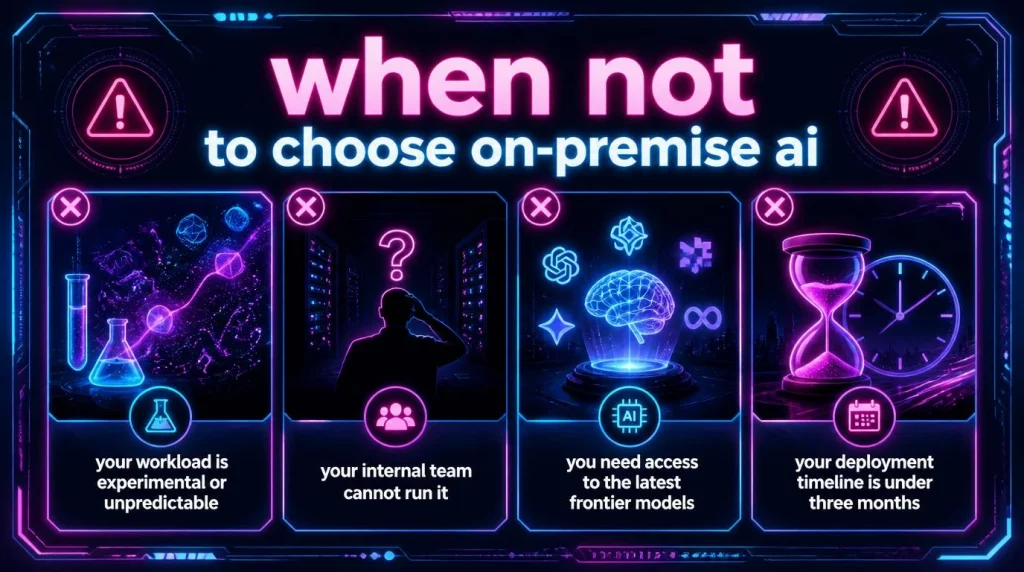
On-premise is likely the wrong choice when any of these conditions apply:
- Your workload is experimental or unpredictable: Burst-heavy or exploratory workloads cannot sustain the GPU utilization needed to justify CapEx. Cloud’s pay-per-use model handles variance without stranded capacity.
- Your internal team cannot run it: Managing GPU clusters, handling model serving optimization, and maintaining security patches requires dedicated MLOps expertise. Most organizations underestimate this requirement. If your AI team consists of two people with other responsibilities, on-premise infrastructure will consume them.
- You need access to the latest frontier models: Open-weight models like Llama, Mistral, and Qwen can be self-hosted, but GPT-4o, Claude, and Gemini Ultra cannot. If your use cases depend on frontier model capability that is not yet available open-source, cloud remains the only practical option.
- Your deployment timeline is under three months: Procuring, racking, and configuring GPU infrastructure typically takes four to twelve weeks. Cloud deployments run in hours. If your organization needs AI working next month, on-premise is the wrong starting point.
The honest framing here is that on-premise is not inherently better or worse than cloud. It is the right architecture for a specific set of conditions. IDC projects that 75% of enterprises will operate hybrid environments by 2027, precisely because different workloads carry different requirements and matching architecture to workload profile matters more than committing to either model as a philosophy.
Benefits of On-Premise AI: What Actually Matters
The standard list of on-premise benefits, typically some variation of security, control, and compliance, is accurate but underspecified. What follows is what each of those benefits actually means in operational terms.
- Data sovereignty and breach economics: When AI processes data on-premise, there is no third-party involvement in that processing. No shared infrastructure, no risk of proprietary data appearing in a model’s training set, no ambiguity about which jurisdiction’s laws apply. IBM’s 2025 Cost of a Data Breach Report puts the average US enterprise data breach at $10.22 million, a record high driven by higher regulatory fines and escalation costs. For organizations handling sensitive financial records, patient data, or intellectual property, that figure often exceeds the entire on premise infrastructure investment.
- Compliance that can be demonstrated, not just asserted: Regulated industries need more than compliant systems; they need auditable ones. Deloitte’s 2026 research found that 55% of enterprises avoid certain AI use cases entirely because of cloud data security concerns, not because the technology fails, but because they cannot demonstrate sufficient control to regulators. On-premise AI solves this by giving your compliance team a complete audit trail showing exactly which model processed which data, when, and under which access controls, because your organization owns the entire stack.
- Inference latency that doesn’t depend on external conditions: Cloud inference introduces network round-trips that typically add 50-200ms per call. Self-hosted models deliver sub-100ms inference with no dependency on external network conditions or provider uptime. For real-time applications including fraud detection, industrial control systems, and clinical decision support, that latency difference is a system requirement rather than a performance preference.
- Fine-tuning on proprietary data as a compounding advantage: This benefit is the one most underweighted in initial evaluations. A customer service model fine-tuned on your actual support tickets, in your actual product terminology, with your actual resolution patterns, outperforms a generic cloud model on your specific use cases from day one. That performance advantage compounds over time as you continue refining the model on new production data, creating an advantage that competitors using generic cloud APIs cannot easily replicate.
On-Premise AI Infrastructure: What You Actually Need
Most infrastructure planning conversations start with GPUs. That is the right starting point, but GPUs represent only one layer of what your organization is procuring and maintaining.
Compute: GPU selection in 2026
GPU pricing stabilized after the severe shortages of 2023-2024. Current market prices sit at $25,000-30,000 for the NVIDIA H100, down from $35,000-40,000 at peak, and $8,000-12,000 for the A100. For enterprises deploying 7B-70B parameter models for inference, which represents the most common on-premise workload, a two-to-four-GPU setup provides sufficient throughput for hundreds of concurrent users. For larger models in the 70B+ range, plan for four to eight GPUs at minimum. Starting with the minimum configuration that handles your current actual volume is wiser than buying for three-year projections, because it is easier to scale compute than to reduce stranded capacity.
Networking
High-speed internal networking is non-negotiable for multi-GPU setups. InfiniBand or high-bandwidth Ethernet at 100Gbps or above between GPU nodes prevents compute bottlenecks from becoming network bottlenecks. For air-gapped environments specifically, data ingestion requires careful planning, because you cannot pull model updates over the air and must maintain a secure pipeline for periodic model and data refreshes.
Storage
Model weights for 7B-70B parameter models range from 14GB to 140GB in standard precision. Quantization, which reduces from FP16 to INT8 or INT4, cuts those numbers roughly in half with manageable quality tradeoffs for inference workloads. Beyond model storage, your plan needs to account for your knowledge base (RAG corpus), vector indices, and inference logs. NVMe SSDs handle active model serving well; high-capacity HDD or object storage suits archival data.
Operational overhead: the budget line most teams miss
Lenovo’s 2026 TCO analysis includes a figure that consistently surprises planning teams: ongoing maintenance runs 10-20% of initial deployment cost annually for well-architected systems. This covers patch management, hardware monitoring, model updates, and the engineering time required for optimization. Budget for at least one dedicated MLOps engineer from Day 1. If your initial deployment plan does not include that headcount, revisit the plan before committing CapEx.
AI Hive’s on-premise deployment service handles this operational layer for enterprises that want production-grade infrastructure without building an MLOps function internally.
Top On-Premise AI Platforms in 2026
The platform you deploy on top of your infrastructure determines how quickly you reach production and how maintainable the system remains over time.
|
Platform |
Best For |
On-Premise Deployment |
Model Support |
Governance Layer |
|---|---|---|---|---|
|
AI Hive |
Mid-market to enterprise (100-2,500+ employees) needing fast deployment with compliance controls |
Full on-premise + air-gap via Kubernetes |
11+ LLMs including GPT, Claude, Llama, Mistral; BYOM |
AES-256 at rest, TLS 1.3 in transit, RBAC, full audit trail, PII masking |
|
IBM watsonx |
Large enterprises with existing IBM relationships |
On-premise + hybrid |
Granite models + third-party |
Strong but expensive |
|
TrueFoundry |
Engineering-led teams building MLOps infrastructure |
Full on-premise |
Model-agnostic |
Custom governance setup required |
|
Kore.ai |
Fortune 2000, multi-department deployments |
On-premise available |
Model-agnostic |
Enterprise-grade, $300K+/year |
|
Hugging Face (private deployment) |
Developer teams running open-source models |
Self-managed on-premise |
Open-source models only |
Minimal out of box |
AI Hive’s on-premise option deploys to your own Kubernetes cluster, which means data never leaves your infrastructure post-deployment. For manufacturers and government organizations that require air-gapped environments, AI Hive supports fully isolated deployments with no outbound network connections required. Given how much weight the comparison table above places on the governance column, it is worth understanding what that layer needs to cover in practice. AI Hive’s enterprise AI agent security guide breaks down the threat models and controls any on premise platform should support before production rollout.
3 Industries Where On-Premise Is Non-Negotiable
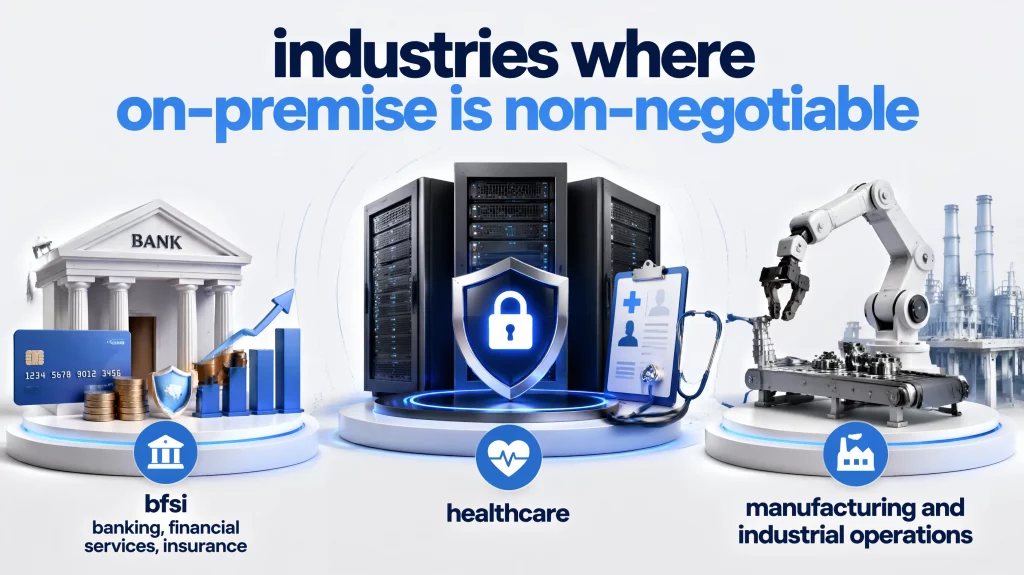
BFSI: Banking, Financial Services, Insurance
Banking regulators in most jurisdictions require that customer financial data processed by AI systems remain within controlled infrastructure. For organizations subject to data residency requirements or contractual restrictions on third-party data processing, cloud AI is simply not viable regardless of cost.
One practical illustration comes from a regional banking group operating across six countries. This group processes 15,000+ account applications per month and deployed a KYC Onboarding Agent on an on premise Kubernetes cluster. The deployment ran document OCR, AML watchlist screening, and automated eligibility decisions entirely within the bank’s own infrastructure, with zero data leaving the environment post-deployment. The compliance team could produce a complete audit trail for any regulatory inquiry without involving a cloud vendor. AI Hive’s BFSI solutions page covers the compliance architecture for similar banking and insurance deployments.
Healthcare
HIPAA requires that protected health information (PHI) be handled under a Business Associate Agreement (BAA). Many cloud AI providers offer BAA-eligible endpoints, but PHI still transits their network during processing. For clinical systems handling diagnostic data, patient records, or treatment histories, on-premise keeps that data entirely local and simplifies HIPAA audit preparation considerably.
A healthcare network with 120 clinics and 800,000+ patients deployed an on-premise patient triage agent covering symptom assessment, appointment routing, and urgent escalation. The system operated 24/7 across chat and voice channels without requiring clinical staff to be on call for routine queries. HIPAA compliance was architecturally guaranteed because PHI never left the network’s infrastructure. The AI Hive healthcare deployment page shows the specific compliance configuration for similar healthcare environments.
Manufacturing and Industrial Operations
Industrial control systems (ICS) and operational technology (OT) environments cannot tolerate internet-facing AI components. A predictive maintenance agent reading sensor data from factory equipment cannot send that data to a cloud API, both because safety-critical systems require millisecond response times and because ICS environments are frequent attack targets.
AI Hive’s air-gapped deployment model was built specifically for this scenario. A manufacturing group with 4,200 employees across plants in three countries deployed an IT helpdesk agent and incident monitoring system on an air-gapped plant network, with Datadog and PagerDuty integration running locally rather than through external cloud connections.
What Actually Breaks in the First 30 Days
Most enterprise AI deployments fail not because the technology doesn’t work, but because of decisions made before the system went live. Analysis of enterprise deployments across 2025-2026 consistently surfaces four failure patterns that appear before any technical issue does.
- Data readiness is overestimated, almost universally: MIT’s Project NANDA (July 2025) found that 95% of enterprise AI pilots produce no measurable ROI, and the failure consistently traces to data integration gaps rather than model quality. On-premise AI makes this problem more visible because your organization owns the entire data pipeline and has nowhere to deflect the blame. The common version of this failure: the team assumes data is “ready” because it is accessible, then discovers mid-deployment that records are incomplete, formats are inconsistent, or the necessary fields are scattered across six systems that were never integrated.
- GPU utilization collapses without active workload management: The healthcare case described earlier is the pattern, not the exception. Infrastructure gets sized for projected peak load, actual utilization runs at 30%, and two engineers spend their time maintaining hardware instead of building applications. The fix is workload-aware sizing from the start: begin with the minimum GPU configuration that handles your current actual volume, not your three-year projected volume.
- Governance frameworks are planned for later and never arrive: Multiple enterprise deployments analyzed between May and October 2025 hit full operational freezes when a compliance review asked a simple question: when the agent makes a wrong call on a high-value decision, who is accountable? The technology worked in every case. The accountability framework did not exist. Enterprise AI incidents analyzed through 2025 consistently show the same pattern: the biggest failures were organizational rather than technical, involving weak controls, unclear ownership, and misplaced trust in autonomous systems. AI Hive’s enterprise AI agent governance framework lays out the access controls, escalation thresholds, audit logging, and human-override procedures that need to exist before the first production workload, not after the first incident.
- Scope begins too broad and collapses under its own complexity: Enterprise AI deployments that succeed consistently start narrow, deliberately. Organizations that attempt end-to-end workflow automation from Day 1 almost always encounter integration failures within 90 days. The pattern that works is one specific, well-defined task in a contained environment, running for 30-60 days, before any expansion.
On-Premise AI Infrastructure Readiness Checklist 2026
Before committing to on premise deployment, work through each item below honestly. Fewer than 10 confirmed “Yes” answers suggests hybrid deployment is a better starting point.
1. Data Readiness
[ ] Your primary AI use case has a clearly defined dataset that is already accessible and format-consistent
[ ] You can describe exactly what data the AI will process and confirm it can legally remain on-premise
[ ] You have a process for regular data pipeline maintenance and quality monitoring
2. Infrastructure Capacity
[ ] You have or can procure GPU hardware appropriate for your model size and inference volume
[ ] Your network infrastructure supports the bandwidth requirements of your planned workload
[ ] You have adequate storage for model weights, vector indices, and audit logs
[ ] Your data center has sufficient power and cooling for GPU density (typical enterprise GPU rack: 10-20kW per rack)
[ ] You have a hardware refresh plan for the 3-5 year lifecycle
3. Team Capability
[ ] You have at least one dedicated MLOps engineer available at deployment start
[ ] Your IT team has experience with Kubernetes or equivalent container orchestration
[ ] You have a process for applying security patches to AI infrastructure components
[ ] You have defined escalation procedures for model failures in production
4. Compliance and Governance
[ ] You have identified which regulations apply to your AI deployment (GDPR, HIPAA, EU AI Act, local laws)
[ ] You have RBAC configured for AI system access before go-live
[ ] You have an audit trail solution that captures model version, inputs, and decisions
[ ] You have human-override procedures for high-risk or irreversible agent actions
5. Budget Authorization
[ ] CapEx for hardware is approved, not pending
[ ] Ongoing operational cost (10-20% of hardware annually) is included in your Year 1-3 budget
[ ] You have a defined success metric to evaluate at 90 days
Overall judgement:
- Score 15-18 Yes: Strong candidate for full on-premise deployment.
- Score 10-14 Yes: Hybrid deployment recommended. Start with cloud or private cloud and build toward on-premise.
- Score under 10 Yes: Address gaps before committing CapEx. Cloud or a managed on-premise service is the better starting point.
Conclusion
On-premise AI has moved past the compliance-only framing it carried for most of its early enterprise history. In 2026, the economics make it compelling for any organization running sustained, high-volume AI workloads, not only for regulated industries. The cost math is verifiable, the deployment patterns are well-documented, and the failure modes are understood well enough that you should not have to learn them the hard way.
The practical assessment comes down to three conditions: your data requirements make on premise necessary or economically compelling, your utilization will be high enough to justify the CapEx, and your team has the operational capacity to run the infrastructure. When all three conditions hold, on premise is the right choice. When they do not, hybrid or managed deployment gets you further faster. Start with one narrow use case, validate the economics, then expand from demonstrated success.
If you are working through this decision and want to evaluate how on-premise AI fits your specific infrastructure and compliance requirements, speak with AI Hive’s implementation team about a scoped deployment.