

Many enterprises don’t fail at AI because the technology is too hard. They fail because they picked the wrong AI agent builder – one that looked clean in the demo but fell apart the moment it touched a real integration, a legacy database, or a compliance requirement nobody mentioned in the sales call. Gartner projects that over 40% of agentic AI projects will be canceled before 2027, with escalating hidden costs and weak governance frameworks as the primary causes. In this article, we will evaluate seven platforms so your team can compare them honestly before anyone signs anything.
Key Takeaways
|
What Is an AI Agent Builder?
An AI agent builder is a platform that lets teams create, deploy, and manage autonomous AI agents without writing production code from scratch. The key word is autonomous: unlike a chatbot that waits for a question, an AI agent receives a goal, figures out the steps to reach it, calls external tools or APIs as needed, handles unexpected outputs, and delivers a result – often with no human involved mid-process.
Take AI Hive as a concrete example. A logistics company used AI Hive’s no-code Visual Agent Studio to build a WISMO Resolution Agent that handles real-time shipment status inquiries, sends proactive delay notifications, and processes rerouting requests – all without a customer service rep touching the ticket. The agent connects to the company’s existing tracking system, interprets unstructured customer messages, and responds across WhatsApp, web chat, and email simultaneously. That’s what an AI agent builder makes possible: not just answering questions, but completing multi-step workflows autonomously at scale.
According to McKinsey’s AI report 2025, 62% of companies are testing AI agents, but only 23 % were able to successfully scale them for multiple functions. However, it is possible to develop a functional agent within half a day. However, it can be operated reliably under high load in a real system environment-this is exactly where most projects fail
How AI Agents Differ From Chatbots and RPA
|
Chatbot |
RPA Bot |
AI Agent |
|
|
Follows fixed scripts |
Yes |
Yes |
No |
|
Handles unstructured input |
Partially |
No |
Yes |
|
Calls external tools dynamically |
No |
Sometimes |
Yes |
|
Reasons through multi-step tasks |
No |
No |
Yes |
|
Requires human input per task |
Yes |
No |
No |
|
Adapts when process changes |
No |
No |
Yes |
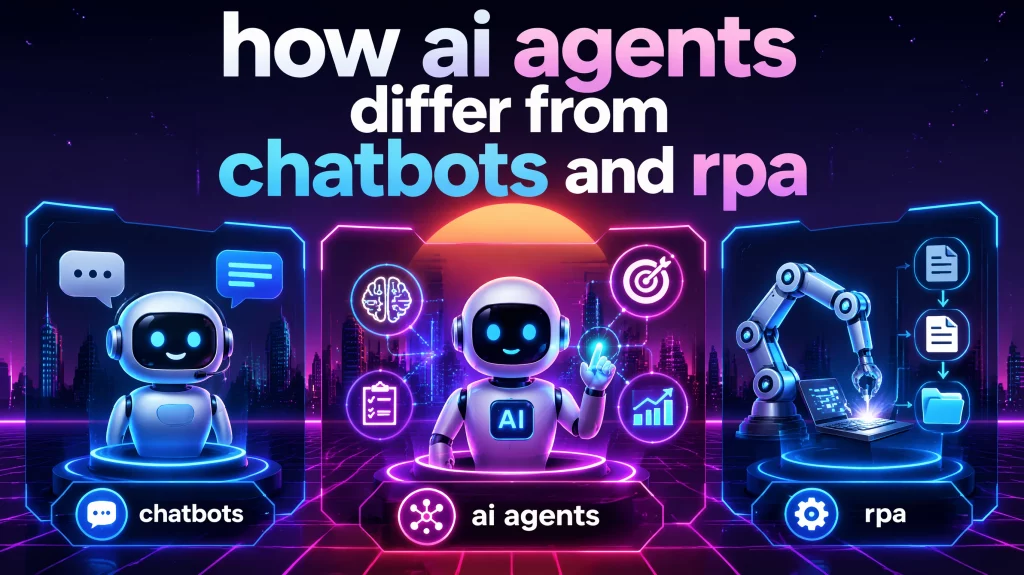
If your use case is “answer 50 common customer questions,” a chatbot is probably enough. If it’s “process incoming loan applications end-to-end,” you need an actual AI agent builder – not a chatbot platform with an “AI” badge stuck on the pricing page.
Key Features to Look for in an AI Agent Builder
Before you start comparing platforms, your team should agree on which capabilities are non-negotiable for your specific context. Below is what actually matters for enterprise deployment, ranked by how often it creates problems after purchase rather than before.
- LLM flexibility (model-agnostic architecture) Single-model platforms lock you into one provider’s pricing, rate limits, and capability ceiling. Platforms that let you route different tasks to different models – GPT-4o for complex reasoning, Claude Haiku for summarization, Llama for on-premise workloads – give you cost control and resilience. Verify this carefully before you buy. “Supports multiple models” in a vendor brochure sometimes means you pick one model at account setup, not that you can switch per agent.
- Human-in-the-loop controls Agents that run without approval gates will eventually make expensive mistakes. Look for configurable approval steps, output review queues, and rollback capability. Relay.app and Gumloop both handle this well. Platforms built for fully autonomous enterprise deployment – AI Hive, for example – include role-based access controls (RBAC) and audit trails as part of the governance layer, not as paid add-ons.
- Integration depth with your existing stack “8,000+ integrations” on a pricing page means very little if the connector to your specific ERP runs through a fragile webhook that breaks when the vendor pushes an update. Ask about SAP, Salesforce, ServiceNow, and legacy database connectors specifically. Deloitte’s 2025 AI study found that 60% of enterprise organizations cite legacy system integration as their primary implementation challenge. This is where deployments slow to a crawl most often.
- On-premise or private cloud deployment If your industry is regulated – banking, healthcare, insurance, defense – cloud-only platforms are frequently a compliance non-starter before any other evaluation criteria matter. Look for on-premise Kubernetes deployment or private cloud options with explicit data residency guarantees.
- Multi-agent orchestration A single agent handles a discrete task reasonably well. Complex enterprise workflows – a full KYC process spanning document extraction, watchlist screening, and credit evaluation, for example – require multiple specialized agents handing off to each other under a central coordination layer. Gartner and Forrester both flag 2026 as the inflection year for multi-agent system adoption in enterprise environments, and single-agent platforms will start showing their ceilings fast.
- Governance, audit trails, and compliance certifications SOC 2 Type II, HIPAA BAA capability, GDPR data residency, and PII masking are baseline requirements for regulated industries. Ask vendors for the actual compliance certificate, not the checkbox on their feature page.
The 7 Best AI Agent Builders in 2026: Detailed Comparison
Below is how the leading platforms compare across the five criteria that matter most for enterprise teams.
|
Platform |
Ease of Use |
Integrations |
Multi-Agent |
Security |
Price |
|
AI Hive |
✅ No-code + expert support |
✅ 100+ (SAP, SF, ServiceNow) |
✅ Native multi-agent |
✅ SOC 2, on-prem, air-gap, HIPAA |
From $29/mo |
|
Gumloop |
✅ Visual canvas, intuitive |
⚠️ 50+ integrations, growing |
✅ Multi-agent builder |
⚠️ SOC 2, cloud-only |
From ~$97/mo |
|
Relay.app |
✅ Easiest to start |
⚠️ 200+ apps, good depth |
⚠️ Improving in 2026 |
⚠️ SOC 2, cloud-only |
From $19/mo |
|
n8n |
⚠️ Requires technical user |
✅ 500+, self-host |
✅ Code-level orchestration |
✅ Self-hostable, full control |
Free / $24/mo |
|
Zapier |
✅ Broad familiarity |
✅ 8,000+ apps |
⚠️ Limited agent reasoning |
⚠️ SOC 2, limited on-prem |
From $19.99/mo |
|
Stack AI |
⚠️ Moderate learning curve |
✅ Enterprise connectors |
✅ Multi-agent workflows |
✅ HIPAA BAA, on-premise |
Custom |
|
Relevance AI |
✅ Sales-team focused UI |
⚠️ GTM-focused integrations |
✅ Agent teams, BDR |
⚠️ SOC 2, cloud-only |
From $19/mo |
1. AI Hive – Best for Enterprise Deployment with Expert Support
AI Hive was built for the mid-market to large enterprise segment as a full enterprise AI agent platform – covering companies with 100 to 2,500+ employees that need production-grade agents but don’t have an internal AI engineering team capable of building and maintaining them.
The AI Hive platform combines three things most competitors separate: a no-code Visual Agent Studio with drag-and-drop workflow building, a marketplace of 500+ pre-built agent templates organized by industry, and an optional AI Engineers for Hire service where senior engineers embed directly into your delivery cycle. That third piece is what separates AI Hive from pure-software competitors like Kore.ai or Gumloop. You’re not buying a tool and hoping your team figures it out. You’re buying deployment capacity.
What AI Hive does well:
- Model-agnostic architecture supporting 11+ LLMs (OpenAI, Claude, Gemini, Llama, Mistral, DeepSeek), switchable per individual agent rather than locked at account setup
- On-premise Kubernetes deployment with air-gap support for regulated industries where no data can leave the organization’s own infrastructure
- 100+ pre-built connectors to enterprise systems including Salesforce, SAP S/4HANA, ServiceNow, and Zendesk
- Governance layer built-in: AES-256 encryption at rest, TLS 1.3 in transit, OAuth 2.0, SAML 2.0, SSO via Okta and Azure AD, PII masking, and RBAC
- Average time to first working agent: 30 minutes from a marketplace template; 4 weeks for a full custom deployment with the Engineers for Hire team
Real numbers from deployed clients:
A regional banking group processing 15,000+ account applications per month cut KYC processing time by 78% after deploying AI Hive’s KYC Onboarding Agent and Compliance Monitor Agent fully on-premise. A national healthcare network with 800,000+ patients reduced call center wait times from 18 minutes to under 3 minutes using the Patient Triage Agent across both chat and voice channels.
Where it’s not the right fit:
- Reaching the 4-week deployment target requires upfront data coordination with your internal team. If that process is slow, the timeline slips.
- Higher setup complexity than Relay.app or Zapier for simple single-step agents where enterprise governance isn’t a requirement
- Engineers for Hire adds real cost. A fully technical internal team that wants to self-build won’t need it.
Best for: BFSI, healthcare, logistics solutions, or manufacturing enterprises that need on-premise deployment and multi-agent orchestration, particularly those with no existing internal AI engineering capacity who’ve been quoted 6-18 months by Kore.ai or IBM Watson.
2. Gumloop – Best for Technical Teams Who Want Visual Multi-Agent Orchestration
Gumloop uses a drag-and-drop visual canvas to build and connect specialized agents. It targets technical marketing, sales, and operations teams that want multi-agent capability without writing production Python. G2 rates Gumloop at 4.8/5. It supports OpenAI, Anthropic, Gemini, and DeepSeek out of the box, and includes native MCP server support for custom integrations.
Best for: Solo operators to mid-sized technical teams automating marketing, data analysis, and support workflows. Cloud-only, so it doesn’t suit regulated industries with data residency requirements.
3. Relay.app – Best for Non-Technical Teams Starting Fast
Relay.app earns the highest ease-of-use scores among AI agent builders on G2 right now (4.9/5, 84 reviews). Its AI assistant builds and debugs workflows through a chat interface, which makes it genuinely accessible to business users who’ve never set up an automation before. It connects to 200+ apps, includes all major LLMs through bundled AI credits, and has human-in-the-loop approval steps built in. Pricing starts at $19/month.
Best for: Small to mid-size teams prioritizing speed over enterprise compliance depth. Gets agents operational in hours, not weeks.
4. n8n – Best for Developers Who Want Full Control at Low Cost
n8n is open-source, self-hostable, and technically serious. Full data residency control comes with self-hosting. The integration library covers 500+ connections, including deep API customization for anything that doesn’t have a native connector. The catch is maintenance. n8n requires real engineering investment to configure, update, and run reliably.
Best for: Engineering-led teams in regulated industries that want self-hosted control and no vendor dependency. Not a fit for business users without dedicated technical support.
5. Zapier – Best for Teams That Need the Widest Integration Library
When your workflow touches niche tools, legacy systems, or software the bigger platforms simply haven’t connected yet, Zapier’s 8,000+ app library is genuinely hard to match. Its AI agent capabilities have expanded significantly over the past year, though the agent reasoning layer is still less sophisticated than purpose-built agent platforms.
Best for: Operations teams with complex, sprawling tool stacks where workflow logic is relatively linear. Less suited for tasks that require multi-step reasoning or unstructured input handling.
6. Stack AI – Best for Regulated Industries Needing HIPAA Compliance
Stack AI is purpose-built for enterprise and regulated use cases. HIPAA BAA support, SOC 2 certification, and on-premise deployment are included rather than treated as enterprise add-ons. It’s priced accordingly – custom enterprise quotes only – and the onboarding is more involved than consumer-facing platforms.
Best for: Healthcare organizations, financial services teams, and government-adjacent enterprises where HIPAA or FedRAMP is a hard requirement, not a nice-to-have.
7. Relevance AI – Best for Sales and GTM Teams
Relevance AI focuses specifically on sales and go-to-market automation. Its template library covers BDR workflows, inbound lead qualification, and outbound personalization. If the primary use case is revenue-generating and CRM-adjacent, its templates and integrations are genuinely strong.
Best for: Sales ops and marketing teams building outbound or inbound AI agent workflows. Less suited for backend operations, compliance-heavy processes, or anything in manufacturing or logistics.
The Hidden Costs Nobody Mentions Before You Buy
This section is the one most vendor comparison articles skip. It’s also the reason over 40% of agentic AI projects will be canceled before 2027, per Gartner’s 2026 Hype Cycle for Agentic AI – with escalating costs and governance gaps cited as the primary causes.
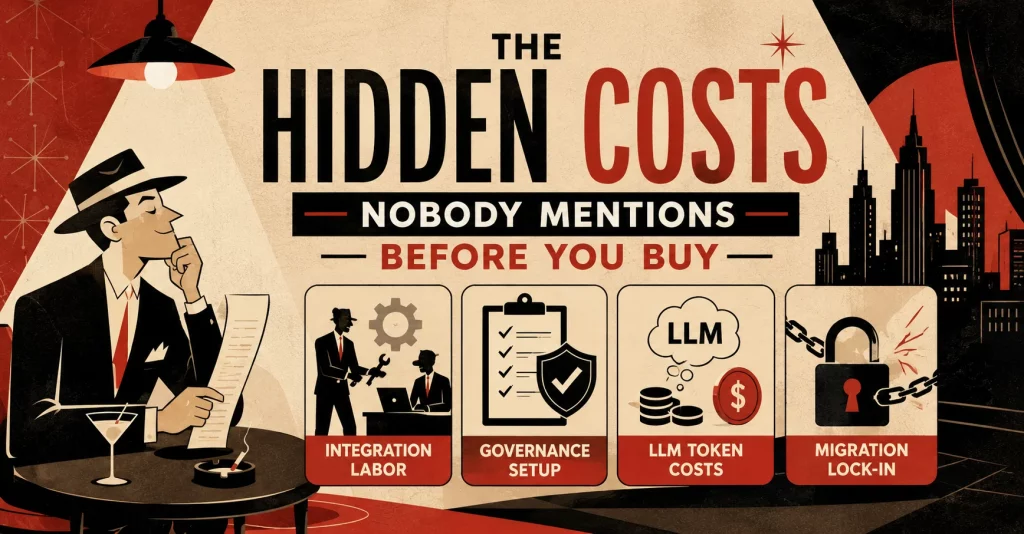
Four costs consistently show up after the contract is signed:
- Integration labor: Most no-code platforms connect cleanly to modern SaaS tools. They don’t connect cleanly to SAP, Oracle ERP, or custom-built internal systems from 2015. Deloitte’s 2025 study of 2,773 enterprise AI leaders found that 60% identify legacy system integration as their primary AI implementation challenge, and 35% call it the single biggest barrier to scaling. Budget 2-4 weeks of internal IT time per legacy system connection, regardless of what the vendor’s integration count page says.
- Governance setup: Implementing proper LLMOps – audit trails, output monitoring, RBAC, PII masking, kill switches – is rarely bundled in base plans. For regulated industries, this configuration alone can take 3-6 weeks before any agent touches live data. Platforms like AI Hive include governance as a native layer. Most others treat it as a professional services line item.
- LLM token costs at scale: A $0.01 per-call LLM cost feels trivial in testing. At 50,000 agent interactions daily across a 500-person operations team, it compounds to $180,000+ annually before you factor in compute and storage. Platforms that let you route tasks to smaller, cheaper models – Llama 3 for classification, GPT-4o only when complex reasoning is actually required – cut that bill by 35-60%. Single-model platforms don’t give you that option.
- Migration lock-in: After six months of building workflows on a proprietary visual canvas, switching platforms means rebuilding from scratch. Before signing anything, ask two specific questions: “Can I export my agent logic in an open format?” and “What does migration look like if we need to move to on-premise later?” Vague answers are your answer.
How to Choose the Right AI Agent Builder for Your Situation
Getting this choice wrong is expensive. The right platform depends less on feature count and more on three things your team needs to answer honestly upfront: your team’s technical capacity, your compliance floor, and your existing infrastructure’s age.
|
Your Situation |
Recommended Path |
|
Non-technical team, simple SaaS stack |
Relay.app or Zapier |
|
Technical team, full control, budget-conscious |
n8n (self-hosted) |
|
Mid-market enterprise, no internal AI team |
AI Hive with Engineers for Hire |
|
Regulated industry (BFSI, healthcare), on-premise |
AI Hive or Stack AI |
|
Sales / GTM-focused use case |
Relevance AI |
|
Multi-agent, visual canvas, technical team |
Gumloop |
|
Large enterprise, max integration breadth |
Zapier or AI Hive |
When no-code isn’t enough
No-code AI agent builders cut the engineering burden substantially. They don’t eliminate it. Your IT team still needs to be involved in:
- Connecting to legacy or custom-built internal systems
- Configuring security policies, RBAC, and data access controls
- Setting up monitoring, alerting, and audit trails
- Managing LLM cost as usage grows beyond the pilot stage
If your organization is in a regulated industry and your data simply cannot touch a third-party cloud server under any conditions, only on-premise platforms qualify from the start: AI Hive, n8n, and Stack AI. Starting with a cloud-only tool because it’s faster to set up, then migrating later, costs more than making the right call at the beginning.
How to Build Your First AI Agent (In 30 Minutes)
For teams using a no-code platform like AI Hive’s Visual Agent Studio, this is what a first deployment actually looks like:
- Define one workflow, not an entire department. Pick the highest-volume, most repetitive task your team currently handles manually. “Process inbound customer returns requests” is a workable starting point. “Automate customer service” is not.
- Start with a template. AI Hive’s marketplace has 500+ pre-built agent templates organized by industry. Search for your use case before attempting to build from scratch.
- Map your triggers and data sources first. What event starts the agent? An email arriving, a form submission, a ticket opening? What data does it need access to? Get these connections configured before touching any agent logic.
- Set more approval gates than you think you need. Decide which outputs the agent handles autonomously and which require human review. For first deployments, err toward more oversight. You can loosen it once you’ve seen the agent handle your actual data for a few weeks.
- Run 50 real test cases before going live. Edge cases surface quickly. Test with incomplete inputs, ambiguous cases, and the three most common exceptions your team currently handles by hand.
- Deploy and then don’t expand scope for two weeks. The first two weeks in production will surface more about your workflow than any planning session did.
In Conclusion
Picking an AI agent builder is less about features and more about fit. No-code platforms like Relay.app or Gumloop get small technical teams moving fast. Open-source self-hosted options like n8n give engineering teams full control at low cost. For enterprises in regulated industries – banking, healthcare, logistics – that need on-premise deployment, multi-agent orchestration, and compliance built in from day one, the shortlist narrows quickly to AI Hive and Stack AI.
The hidden costs section of this article covers what most procurement teams only discover after signing: integration labor, governance setup, and LLM token fees at scale routinely exceed the platform subscription within six months. Read it before you commit to anything.
If you need an AI agent builder that’s genuinely no-code, supports 11+ LLMs without vendor lock-in, and can deploy on your own infrastructure if your industry requires it – AI Hive is worth a serious look. Our team handles the implementation A-Z, from scoping your first agent to embedding engineers directly into your delivery cycle if needed. Contact us for a free consultation on your enterprise situation and we’ll map out the AI agent approach that fits your stack, your compliance requirements, and your timeline.